Contents
Subscribe to our newsletter
Subscribe to the elia newsletter for exclusive product updates and industry best practices. You can unsubscribe at any time.
Thank you! You're subscribed.
Oops! Something went wrong while submitting the form.

.png)

Workplace occupancy monitoring is often misunderstood. Many people think it’s just about tracking desks or counting how many people come to the office. In reality, it’s far more strategic. When done right, it gives businesses the ability to design intelligent and employee-friendly workplaces.
In a world where hybrid working is the norm, space planning without reliable data feels like guesswork. Companies need to know not just how much space they have, but how that space is actually used. The truth is simple: occupancy data has become one of the most valuable insights organizations can collect.
This guide covers:

At its core, occupancy monitoring is the process of measuring how, when, and by whom spaces are being used. That can mean desks, meeting rooms, common areas, or even entire buildings. The data collected, often through occupancy monitoring sensors, access control systems, and Wi-Fi access points, provides insights into space utilization and office utilization.
We can define a few important concepts:
Why does this matter to different audiences?
Put simply, every stakeholder benefits when occupancy monitoring is part of the conversation.

The first obvious advantage is optimizing space. Monitoring shows us where desks sit empty, which meeting rooms are overbooked, and which floors operate at half capacity. Desk usage trends and room occupancy vs. vacancy rates become clear. It's the raw material for improving office space utilization over time.
With this knowledge, organizations can right-size their office footprint, or reallocate spaces for collaboration. Instead of guessing whether a new floor is necessary, businesses use real time occupancy data and historical data to make better decisions.
Real estate is typically the second-largest expense after salaries. Wasted square footage means wasted capital. Occupancy monitoring allows many businesses to consolidate floors, renegotiate leases, or transform unused office space into higher-value areas.
For example, if one office floor consistently operates at 30% occupancy, it may make sense to close it, reallocate employees, and reduce lease costs. That’s real money back on the bottom line.
Occupancy monitoring also improves daily working life. Think about the frustration of searching for a free desk or finding every meeting room booked. Real time data from occupancy sensors helps employees locate and book available spaces instantly.
The outcome is clear: reduced friction, higher satisfaction, and better engagement. In hybrid workplaces, this becomes essential. People expect flexibility, but they also expect tools that make the experience smooth.
Occupancy insights also ensure compliance with fire codes, social distancing guidelines, and capacity restrictions. They enable more efficient cleaning schedules, so cleaning teams can target the desks and meeting rooms that were actually used, not waste resources on empty areas. This boosts operational efficiency while ensuring a safe workplace.
One of the most exciting applications of occupancy data is Occupant-Centric Controls. By linking real-time occupancy data to HVAC and lighting, buildings adapt automatically.
The result is a double win: lower energy bills and greener operations. For companies with ESG commitments, this connection between energy efficiency and occupancy monitoring is a powerful way to meet sustainability goals.

Many businesses already use access control systems with RFID tags or badges. These systems provide baseline occupancy data by tracking when employees enter or leave. The advantage is cost, as existing infrastructure can be leveraged. The limitation is equally clear: entry data shows presence in the building, but not whether desks, meeting rooms, or common areas are being used.
Occupancy monitoring sensors deliver a more precise picture. Different types exist: PIR, ultrasonic, microwave, CO₂, LiDAR, and even computer vision. These devices detect human presence, monitor desk usage, and capture real-time occupancy patterns. They can cover larger areas depending on sensor type, making them suitable for both open floor plans and individual rooms. The result is accurate, granular occupancy data that provides insights traditional methods cannot.
Another method involves the workplace’s existing Wi-Fi infrastructure. By counting devices connected to Wi-Fi access points or detecting Bluetooth Low Energy signals, businesses can approximate occupancy. The strength of this approach is scalability, as it uses technology that is already deployed. However, it is less precise, since multiple devices may belong to a single person or shared laptops may skew the numbers.
Innovation is pushing boundaries further. Statistical models based on CO₂ or VOC levels estimate occupancy indirectly. Audio-based detection or low-cost BLE sensors provide affordable options for smaller offices. The future points toward seamless integration of multiple technologies, with AI-powered analytics forecasting demand, predicting headcount, and simplifying space allocation in ways that feel intuitive rather than complex.
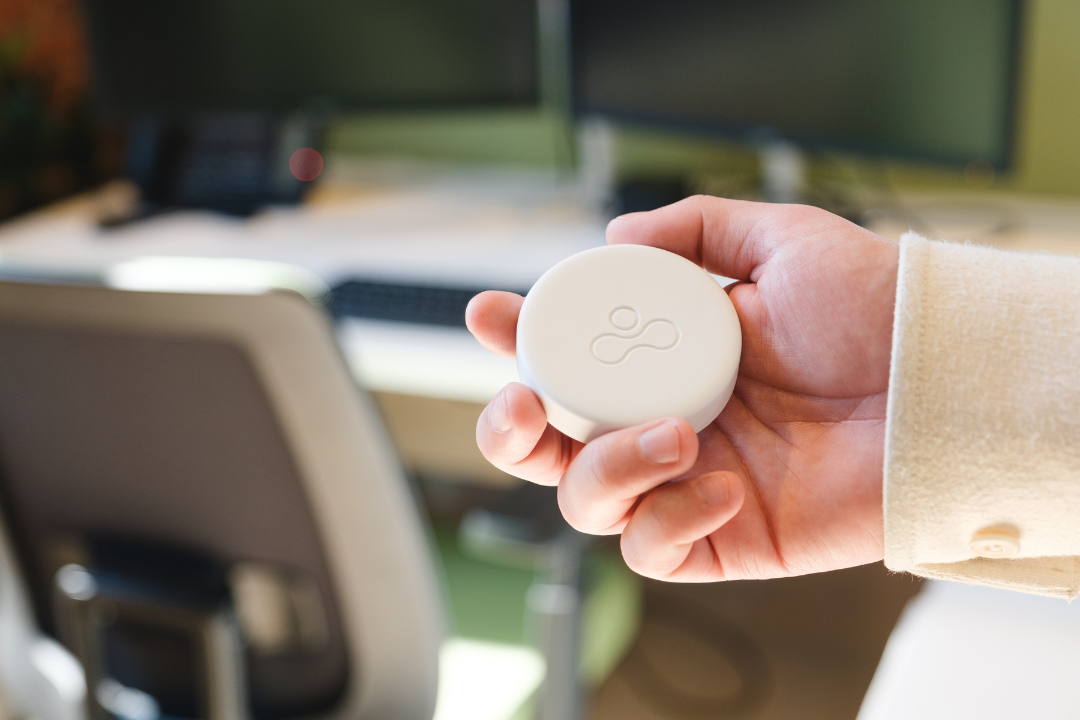
Not every sensor fits every space. The right choice depends on what needs measuring (a desk, a room, or a whole floor), how precise the counts need to be, the privacy standard the organization wants to hold, and the budget available.
Here is how the 4 main technologies stack up.
PIR sensors detect body heat and motion. They are the workhorse of desk-level monitoring: small, battery-powered, and simple to install, usually mounted under a desk or in a room corner. They report whether a space is occupied or vacant rather than counting people, and they can occasionally miss someone sitting very still. They are fully anonymous, sit in the lowest cost tier, and are the easiest option to deploy at scale.
Best for: desk usage across large floor plans.
LiDAR sensors use laser pulses to count people moving through a doorway or present in a zone. Accuracy is high, and unlike camera-based counting, no images are captured, which keeps monitoring anonymous. They typically mount on ceilings or above entrances and need professional installation. Unit costs run higher than PIR.
Best for: meeting rooms, entrances, and floor-level headcounts where precision matters.
CO₂ sensors estimate how many people occupy a zone based on carbon dioxide concentration, sometimes combined with VOC or humidity readings. Estimates are approximate and lag behind reality as air circulates, so they suit trend analysis more than live decisions. Their advantage is double duty: the same devices support air quality monitoring and occupant-centric HVAC controls. Costs sit in the low to mid range.
Best for: zone-level trends and energy management.
Counting devices connected to existing Wi-Fi access points requires no new hardware, which makes it the fastest and cheapest way to get building-level occupancy signals. It is also the least precise: 1 person may carry 2 or 3 devices, and visitors or shared laptops skew the numbers. Because device identifiers can be traced to individuals, anonymization and aggregation are essential.
Best for: portfolio-level trends and quick baselines before investing in sensors.
Most organizations combine 2 of these rather than betting everything on 1: Wi-Fi for the broad baseline, plus PIR or LiDAR where decisions depend on accurate numbers. For teams looking for the easiest starting point, battery-powered PIR sensors on a single floor deliver reliable desk-level data with the least installation effort.
With data comes responsibility. Employees are often concerned about surveillance, misuse of information, or overreach. These concerns are valid, which is why ethical practices must be at the heart of every solution.
The best approach is anonymization: occupancy data should be aggregated rather than tied to individuals. Transparency also matters, and regular updates about what is being monitored, why, and how the information will be used build trust. Data minimization is another principle, where organizations collect only what is needed for better decision making. Finally, new privacy-preserving architectures, such as distortion models, ensure that even in complex deployments, identities remain protected.
Ethical monitoring is also a practical advantage. Employees who trust the process are more likely to embrace it, and organizations that communicate openly about what is measured stand out as responsible employers.
Costs vary widely because the category spans everything from software-only tools to full sensor networks. 4 factors drive the total: hardware unit costs, installation, software licensing, and how much of the office is covered.
Battery-powered desk sensors (usually PIR) commonly run between $40 and $150 per unit and install in minutes without wiring. Ceiling-mounted people counters such as LiDAR devices cost more, often several hundred dollars to over $1,000 per unit, plus professional installation. Wi-Fi-based monitoring carries little or no hardware cost since it uses existing access points. Software is typically licensed as a monthly or annual subscription, priced per space, per sensor, or per floor depending on the vendor.
Real estate is typically the second-largest expense after payroll, so the return usually shows up there first. If monitoring reveals that a floor consistently runs at 30% occupancy, consolidating it can save more in a single year of lease costs than an entire monitoring deployment costs to run. Secondary savings add up too: cleaning schedules targeted at spaces that were actually used, HVAC and lighting that follow real occupancy instead of fixed schedules, and fewer support requests about full rooms and missing desks.
2 habits keep spending sensible. First, pilot before scaling: a single floor proves the data quality and the workflow before the organization commits to full coverage. Second, favor vendors that publish their pricing. Public pricing makes budgeting and comparison straightforward, while quote-only pricing remains common in this category and tends to slow evaluations down.

The first step is clarity. Every workplace is different, so it’s important to define what matters most before diving into technology. Are you aiming for cost savings, greater energy efficiency, or a smoother employee experience? The answer will guide your decisions. You’ll also want to account for practical factors: office size, layout, hybrid working style, sustainability targets, and existing privacy policies. Without this foundation, occupancy monitoring risks becoming just another dataset without purpose.
No single tool captures the full picture. The most effective strategies blend multiple systems, such as access control systems to track entry and exit patterns, Wi-Fi signals to reveal device distribution across given spaces, and occupancy monitoring sensors to capture human presence at desks and in meeting rooms. When combined, these sources provide a comprehensive, real-time view of space utilization.
Occupancy management software ties these sources together in one place, so the data can be compared and acted on without manual exports.
Once data streams are connected, the next challenge is making sense of them. Real-time data empowers employees to make immediate decisions: finding a free desk, booking a meeting room, or adjusting building controls to match current usage. Historical data supports long-term planning: renegotiating leases, forecasting headcount, or analyzing trends in office utilization. Together, these streams enable dashboards, automated alerts, and scheduled reports that turn raw data into valuable insights and more efficient space planning. This is the backbone of workplace analytics.
Occupancy monitoring is most effective when everyone is aligned. Facilities, HR, IT, and leadership should be involved from the beginning. Clear communication is critical, and showing the tangible ROI, whether in dollars saved per desk, reduced energy bills, or improved employee engagement, helps stakeholders understand the impact. Transparency also builds trust among employees, reducing privacy concerns and encouraging adoption.
Finally, successful implementations never happen all at once. Starting with a pilot, perhaps on one floor or in one office, gives organizations the opportunity to test, learn, and refine their approach. Battery-powered sensors keep this easy, since a single floor can be live within days without a heavy IT project. From there, insights can be scaled across larger areas or multiple buildings. Regular updates ensure that the system evolves alongside the organization, because occupancy patterns change as hybrid working practices mature.
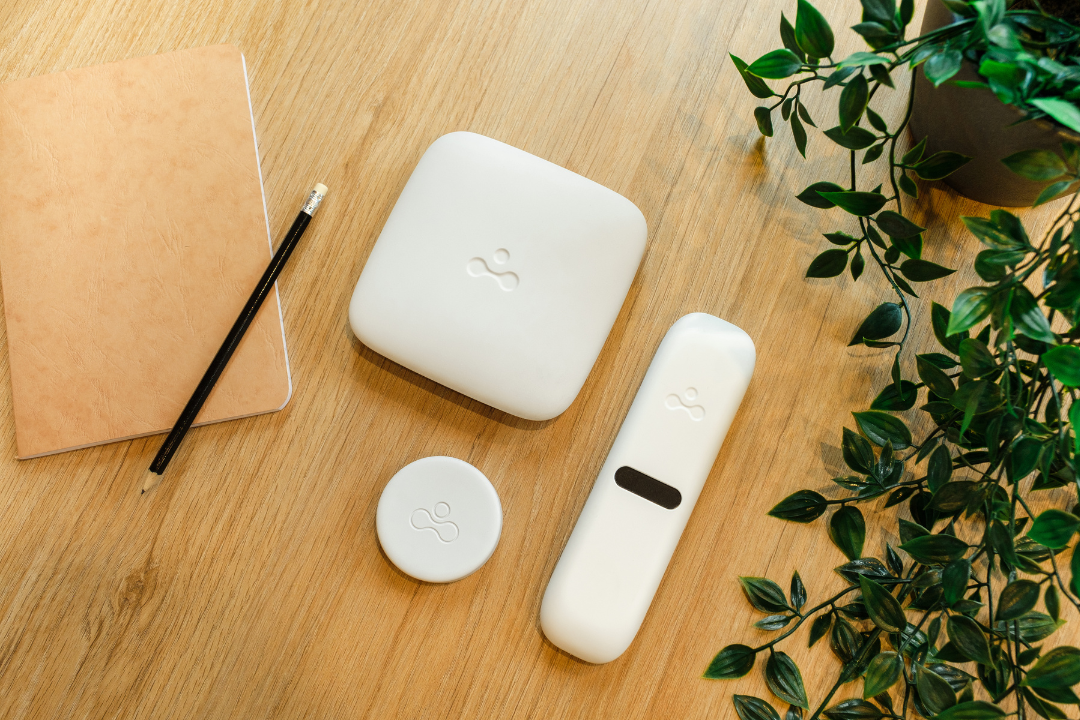
elia is a workplace management platform that combines occupancy hardware and software in one system. It connects its own desk occupancy sensors and room occupancy sensors with occupancy management software, and can also pull in data from Wi-Fi access points and access control systems, so utilization data lives in one place instead of across disconnected tools.
A few things distinguish the approach:
For specific use cases, the resources on desk utilization monitoring and conference room analytics show how occupancy data translates into measurable outcomes.
Teams that want to see how this looks with their own floor plans can book a walkthrough with elia.
Answers to Your Common Queries