Contents
Subscribe to our newsletter
Subscribe to the elia newsletter for exclusive product updates and industry best practices. You can unsubscribe at any time.
Thank you! You're subscribed.
Oops! Something went wrong while submitting the form.



Ghost bookings are one of the most annoying parts of hybrid work. A room looks booked, nobody uses it, and everyone else works around a meeting that appears confirmed but isn’t even happening.
It sounds small until it keeps happening all week. Then it starts messing with everything: people waste time hunting for space, and companies pay for rooms that sit empty while the calendar pretends otherwise, creating real lost revenue over time.
That’s the real issue. Booking data isn’t the same as actual room use, but too many workplaces still rely on it. If companies want to end ghost bookings in 2026, they need a way to:
Most of the time, ghost meetings happen because hybrid teams are still using legacy scheduling tools built for a more predictable office, often across different platforms that don’t stay in sync. But people’s plans change, and the calendar doesn’t keep up.
At this point, ghost bookings are just part of how people work now. Industry data suggest that more than a third of scheduled meetings end up as no shows, and in some workplaces, certain no-show meeting types can climb even higher.
So no, this isn’t a tiny calendar issue:
This is where it stops being just a calendar problem.
Ghost meetings waste money and drain people’s time. Once it happens often enough, the cost stops being theoretical.
This gets worse in premium office markets, where every square foot already costs a fortune.
In Montreal, Class AAA vacancy has dropped to 6%, which gives landlords room to push net rents to around $41 per square foot. In New York, Midtown Manhattan office space averages about $85 per square foot, while trophy office space can go past $200 (!!!) per square foot.
So when a 10-person conference room, usually around 250 square feet, gets ghosted 25% of the time, it gets expensive fast:
Now stretch that across a global portfolio of 500 meeting rooms, and you’re looking at more than $1.5 million a year spent on rooms booked but useless in practice.
And there’s another layer to it. Every oversized booking also eats up square footage that could’ve been turned into two or three Zoom rooms or quiet work pods instead (which are in much higher demand).
The people cost can be even worse than the rent.
When employees can’t trust room availability, they lose time walking around and trying to decode whether “booked” means booked or just abandoned.
And once someone gets interrupted, it takes an average of 23 minutes and 15 seconds to refocus. So if someone spends half an hour doing the usual hallway scavenger hunt for space, that can wipe out a whole stretch of deep work.
If you want to end ghost bookings, stop relying on gut feeling.
The calendar can show a confirmed reservation, but that still doesn’t tell you whether anyone actually used the room.
The only real way to see the problem is to compare bookings with actual occupancy. And when teams do that, the gap is usually hard to ignore. From our experience, in ghost-heavy offices, booked space and used space often differ by 25% to 30%.
So before anyone starts saying, “We need more rooms,” it helps to check whether people are even using the ones they already have:
Different industries and room types have different targets, so benchmarks shouldn’t be one-size-fits-all:
The pattern is obvious once you look at it.
Large rooms are often the most wasted assets in the office, sitting empty more than people expect. Small huddle rooms and phone booths usually have the opposite problem. They’re in demand all the time, and one person can end up camping there for hours.
So yes, if a company wants a real picture of demand, this is where to start: with metrics that show what’s going on.
Once you can see the waste, the fix is pretty straightforward. If nobody shows up, the room should free itself. That’s it 🙂
That’s what automated room release does. A meeting gets booked, the system waits for a check-in or some sign of actual presence, and if nothing happens within 10 to 15 minutes, the booking disappears. The room goes back into circulation instead of sitting there fake-busy.
Strategies vary:
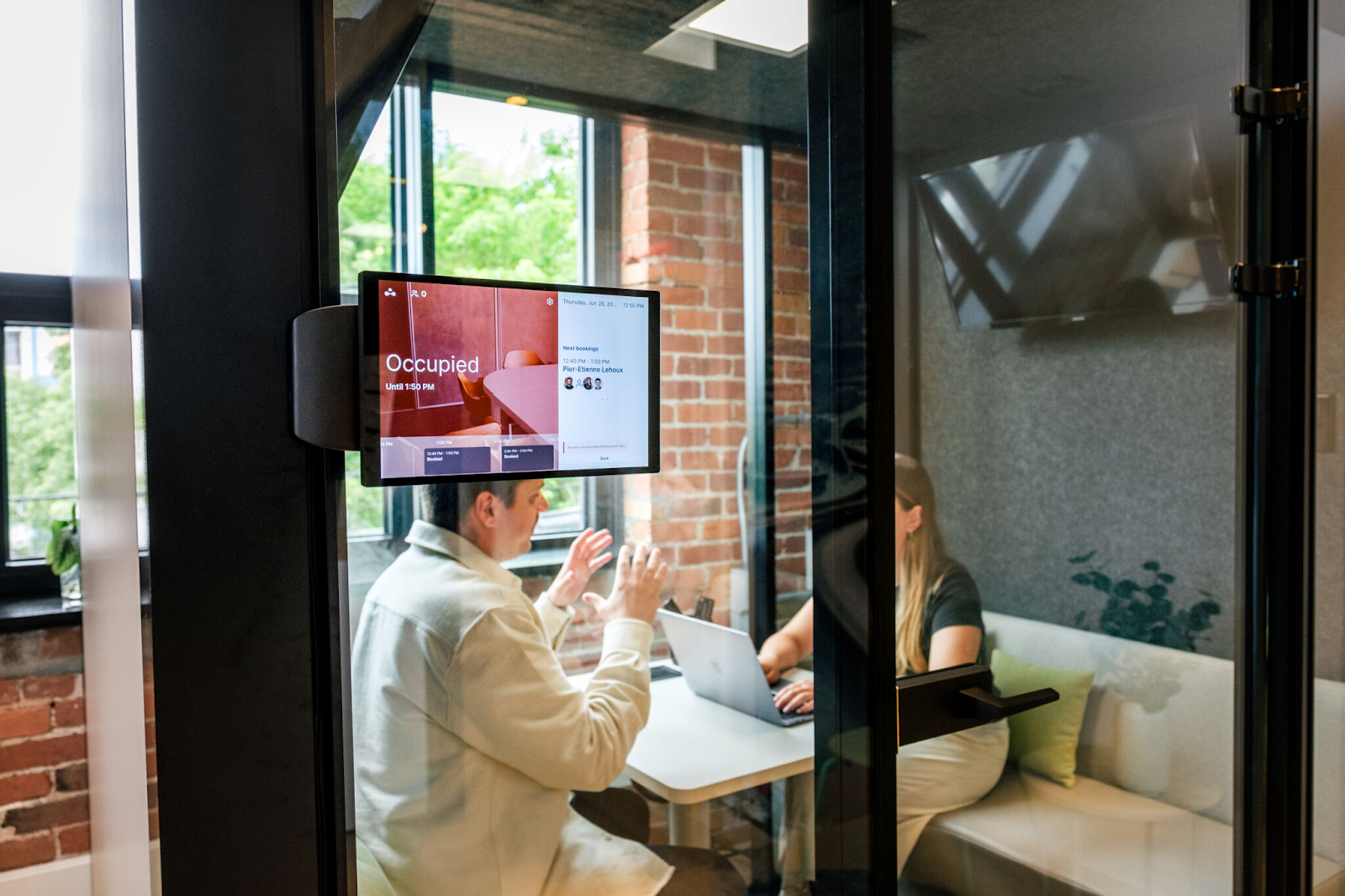
Auto-release works best when it’s part of a full workflow, not just one lonely rule sitting there by itself. To work properly, the booking, the reminder, the occupancy check, and the release action all need to connect.
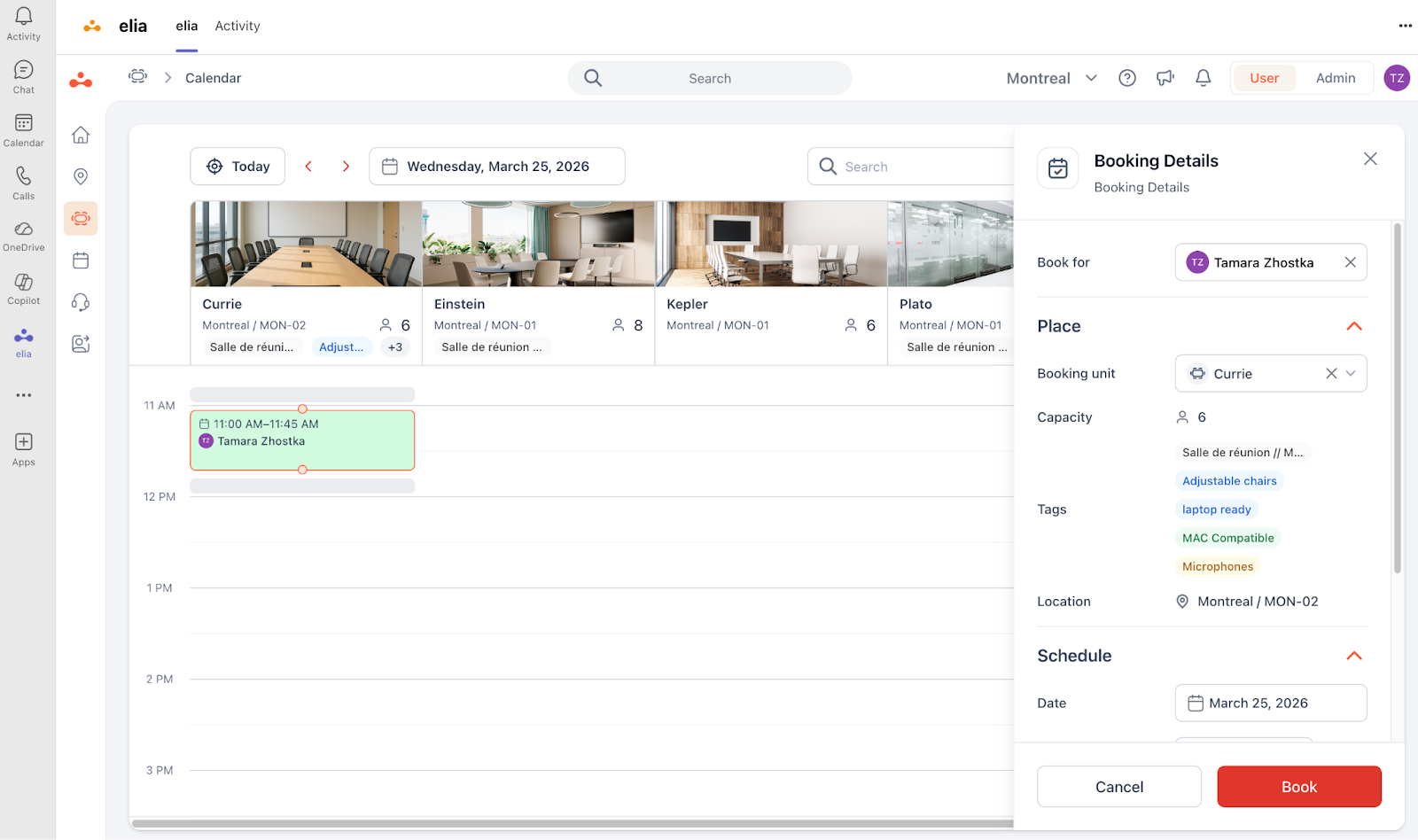
Here’s what that can look like in a meeting room booking system like elia.
Don’t ask employees to learn a whole new process just to reserve a room.
People can keep booking through the tools they already use, whether that’s Microsoft Teams, Outlook, Google Workspace, a web app, or a mobile app. The point is not to make booking feel like a whole new job.
Before the meeting starts, the organizer can get a prompt by email, Slack, Teams, or another connected channel with two simple options:
Depending on the setup, that reminder might go out a few minutes before the meeting starts or right at the start time.
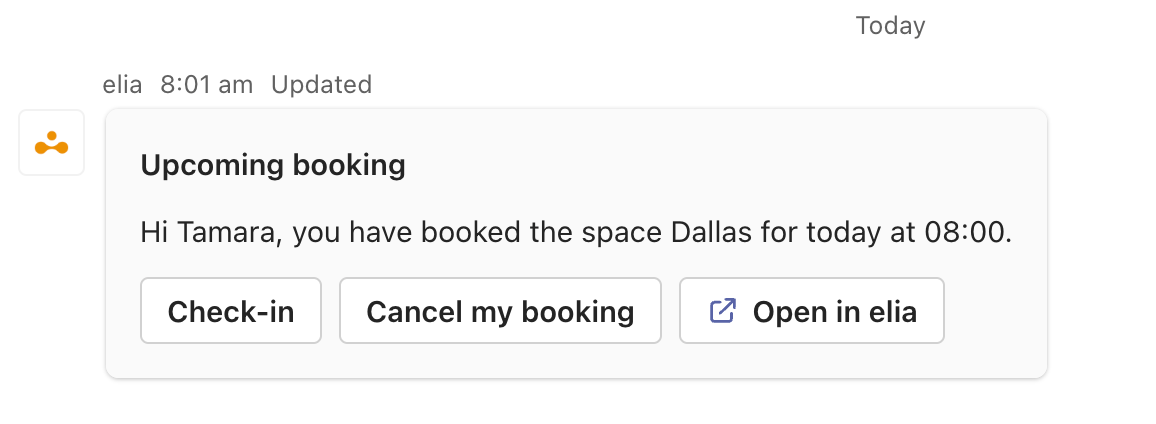
That small nudge helps catch unneeded reservations before they block space for the rest of the day.
You don’t have to rely only on people doing the right thing.
For example, elia can connect with desk and room occupancy sensors to detect whether someone is physically there. These sensors are battery-powered and fairly light on IT setup, so companies can roll them out without turning the office into an installation project.
If the system detects presence, the booking is effectively confirmed. If it doesn’t, the room may just be sitting there blocked for nothing.
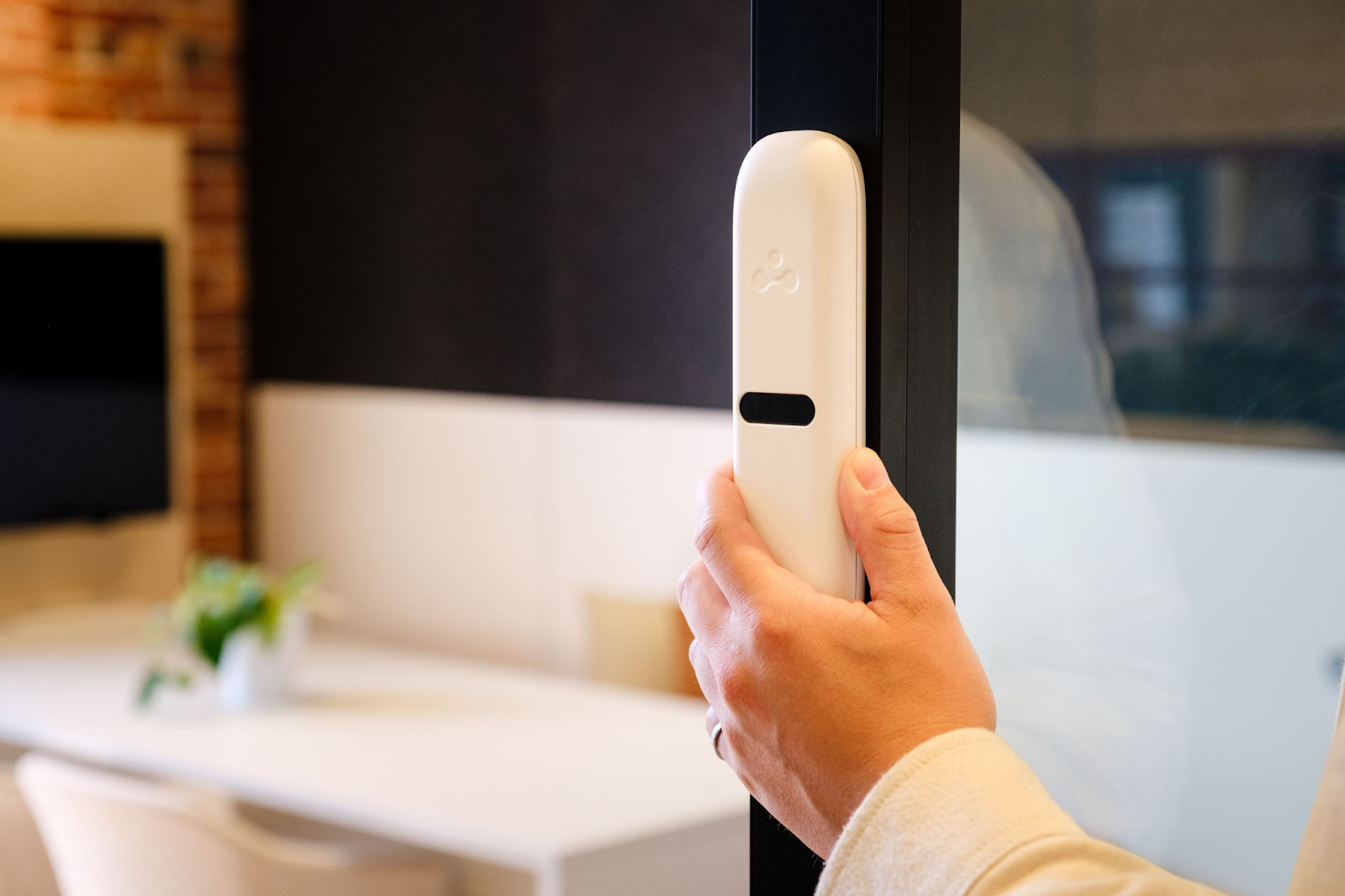
If nobody confirms the meeting and the room stays empty, you can release the booking after a set grace period.
Admins can take proactive steps and set different rules based on room type and office policy. For example:
The goal here is to match the rule to the room, not the other way around. Teams can also decide which spaces should have a maximum booking duration, whether there should be a booking approval, and how strict the rules should be.
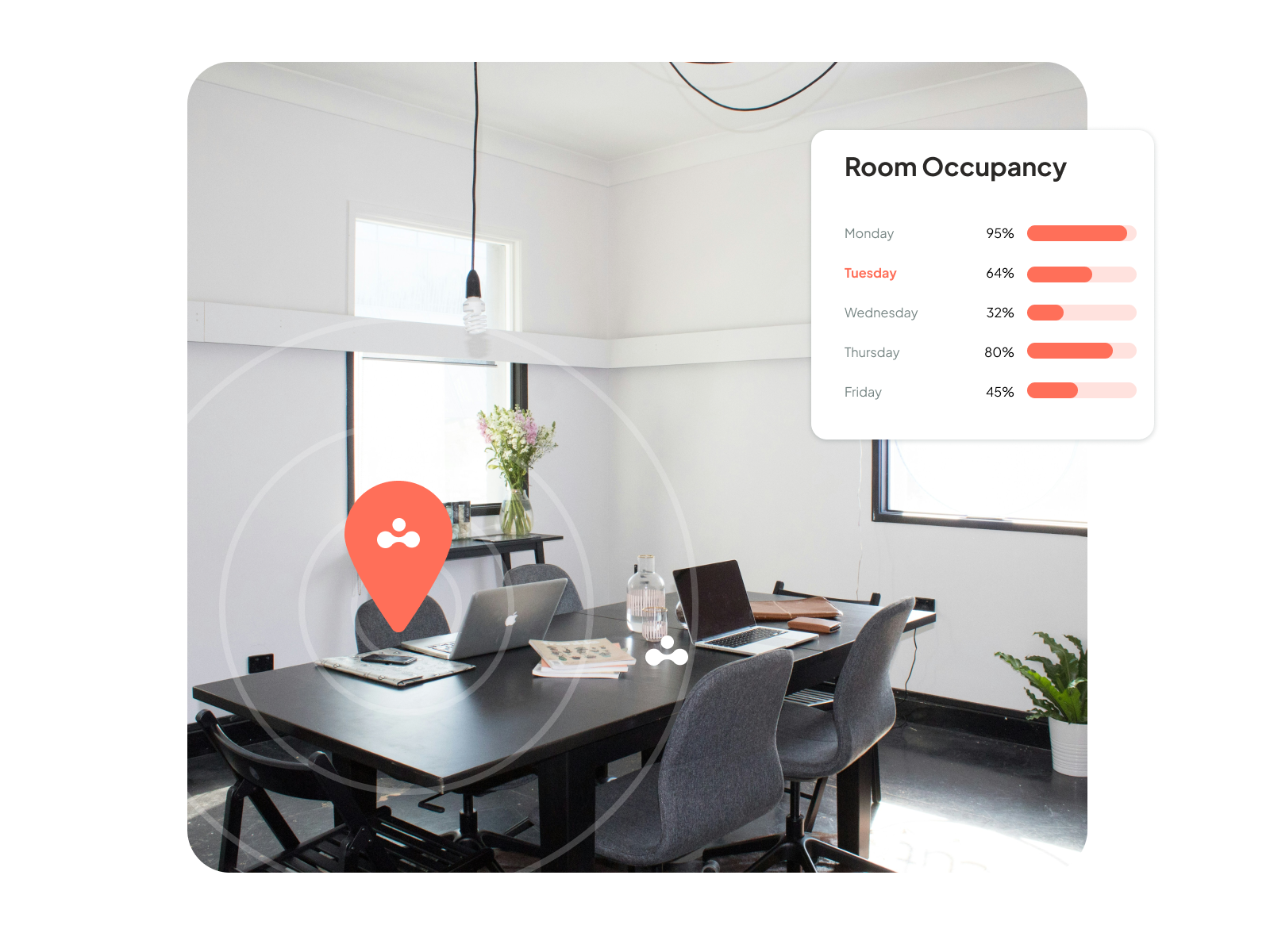
Once booking, reminders, sensors, and auto-release are connected, the data gets a lot more useful.
You can start seeing things like:
The system stops being operational and starts becoming strategic. The data can show whether you need more rooms, fewer large rooms, more Zoom rooms, or different room-release rules.
The right technology can reclaim space, but it won't magically fix the casual booking habits that created the problem in the first place. If people keep padding meetings or holding space longer than they need, the ghosts come right back.
A lot of this comes down to buffering: adding extra time before or after meetings for comfort, or grabbing more space in case more people show up. Usually they don’t.
If you want people to stop treating meeting rooms like vague suggestions, the rules need to be clear:
This part can sound a bit silly, but it can still work.
Releasing a room early isn’t exactly thrilling, so giving people points or small perks can help. That might include points for canceling early, points for checking in on time, and recognition for teams that use the right-sized rooms.
There’s also a simpler version of all this: let people see what’s going on.
When employees can tell who booked a room that looks empty, accountability gets easier. Sometimes a quick Slack message like “Are you using Room B?” works better than yet another automated alert.
Ghost bookings aren’t some weird office mystery. They happen when outdated rules and bad visibility all pile onto the same room calendar.
The good news is that this is fixable. Once companies stop treating bookings as proof of use, start measuring what’s happening, and make it easier to release empty rooms, a lot of the waste disappears surprisingly fast.
If you’re tired of rooms looking busy while sitting empty and want to cut no shows, book a demo with elia. We can help you see where the waste is coming from and what to do about it.
See what’s working, what’s wasted, and where space can do more.

Answers to Your Common Queries
%20(1).png)
![Conference Room Automation: The Complete Guide to Smarter Meetings [2026]](https://cdn.prod.website-files.com/64f88f68249f7cafe071d150/69383a535f2d6b279898c8ef_151.png)
