Smart locker system for modern workplaces

Give your team access to smart workplace lockers in one tap with the badge they already use. No keys. No PINs. Just secure storage for personal belongings.

Trusted by workplace teams
Secure storage that runs itself

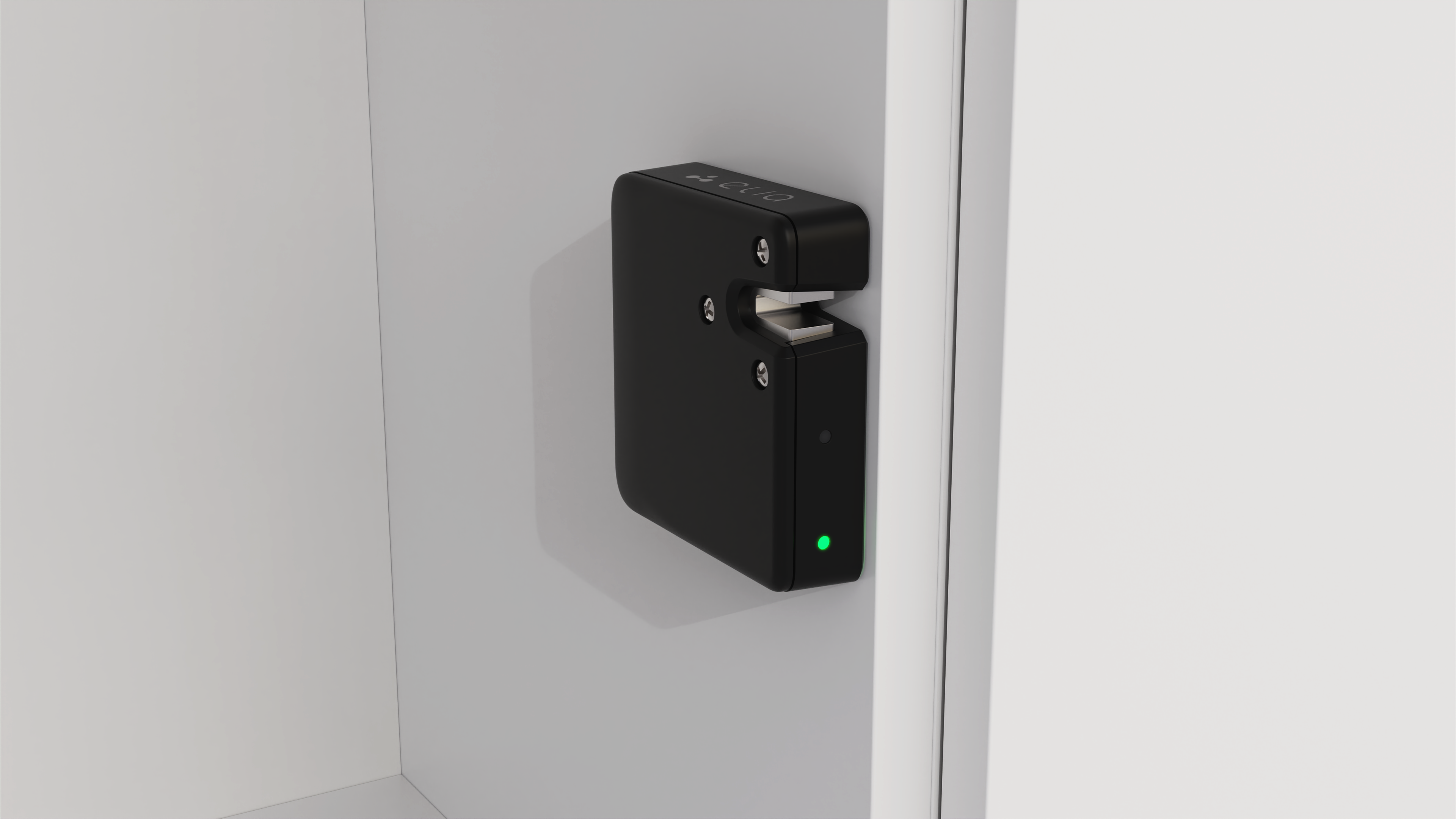
Smart lock hardware, plus the software behind it

A simpler way to manage storage at work. Employees access lockers from mobile or badge, while you manage assignments and rules behind the scenes.
BENEFITS

Say goodbye to lost keys and forgotten passwords

elia smart locks handle the morning rush so locker management takes place automatically, freeing your team to focus on more productive tasks.

Zero key management

Remove the administrative burden of replacing lost keys, resetting pin codes, and tracking access manually.

Higher utilization

Support more employees with fewer units by using smart locker technology that automates daily turnover.

Total visibility

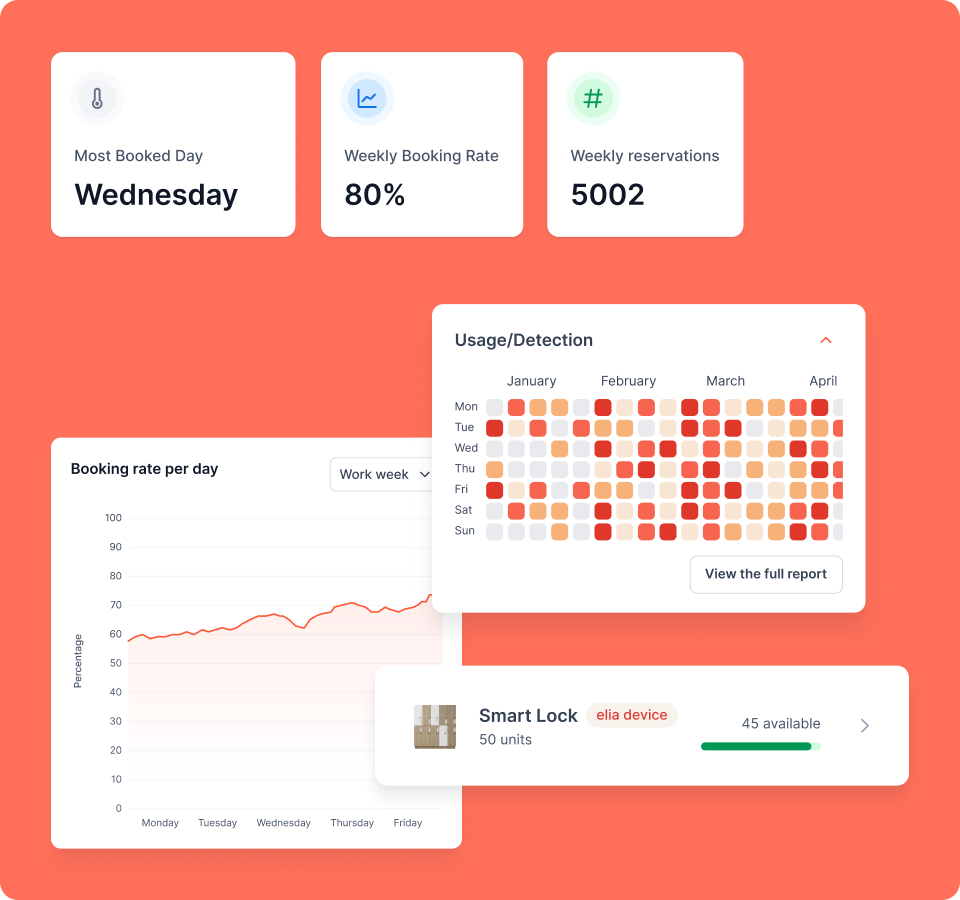
Monitor locker usage across your global footprint from a single dashboard with real-time data and a complete audit trail.

Self-service access

Let employees claim and release space from their phones, keeping locker management fluid and off your plate.

Three steps to secure storage

How our smart locks work

01
Find & tap
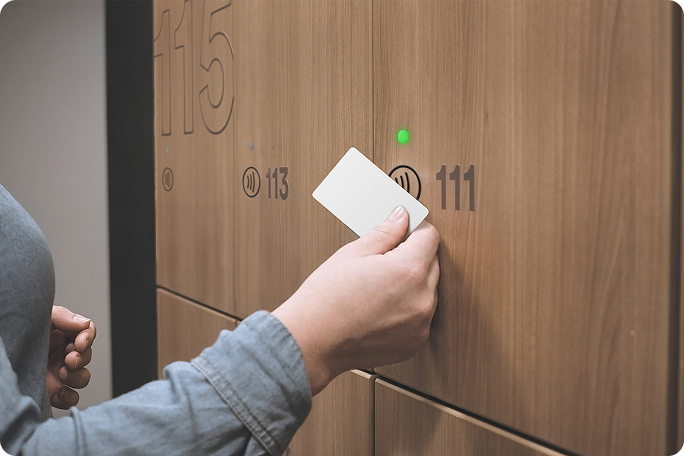
Walk up to any locker with a green LED and tap your employee badge directly on the lock to claim it.
02
Store & secure
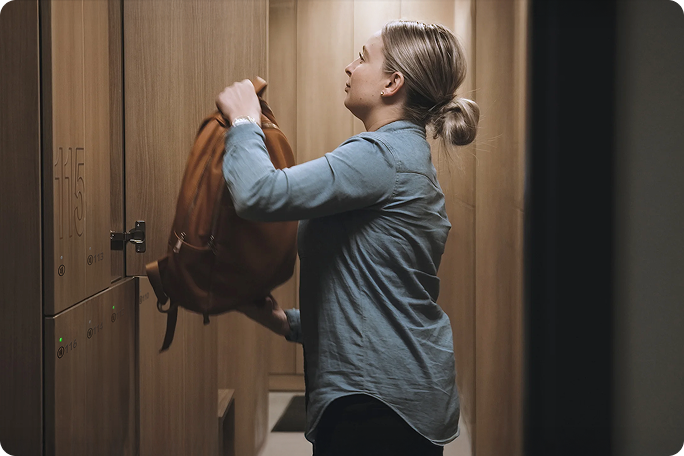
The door opens automatically. The locker is now synced to your profile and secured for the duration of your stay.
03
Manage & extend
Need more time? Extend or release your locker in seconds through the web or mobile app.
Flexible use modes

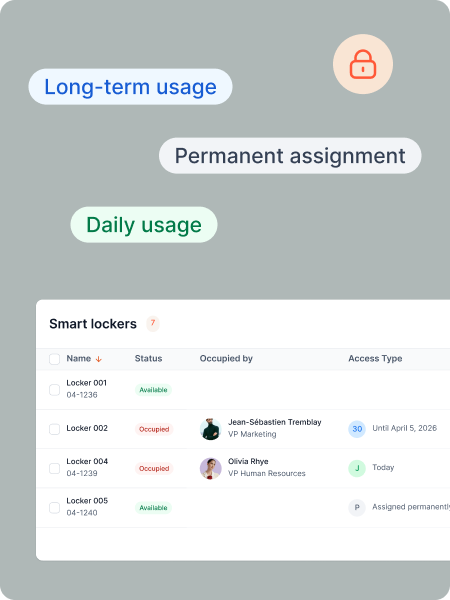
Daily, long-term, or permanent – your call

Whether you’re hosting guests for an hour or assigning employee lockers for the year, you can toggle storage rules instantly to keep your floor plan as agile as your team.

Daily

For day-to-day use. Employees can take a locker when they arrive, and it becomes available again automatically at the end of the day.

Long-term

For people who need the same locker for more than a day. They can move from daily use to longer-term storage when needed.

Permanent

For workplaces that want a stable locker setup without manual assignment for every employee.

Policy-based

Choose which modes are available by group, location, or locker bank to support asset management and inventory management policies.

Team zones

Group team lockers together for specific departments so they always have dedicated storage space in their designated neighborhood.

Visitor access

Generate temporary digital keys for guests and provide secure, short-term storage without requiring an employee badge.

Access methods

Works with the tech you already own

Skip the new hardware rollout. elia works with the access methods your team already uses every day.

Employee badges

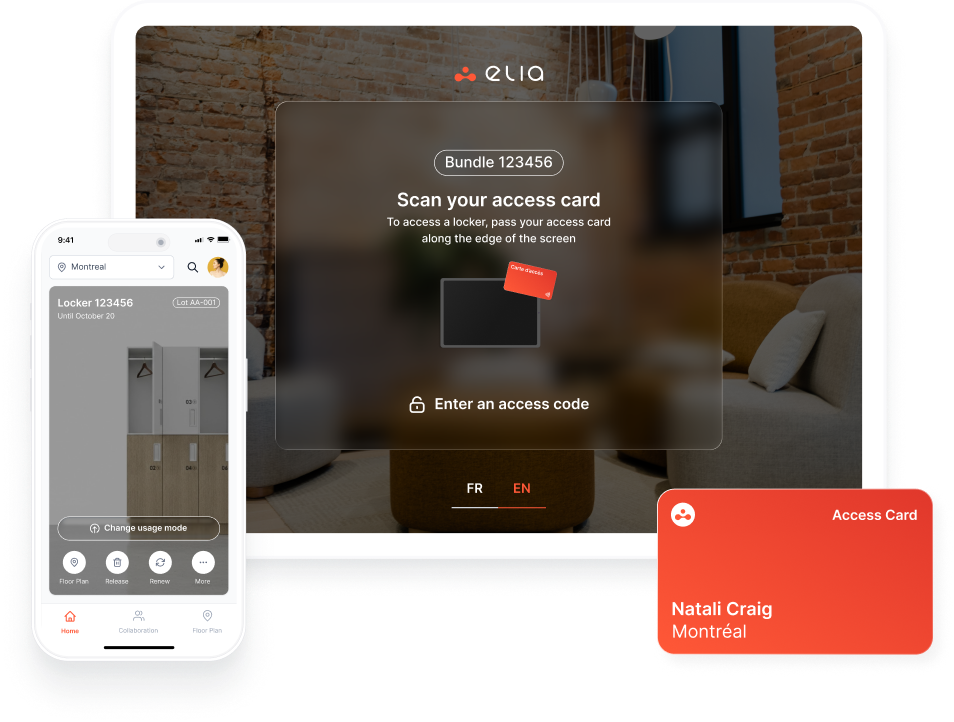
Native RFID and NFC support. Tap the same card you use for building entry.

Mobile and web

Claim, open, or release lockers through the smartphone app or any standard web browser.

Digital wallets

Tap to unlock via Apple or Google Wallet for an extra layer of convenience and increased security on mobile.

Kiosk & display

Find assignments and manage access without a phone through central touchpoints.
USE CASES

Use elia smart locks to
Troubleshoot remotely
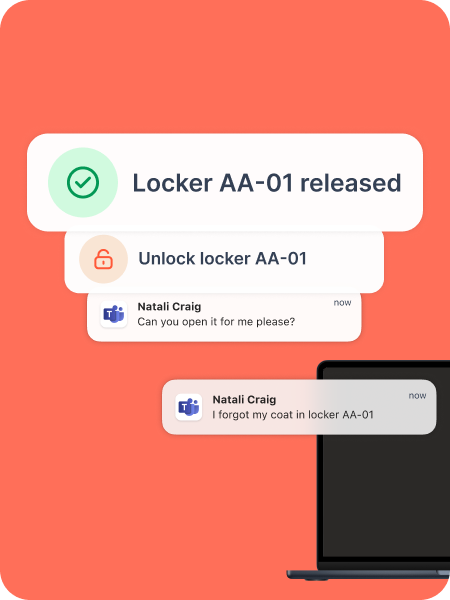
Handle employee requests from your desk with remote unlocking, and let the system automatically release lockers when a user’s status changes in your directory.
Automate locker assignments
Set first-come, first-served policies for long-term storage. Once an employee taps their badge, the locker is theirs. No admin intervention required.
Share locker access when needed
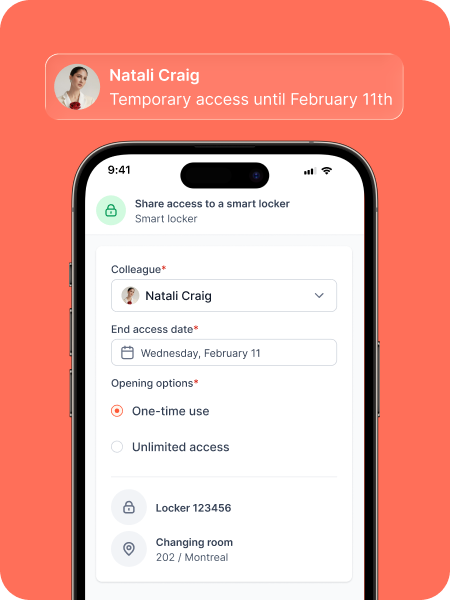
Delegate a locker to another person with a time-limited code, whether for a one-time pickup, shared documents, or temporary visitor access.
Usage insights

Understand how your locker inventory is really being used

Stop guessing how much storage you need. elia provides real-time insights into locker occupancy so you can optimize your floor plan based on actual demand.
Deployment options

Upgrade your existing lockers or build new

You don’t need to rip out your current setup to get smart storage. We can retrofit your existing banks to remove manual management or partner with Artopex for high-end units with our tech built in.

Either way, you get a single dashboard to manage your entire global footprint with real-time visibility.

One ecosystem for your entire office

Connect lockers with desks, visitors, and operations

Bring smart locker solutions into the flow of everyday workplace operations with:

• Desk sync
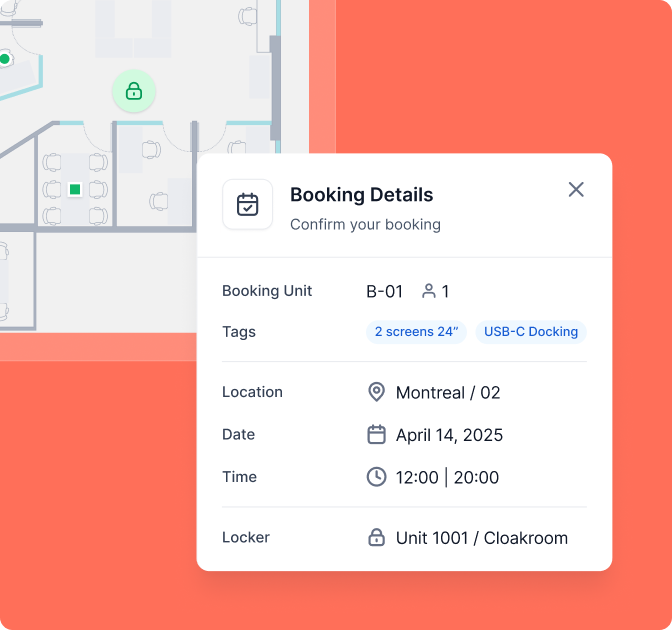
: Reserve a locker when booking a desk.
• Guest storage
: Assign temporary access as part of your visitor check-in flow.
• Secure access
: Keep locker permissions in sync with employee status and roles.
TESTIMONIALS

elia users say it best

The transition to elia was seamless for our users. The configurable settings made it easy to adapt to the reality of our organization, allowing users to easily find a space that meets their needs.
Anne-Marie Allard
Strategic Project Manager at Eddyfi
Now, our employees can plan their in-office days more easily, knowing when their colleagues will be present and choosing a desk that suits their needs. It's convenient and fosters collaboration.
Donna Prahacs
Vice President, Talent, Culture, and Sustainable Development
Our team members love the elia platform and adopted it immediately upon launch! The platform is very well thought out; all functionalities are easy to use, without the need for training.
Catherine Chouinard
Human Resources Director at ROBIC
With a significant portion of our team working in a hybrid mode, elia has become essential to the smooth running of our operations. Desk bookings can be done in the blink of an eye!
Ghislain Letendre
Maritime Director at Globco

I love booking desks with elia! In just a few clicks, I can book my place and see who's going to be in the office. The planner in me is delighted to be able to schedule my in-office days in advance!
Audrey
Human Resources at Québecor
elia's booking system is so simple! There's no need for user training, the floor plan appears and all you have to do is select the workstation you want. Plus, support was always easy to reach and responded quickly.
Michelle D'Arcy
Director of Real Estate Operations at Québecor

Your smart lock questions answered

Answers to your common queries

Do we need to replace our existing lockers?
What happens if an employee forgets to release their locker?
Can visitors access lockers temporarily?
How complicated is the wiring for a large office?
What about battery life and maintenance?
What happens if the power or the internet goes down?