Conference Room Technology: A Buyer's Guide by Room Size, Budget, and What Gets Used
Tamara Zhostka
Content Marketing Specialist
–
Last updated on Oct 14, 2026
At one Fortune 500 company, more than 25% of the 783 meetings booked across two offices were basically no-shows: room reserved, nobody showed. That's from Density's calendar analysis. Same research found employees waste up to 30 minutes a day just hunting for a place to meet, even in buildings full of rooms booked in advance.
So before you spec a single camera or mic, sit with this question for a second: what technology gets a room used the way it's equipped? Most buying guides skip right past it and hand you an AV shopping list instead.
I've kept this conference room technology guide practical:
It’s organized by room size and budget (because that's the way most facilities decisions are made, one room at a time, with a price tag attached).
It also covers the part many guides leave out: booking and occupancy data, and why those belong in the stack from day one instead of bolted on once the cameras are up.
TL;DR
Conference room tech has 3 layers: collaboration (screen sharing, whiteboarding), room performance (audio, video, display), and operations (scheduling, occupancy, analytics). Most buying guides only cover the middle layer.
Buy equipment by room size. A huddle room (1-4 people) needs an all-in-one video bar and a wireless share dongle. A standard room (5-12) adds mic coverage and a room controller. A boardroom (12+) needs DSP, multiple cameras, and usually an AV integrator.
Budget per room: roughly $2,000-5,000 for a huddle room, $5,000-15,000 for a standard room, $15,000-50,000+ for a boardroom. And don't forget about ongoing costs: licensing, support, and firmware.
Don’t buy AV gear without having occupancy data. If 25% of your meetings are ghosted, you're equipping rooms that sit empty. You need that data to shape your AV spend from the start.
A few 2026 trends to keep an eye out for: sensor-driven room release, AI auto-framing and noise reduction, AI meeting assistants that transcribe and summarize, and booking data that tells you which rooms to keep.
What does conference room technology cover?
The term covers more than the box on the wall. A useful way to break it down is 3 layers:
1. Collaboration
This includes the tools people use to work together in the room and with remote colleagues: wireless screen sharing, digital whiteboarding, content annotation, and more.
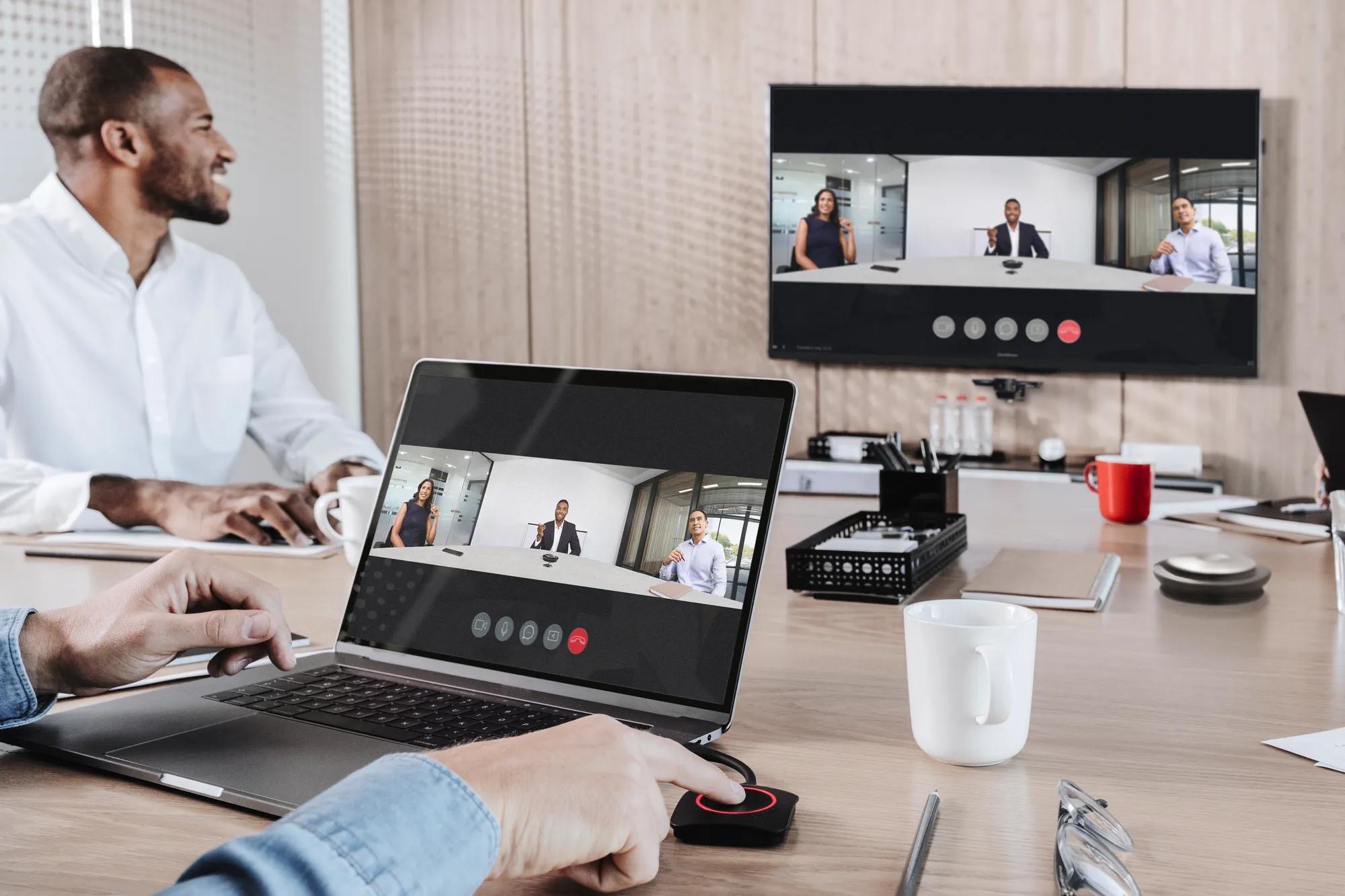
A wireless presentation system like Barco ClickShare is a great example. You just plug the dongle into your laptop, click, and your screen is up on the display without any cabling to worry about.
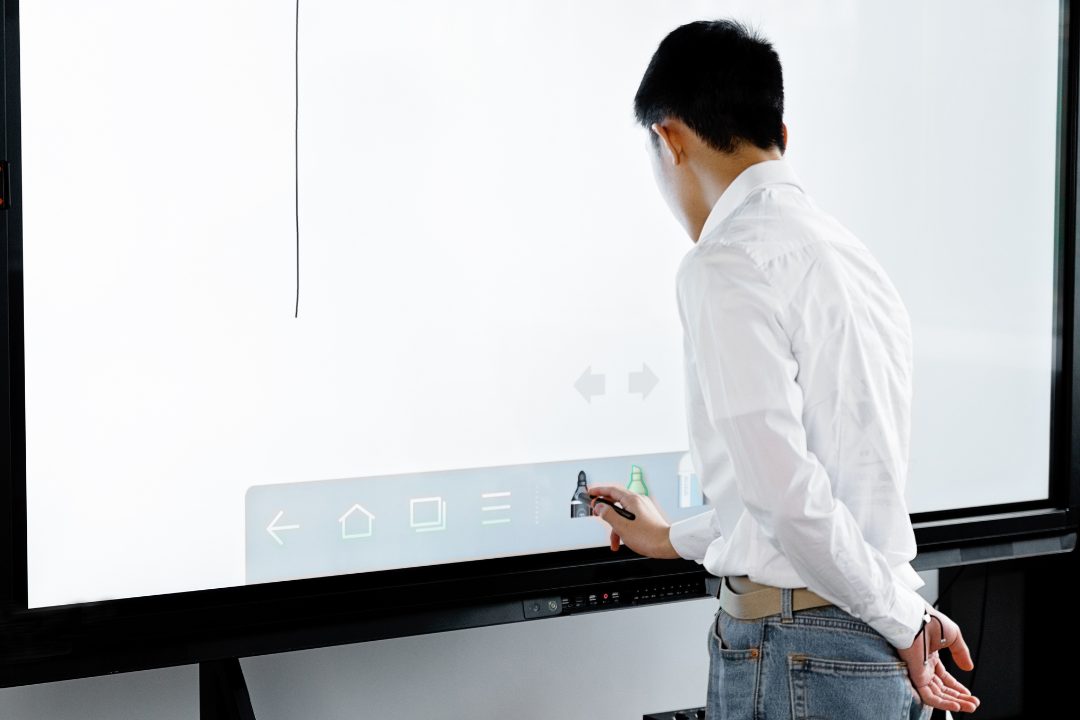
Interactive displays and digital whiteboards (Microsoft Surface Hub, Samsung Flip) sit here too, giving in-room participants and remote attendees a shared canvas for real-time collaboration.
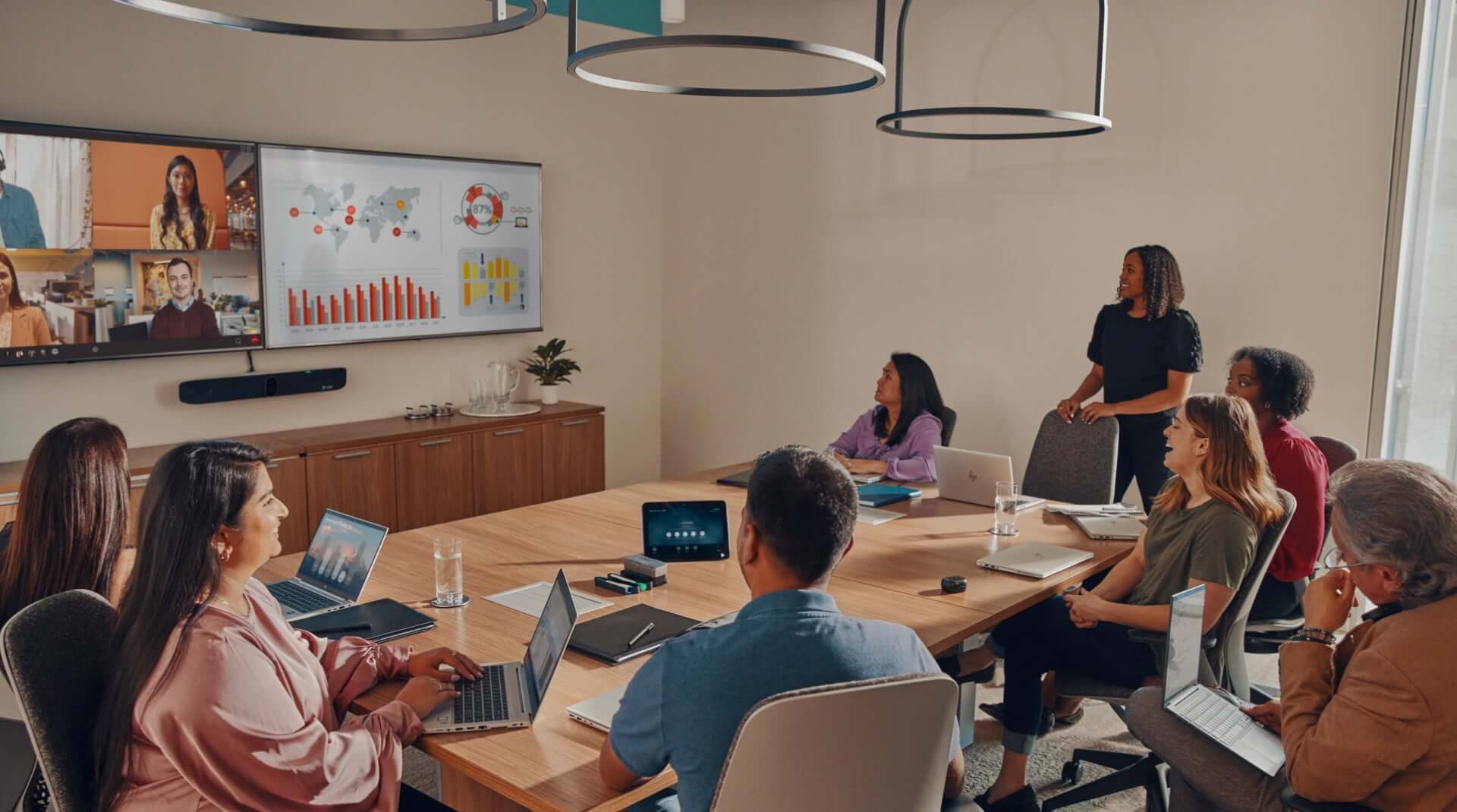
This is your conference room AV, the audio, video, and display hardware that decides whether a meeting is usable at all. Cameras, microphones, speakers, screens… Probably the part most people think of when they hear conference room technology, and it's definitely where most of the budget tends to go.
For smaller rooms, all-in-one video conferencing systems like the Logitech Rally Bar or Poly Studio X series do the trick.
High quality audio is more important than a sharper picture here, which is why the mic setup deserves as much attention as the camera. High-resolution displays help too: they improve visibility of presentations and of remote participant video, especially in a bright room.
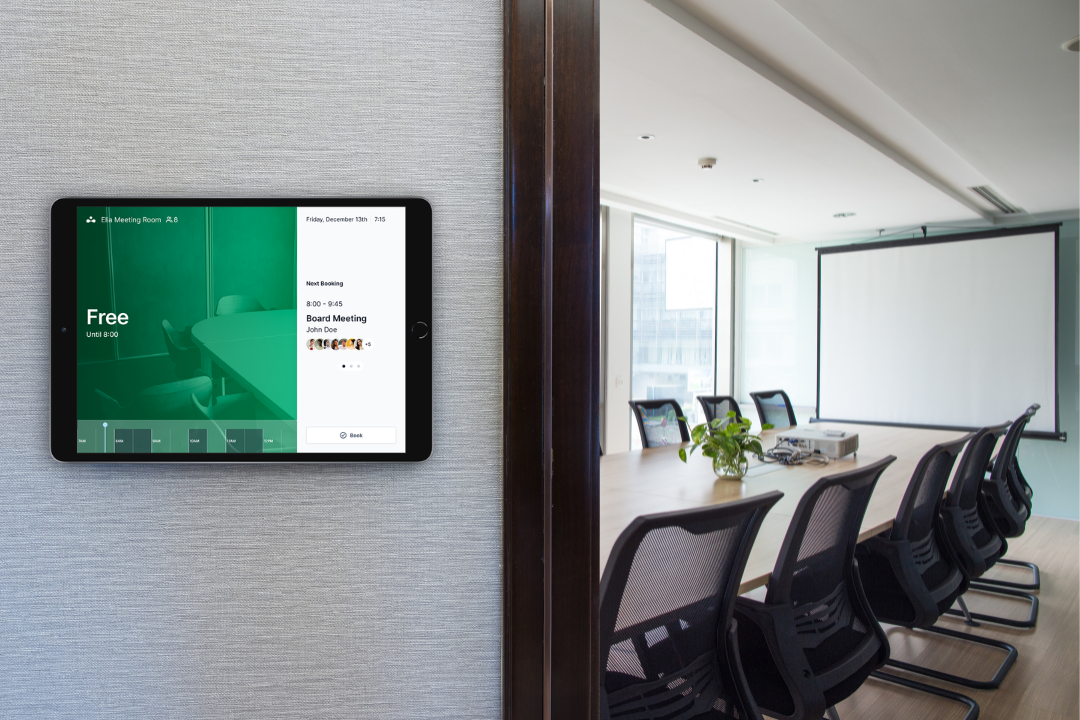
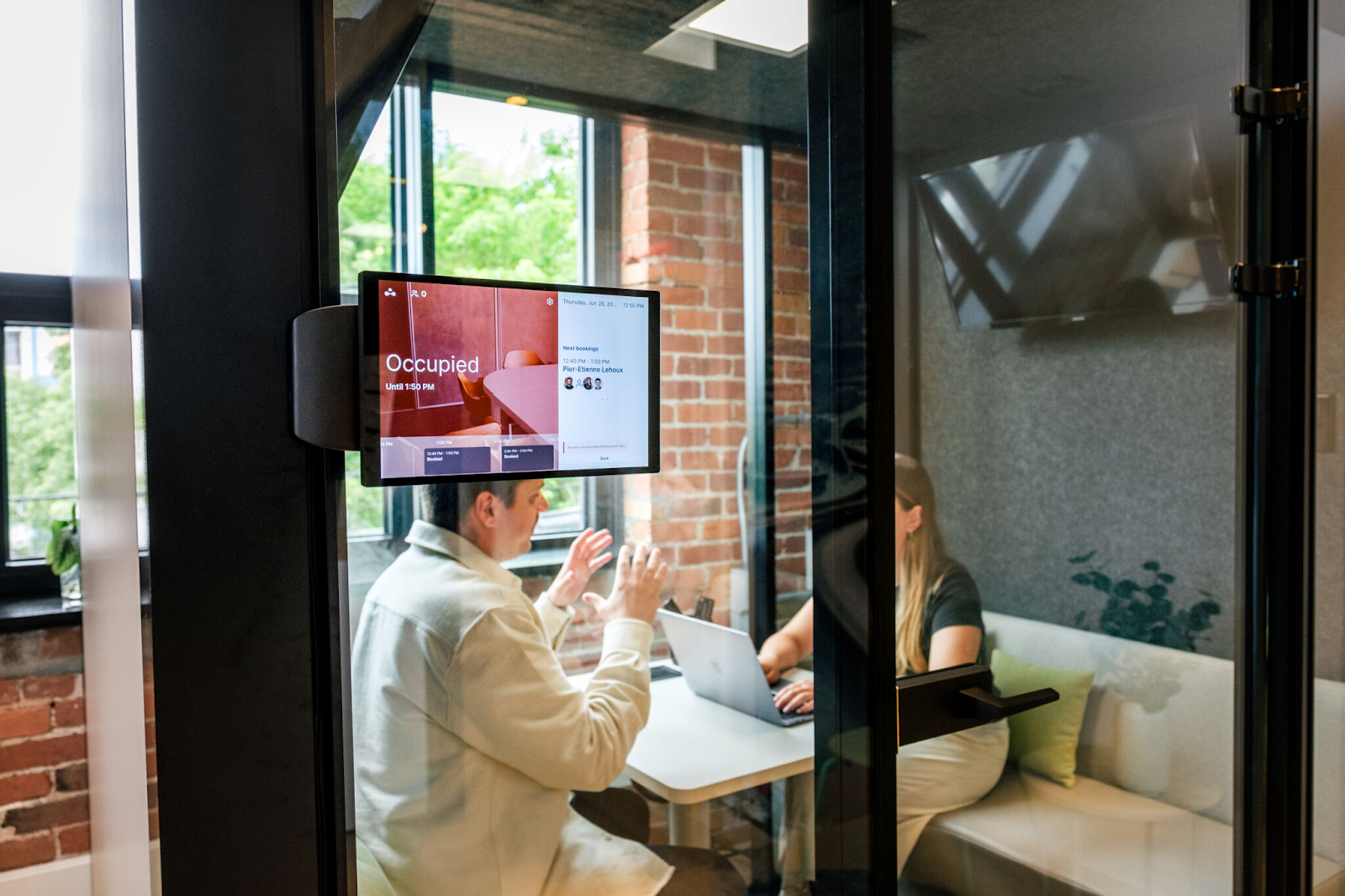
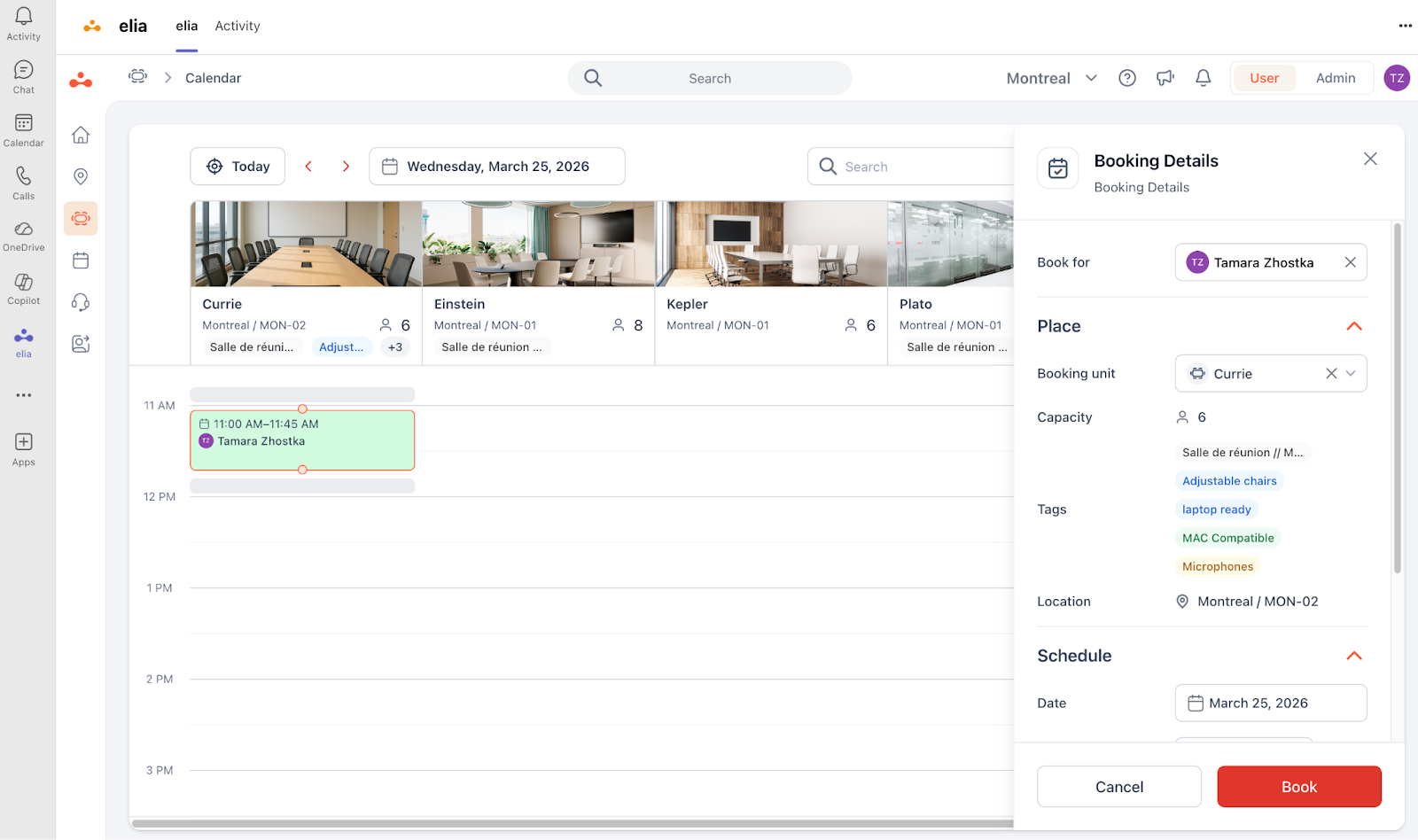
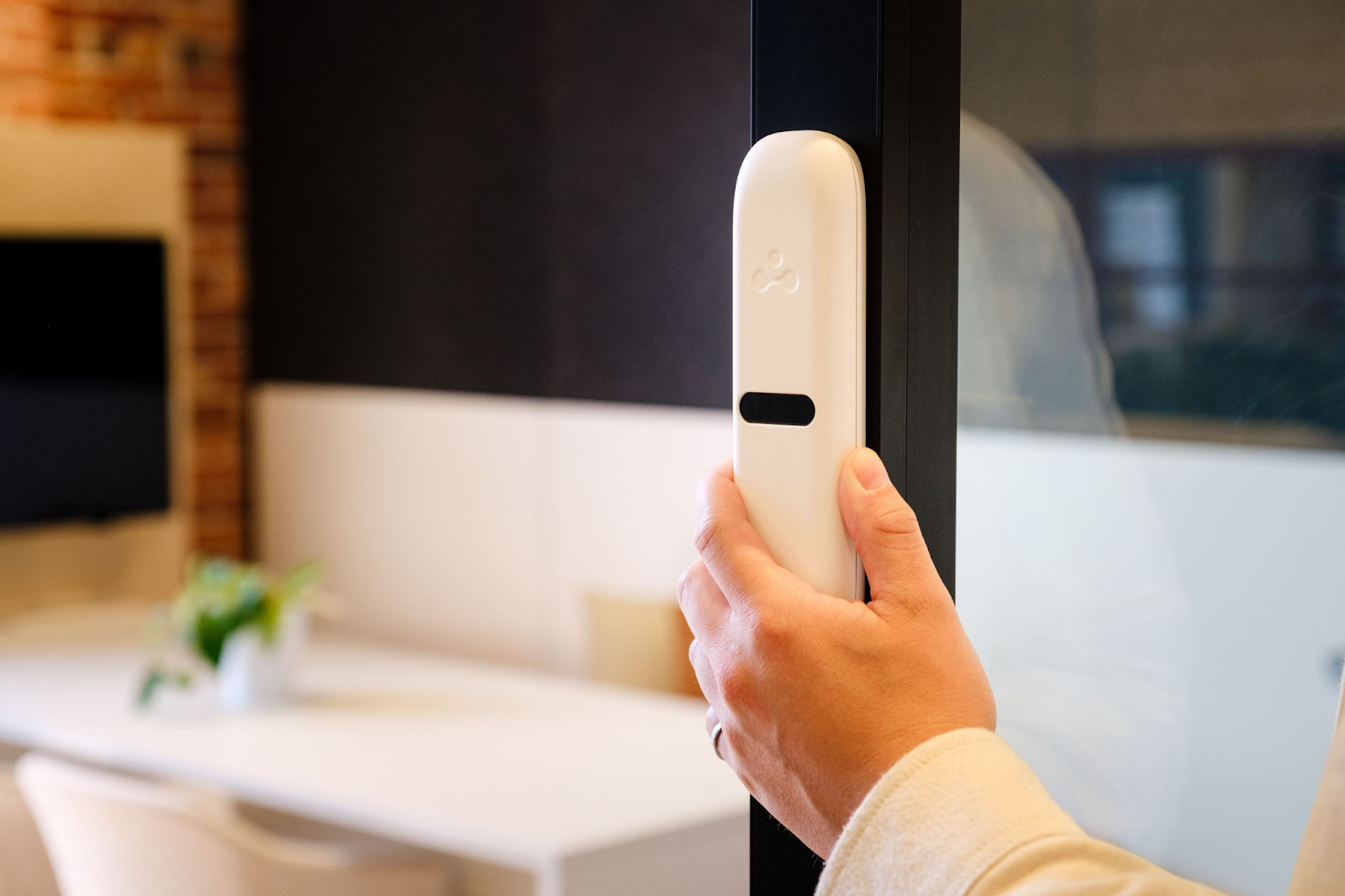
This layer decides whether the room gets used properly: room scheduling, occupancy sensors, and the analytics that come out of both. A room booking platform with a display panel outside the door and a sensor that knows whether anyone's inside.
I often see this bit treated as an afterthought, but it's actually the one that tells you whether the other two layers were worth buying.
Source: elia
Getting the conference room setup right means all three layers work together. A camera that auto-frames the room is a waste if nobody can find the room in the first place. A booking system is a waste if the audio is so bad remote people just give up.
The three layers only pay off as a set.
What huddle room technology do you need (1-4 people)?
Small huddle rooms are the easy wins.
You usually only need a couple of chairs, one screen, and two or three people to get a meeting going. The video conferencing equipment is cheap and you really don't need much of it:
One all-in-one video conferencing tool does almost all the work: camera, mic and speaker in a single unit, mounted under or above the display. Something in the Logitech Rally Bar Huddle or Poly Studio X30 class will cover a room this small on its own.
Add a wireless-share dongle so nobody has to crawl under the table looking for an HDMI cable, and you're done. A Barco ClickShare CX-20 is an option if you want the polished version, though a platform's built-in sharing is often enough at this size.
Don't get upsold into multi-camera rigs, standalone mics or fancy boardroom equipment for a room this size. It's a waste of money. The room doesn't need it, and you'll be paying for coverage that goes to waste. You can usually skip the fancy touch controller too. A wall-mounted tablet running Teams or Zoom does the job just fine.
The one thing people most often forget: a booking panel by the door, or at minimum the room registered in your booking system with a check-in step. Huddle rooms get ghosted more than any other size, because they're the easiest to grab on a whim and then walk away from. A check-in requirement hands the room back the second nobody shows.
Source: elia
What should you get for a standard conference room (5-12 people)?
You'll probably buy the most for this room, so let’s slow down here.
Yes, a single video bar can technically cover 5 to 12 people, but push it and the cracks show. The person at the far end of the table sounds muffled, and one camera can't frame a wide room without everyone looking like they're in witness protection.
So step up the kit. Either a video bar rated for medium-sized rooms (like Neat Bar 2 or Logitech Rally Bar) or a modular setup with a separate camera and an expansion microphone. Once you're past about 8 seats, add one or two table mics or a ceiling mic so nobody at the back is raising their voice to be heard. You'll also want a touch controller on the table: the little panel that starts the meeting and shows what's booked next.
Commit to a platform. Running on Microsoft Teams? Buy Microsoft Teams Rooms certified hardware. On Zoom? Zoom Rooms certified gear. Google Meet and Cisco Webex have their own certification programs too, and most big hardware vendors ship a certified version for all four, so check the exact model before you order. Certified gear makes one-touch-join reliable and keeps firmware updates coming.
Don’t overlook how mic coverage works. It’s about the table. A 12-person room with a long table needs pickup down the whole thing, which usually means you need expansion mics. Test it with someone sitting in the worst seat.
Track occupancy data. Standard rooms are valuable enough to matter and contested enough that people fight over them at 10am on a Tuesday. A sensor that knows whether the room is occupied, wired into a booking system that auto-releases no-shows, kills the situation when everything's booked, everything's empty.
Source: elia
What boardroom technology should you buy (12+ people)?
Once you get past a dozen people, the equipment starts being something you need to design. An AV integrator earns their fee here, and doing it alone might hurt:
The kit list gets longer. A digital signal processor (DSP) to manage audio across multiple mics and speakers, several ceiling or table mics for even pickup, one or more PTZ (pan-tilt-zoom) cameras so remote people can see whoever's talking, and one or two big displays. The DSP names you'll run into are Shure, Biamp, and QSC Q-SYS. For control, Crestron or Extron tie it all together so a single panel runs the lights, screens, and call.
Audio needs work here. Big rooms have echo and people sitting nowhere near a mic. DSP sorts this out, mixing and processing everything so the far end gets one clean feed. It's genuinely hard to do yourself, which is the honest reason boardrooms are integrator work. They handle the acoustic treatment and the control programming you'd otherwise get for free out of the box in a smaller room.
My golden rule: more than two mics, more than one camera, or any custom control logic (video walls, room combining, tying into building systems), call a professional. Under that line, certified appliance hardware and a decent installer will do fine.
Training rooms come with one extra headache: room combining. A space that splits in two with a movable wall needs audio and video that reconfigure when the wall moves. That's firmly integrator territory.
Recommended conference room equipment by room size
This is a scannable version of the three sections above. These are example products in each class, not an exhaustive review, and pricing is approximate US street/MSRP as of 2026. Prices vary by platform certification and region, and most integrators quote per project.
Huddle room (1–4 people)
Component
Example product
Approx. price
Why
All-in-one video bar
Logitech Rally Bar Huddle
~$2,299
Camera, mic, speaker in one unit, Teams/Zoom certified
All-in-one video bar (alt)
Poly Studio X30
~$2,000
Runs in appliance mode, no separate PC needed
Wireless presentation
Barco ClickShare CX-20
~$2,225
Cable-free sharing (optional; platform sharing often enough)
Room scheduling panel
elia Meeting Room Display, Joan 6, or Logitech Tap Scheduler
~$399–1,100
Shows availability at the door, enforces a check-in step
Rough room total:$2,000–5,000
Standard conference room (5–12 people)
Component
Example product
Approx. price
Why
Video bar
Logitech Rally Bar
~$4,299
Auto-framing, good for most 5–12 rooms
Video bar
Neat Bar 2
~$4,690
Dual cameras, stronger audio for longer tables
Expansion mic
Table or ceiling mic
~$400–1,000
Pickup for seats far from the bar
Touch controller
Logitech Tap / Poly TC8
~$500–1,100
One-touch join, shows next booking
Scheduling panel
elia Meeting Room Display or Logitech Tap Scheduler
~$1,000–1,100
Availability and next booking at the door, auto book/release built in
Occupancy sensor
elia room sensor, Density Waffle, or VergeSense
From ~$200–500/room
Auto-releases no-shows, feeds real utilization data
Rough room total:$5,000–15,000
Large boardroom or training room (12+ people)
Component
Example product
Approx. price
Why
Ceiling mic array
Shure MXA920
~$4,000–4,700
Even pickup across a long table
DSP
Biamp / QSC Q-SYS
~$2,000–6,000+
Mixes multiple mics into one clean feed
Cameras
PTZ or Logitech Rally Plus
~$1,700–4,000
Multi-camera coverage of a big room
Control system
Crestron / Extron
~$1,000–15,000+
One panel for lights, screens, call
Displays
Dual 4K or video wall
~$1,500–10,000+
High-res visibility for in-room and remote
Integrator
Design + programming
Project-based
Acoustic work, cable runs, control logic
Rough room total:$15,000–50,000+
What does conference room technology cost to install?
"It depends" is the answer you'll get from most guides, and it's useless when you're trying to build a budget. So here are real bands, per room, for hardware plus installation.
Huddle room (1-4): anywhere from $2,000-5,000. That's one video bar, a display, a share dongle and some basic mounting. And it's often something you can just do yourself.
Standard room (5-12): roughly $5,000-15,000. That's a video bar, a room controller, one or two expansion mics, a display and professional mounting and cable management.
Boardroom or training room (12+): we're talking $15,000-50,000+. DSP, multiple mics and cameras, dual displays or a video wall, a control system, acoustic work, and integrator design and programming time. All of which can add up much faster than you might think.
Cable runs, mounting, network configuration and control programming can add 20-40% on top of the hardware for anything other than a huddle room. Which means if you're setting up a boardroom, that can be a multi-day job.
Then there's the cost that doesn't show up on the quote: total cost of ownership. If you have room systems certified for Microsoft Teams Rooms or Zoom Rooms, for example, you're looking at a per-room annual license (usually a few hundred dollars). Firmware and security updates need someone to manage them. And support calls happen: a room that drops audio mid-meeting generates a help desk ticket every time until it's fixed.
So you need to budget for the room's whole lifespan, including licences and support, so year three doesn't come out of left field.
Mistake many buying guides skip
The data says a lot of the rooms you're equipping don’t get used.
Beyond Density's analysis I mentioned in the intro, the broader data backs this up, so it's not a one-off. Worklytics' analysis of hybrid meeting-room usage found the booking-to-occupancy ratio fell from 0.85 in 2023 to 0.71 in 2025. Which means about 30% of booked rooms now go unused.
Think about what that means for an AV budget. If a quarter of your bookings are ghosts, and you're spending $10,000 a room to set up standard conference rooms, then you're putting a lot of money into rooms that sit dark.
This is why it's a good idea to have booking and occupancy data on hand from day one to help shape your AV decision. Occupancy sensors tell you whether there's someone in a room, while a booking just records that someone reserved it, which is entirely different info. Feed that into a booking system and two things happen:
First, ghosted rooms auto-release after a few minutes of no-show, so a booked-but-empty room goes back in the pool instead of blocking others.
Second, you get real utilization data: which rooms are packed, which are dead, which 12-person boardroom is actually hosting 4-person meetings 80% of the time.
That data changes the buying decision. Maybe you don't equip all eight standard rooms. Maybe you spend more on the three that get used and convert two dead ones into focus rooms or huddle spaces. But you can't make that call without measuring first, and measuring is the layer most buyers add last, if at all.
So which sensor? The occupancy sensor market has real choice now, and vendors differ mostly on how they detect people and how they charge for it. A quick, honest map:
Most offices land on a mix: stick-on sensors for desks and huddle spaces, higher-accuracy units in the meeting rooms people fight over. Whatever you pick, the point is the same. The sensor feeds the booking system, so ghosted rooms release themselves and you get real utilization data instead of guessing which rooms to equip.
This is where elia fits. It handles room booking and comes with its own occupancy sensors that report anonymous, real-time room usage into the same system that manages the bookings. It runs inside Microsoft Teams, so the booking and the release both happen where people already work. That's what lets you point the AV spend at the rooms that earn it, which is the whole argument of this guide.
Conference room tech trends
The gear is changing fast, and most of it is moving in one direction: the modern conference room does more of the work so people don't have to. A few trends are worth budgeting for across your meeting spaces, and a couple are worth ignoring for now:
Sensor-driven room release. The single most useful smart conference room tech right now, even if it's not the most glamorous. Occupancy sensors detect an empty room and release the booking automatically, which cuts ghost meetings. Mature and affordable in 2026.
AI auto-framing and speaker tracking. Cameras that tell who's talking and frame them, or split the view across multiple people so remote attendees see faces instead of a distant shot. A premium feature in a few high-end bars a few years ago, now standard in mid-range hardware. If you're buying new, you're probably getting it whether you asked or not.
AI audio processing. Noise suppression and voice leveling makes remote colleagues a lot happier. Handled in the DSP or the bar's firmware.
Booking analytics as a buying input. Utilization data is moving from a facilities report nobody reads to an active input for how many rooms to build and equip. With smart conference room tech, the room itself starts to report back on whether it's being used or not.
AI meeting assistants. The newest shift, changing the meeting experience most. AI meeting tools now transcribe meetings automatically and summarize key points, and AI-powered assistants generate real-time summaries and action items so nobody's stuck taking notes. This is built into the platforms already: Microsoft Copilot in Teams, Zoom AI Companion, and Gemini in Google Meet.
Worth skipping for now: anything sold on virtual reality meeting rooms. The demos look impressive, but for day-to-day meetings the headsets sit in a drawer. Spend on audio and room availability first.
Hybrid meeting technology considerations
Hybrid work put remote and in-room people in the same meeting, and hybrid conference room technology has one job the old setups never did: it has to make a remote meeting participant feel equal to everyone around the table. We've all been the person dialing in. I've sat there straining to hear because the camera's too far away, or because the people in the room dropped into a side conversation and I couldn't catch a word.
Here are the specifics that fix it:
Audio first, then everything else. Remote people will forgive if the video is a little dodgy, but they won't forgive if they can't hear the meeting. Hybrid rooms should get their mic coverage right first.
Framing that makes everyone visible. Auto-framing or a good wide-angle camera so the remote people can see faces. In bigger rooms, speaker-tracking cameras that cut to whoever's talking do more for remote equity than a single fixed wide shot.
A content path that works both ways. Remote participants should be able to share their screen to the room as easily as people in the room can share to the display. Wireless share plus a platform that treats remote and local content the same helps a lot.
Booking that assumes mixed attendance. Hybrid rooms should show their availability to remote people as well, and release the booking if the in-room people don't show up. Otherwise a remote colleague is left dialing into a room that got ghosted by the people who were supposed to be there.
How to choose the right conference room technology
The sections above cover what to buy. This is the order to buy it in, which is where a lot of projects go wrong. Most teams start with the camera. Start with the data instead:
Measure, then commit budget. Run occupancy sensors or a booking system with check-in on your existing rooms for 4-6 weeks first. That single step tells you how many rooms to equip and at what tier, and it's the cheapest money you'll spend on the whole project.
Lock the platform before the hardware. Teams Rooms, Zoom Rooms, or both. This decision constrains every hardware choice after it, so making it first saves you from buying gear you have to return.
Size the kit to the room, then stop. Match the tier tables above and resist the upsell on small rooms. Overspending on huddle spaces is the most common way budgets leak.
Prioritize audio in the design. For any room bigger than a huddle, sort the sound before the picture. It's the thing that breaks meetings and the hardest to retrofit.
Cost the full lifecycle. Add licensing, firmware, and support to the purchase price so the number you approve is the number you'll actually live with.
If you only do one of these, do the first. Everything downstream gets cheaper and smarter once you know which rooms people actually use.
Where this leaves you
Get the usage data first, buy by room size, and choose kit that feeds your booking and analytics instead of sitting in a silo. Do that and the AV budget lands where it earns its keep.
If you want to see which of your rooms get used before you spend on AV, that's the part elia is built for: room booking, a meeting room display, and occupancy sensors in one system, running with Microsoft Teams Rooms.
Make every square foot count
See what’s working, what’s wasted, and where space can do more.
is a Content Marketing Specialist at elia. With 10+ years in content marketing, she writes about workplace trends and the tools that help teams work smarter. Part strategist, part storyteller, Tamara brings equal amounts of data, creativity, and a little Moon Prism Power to every piece she creates. 🌙✨
Share
Contents
Subscribe to our newsletter
Subscribe to the elia newsletter for exclusive product updates and industry best practices. You can unsubscribe at any time.
Thank you! You're subscribed.
Oops! Something went wrong while submitting the form.
Conference room technology FAQ
Answers to Your Common Queries
How much does conference room technology cost per room?
Do I need an AV integrator or can I install it myself?
Does the hardware need to match our video platform?
What's the difference between a video bar and a modular system?
What counts as a smart meeting room?
How is a modern conference room different from a traditional one?




%20(1).png)
%20(2).png)