Contents
Subscribe to our newsletter
Subscribe to the elia newsletter for exclusive product updates and industry best practices. You can unsubscribe at any time.
Thank you! You're subscribed.
Oops! Something went wrong while submitting the form.

.png)
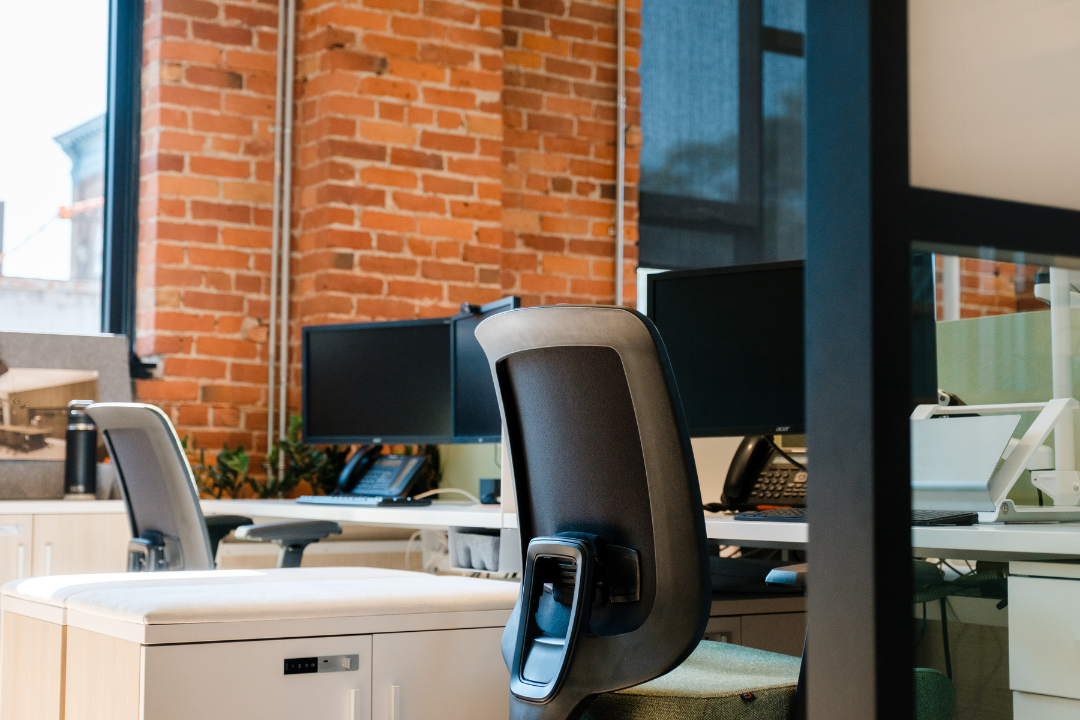
Choosing between hot desk vs dedicated desk depends on your team’s work patterns, budget, and need for consistency versus flexibility. For many leaders designing or rethinking their office space, this single decision has a disproportionate impact on productivity, employee wellbeing, and overall cost efficiency.
Picture this. You are reviewing how your office should support a more hybrid workforce. One approach offers flexibility and lower overhead through hot desking. Another provides stability and ownership through dedicated desks. Both are valid, and both come with tradeoffs. The challenge is understanding which model aligns with how your teams actually work.
In this complete guide to hot desk vs dedicated desk, we explain what each option really means, how costs compare, which teams benefit most from each setup, and how to choose based on real workspace requirements. By the end, you will have a practical framework to decide what works best for your people and your business.

A hot desk is a non assigned workspace used on a first served basis within an office. Employees choose any available desk when they arrive, use it for a few hours or a full day, and clear the desk at the end of their session. There is no guarantee of sitting at the same desk each time they come into the office.
Hot desking is common in flexible workplaces and hybrid office environments where teams are not in the office every day. Booking models vary by organization. Some companies allow walk up use, while others rely on desk booking systems that let employees reserve a desk in advance. This approach is also known as desk hoteling or flexible seating. For a closer look at how the two models differ, see our office hoteling vs hot desking guide.
Hot desking areas are designed for temporary use. Employees pack up daily, cannot leave personal items at the desk, and typically use lockers or shared storage. The main benefit is workspace flexibility and more efficient use of office space, particularly for teams that work remotely part of the week.
A dedicated desk is a reserved personal workspace within a shared office environment. You have the same desk every day, even though the surrounding space may be open and shared.
Unlike a private office, a dedicated desk sits in a common area. The difference is ownership. It is your own desk, so you can leave monitors, equipment, and personal storage at the desk and customize it to your work style.
Dedicated desks are also called permanent desks or fixed desks. They offer a consistent space, which many professionals rely on for focus, security, and routine.
The table below summarizes the key differences decision makers care about most when comparing hot desks and dedicated desks.
From a pure cost perspective, hot desks often appear more cost effective. They reduce the need for one desk per employee and allow companies to support hybrid work without expanding office space. This makes hot desking attractive for organizations looking to optimize office space and avoid unnecessary fixed costs.
Dedicated desks typically come with a higher monthly cost because each desk is reserved for one person. However, the value equation shifts as office usage increases. A common break even point is frequency. If an employee is in the office three or more days per week, a dedicated desk can cost less per day than sharing desks across a larger pool of employees.
Hidden costs also play an important role. Hot desking can add 15 to 30 minutes of setup and breakdown time each day, along with the cognitive load of working in an inconsistent environment. Over time, this lost time affects productivity. When these factors are included in total cost of ownership, dedicated desks often deliver stronger ROI for employees who are regular, in office users.
Hot desks excel at workspace flexibility. Teams can scale up or down easily, add access for remote employees visiting occasionally, and avoid committing to a fixed workspace. This model supports business growth that is unpredictable or seasonal.
Dedicated desks trade some flexibility for consistency. You commit to a specific desk, which limits rapid changes but creates a stable experience.
Privacy is one of the clearest dividing lines in the hot desk vs. dedicated desk debate. Hot desks offer minimal personal space. You cannot leave confidential materials behind, and conversations happen in open areas.
Dedicated desks provide a semi private experience. Sitting with the same neighbors, using lockable storage, and maintaining a consistent setup improves security. For legal, finance, healthcare, or client facing roles, a dedicated workspace is often essential.
Hot desks provide no opportunity for personalization. You work with whatever setup is available, which limits ergonomic optimization and comfort.
Dedicated desks allow employees to create a personal workspace. Leaving monitors, adjusting chair height, and keeping personal items at the desk increases comfort and employee satisfaction. Over time, this sense of ownership contributes to a stronger sense of belonging.
The productivity tax of hot desking is real. Daily setup and breakdown can consume 15 to 30 minutes. There is also the cognitive load of adapting to a new environment and the stress of finding an available desk.
Dedicated desks remove this friction entirely. A consistent workspace supports routine, reduces decision fatigue, and helps employees enter deep focus faster. While some people enjoy the fresh perspectives of changing environments, most knowledge workers benefit from consistency.
Hot desks provide maximum networking opportunities. Sitting near different coworkers each day encourages serendipitous conversations and exposure to a diverse community.
Dedicated desks offer a different benefit. Relationships with desk neighbors deepen over time, supporting trust and collaboration. The tradeoff is breadth versus depth of connection.
Hot desk users must bring everything with them daily. Lockers may be available, but desk storage is not. This suits light, mobile work styles.
Dedicated desks simplify daily logistics. Personal storage, lockable drawers, and the ability to leave equipment behind save time and reduce friction, especially for roles managing multiple projects.
Workspace choice directly affects employee wellbeing. Research shows that 80 percent of office workers report hot desking negatively affects mental wellbeing. Fifty-eight percent report stress from not knowing where they will sit, often called hot desking anxiety.
Other reported effects include difficulty establishing workplace bonds, time wasted setting up, and lack of territorial security. Women report 25 percent more difficulty establishing bonds in hot desking environments compared to men.
Dedicated desks support psychological safety. A sense of ownership, stability, and consistent social connections strengthens workplace identity. This is especially important for employees with anxiety, OCD, autism spectrum conditions, or others who benefit from predictability.
Hot desking environments can mitigate some issues through assigned neighborhoods, team clustering, and predictable desk booking systems. Still, leaders should account for the hidden wellbeing costs, including stress-related productivity loss and increased turnover.

Hot desking is best suited to teams that use the office occasionally and prioritize workspace flexibility over having a fixed workspace. A hot desk allows employees to access a workspace when they need it, without committing to a permanent desk that may sit unused.
Hot desk users are often remote workers or remote employees who work remotely most of the week and come into the shared office space one or two days at a time. Digital nomads, consultants, sales teams, and other mobile roles benefit from hot desking because their schedules change frequently. Early stage companies also choose hot desks to keep desk rentals cost effective while business growth and workspace requirements are still uncertain.
Hot desks also appeal to people who value networking opportunities and exposure to different colleagues, especially when they have minimal equipment needs and can work comfortably from any available desk.
Dedicated desks might be a better fit for teams that depend on routine, consistency, and a stable work environment. When employees are in the office four or more days per week, a dedicated desk usually delivers better value and a stronger day to day experience.
Dedicated desk users often need a specific desk with monitors, specialized tools, or reliable network access that cannot be easily recreated through hot desking. Roles that work with confidential materials or sensitive information also benefit from the added personal space and lockable storage that a dedicated workspace provides.
For many organizations, the right answer is not choosing hot desks or dedicated desks exclusively, but combining both. Many offices support this approach by offering dedicated and hot desks within the same shared office environment.
In practice, companies often assign dedicated desks to core team members who are in the office regularly, while using hot desks for part-time staff, visiting colleagues, or remote employees who need flexible access. This balanced model preserves workspace flexibility while still providing consistency where it matters most.
Certain industries are more commonly associated with specific desk models, but no option is limited to a single type of business. While tech companies, startups, and consulting firms often adopt hot desking earlier due to mobility and flexible work styles, hot desk vs. dedicated desk is ultimately a choice every industry can make with the right setup.
Financial services and law firms, for example, are more likely to lean toward dedicated desks because of confidentiality, compliance, and data protection requirements. However, this does not make hot desking inaccessible. With clear policies, secure desk booking systems, clean desk rules, lockable storage, and strong IT security, hot desks can support even highly regulated environments.
In practice, both assigned desks and hot desks can work across a wide range of industries. The deciding factor is not the sector itself, but whether the right procedures, technology, and governance are in place to support the chosen work style.

Start by calculating how many days per week each employee or role uses the office. Separate roles that work remotely most of the time from those that require a consistent in office presence. As a general rule, if average office usage is three or more days per week, a dedicated desk is usually the more practical option.
This step is especially important in a hybrid work model where assumptions about attendance often differ from reality.
Monthly desk fees alone do not tell the full story. Leaders should factor in the time employees spend setting up and breaking down hot desks, as well as the productivity impact of working in an inconsistent space.
For hot desks, true cost includes the desk rental fee plus the value of lost setup time and potential productivity loss. For dedicated desks, total cost should account for time saved, improved focus, and reduced friction. When viewed this way, dedicated desks are often more cost effective for regular office users.
Review the level of confidentiality required for each role. Teams handling sensitive data, regulated information, or frequent client conversations generally need more personal space and secure storage than hot desking can provide.
Compliance requirements related to healthcare, finance, or legal work may also limit the feasibility of hot desks in a shared office space.
Before locking into long term commitments, test both options. Hot desks can be trialed for a certain period of time or specific teams.
During this trial period, gather employee feedback and track metrics such as desk usage, satisfaction, and perceived productivity. These insights often clarify which model truly supports your team.
Finally, consider how your workspace requirements may change as the company grows. The ideal setup today may not be the right one a year from now. Choose agreements that allow you to add or reallocate desks as roles evolve.
Many organizations start with hot desks to maintain flexibility, then introduce dedicated desks as teams become more stable. For additional guidance, see our How to manage hot desking blog post.

Clear policies help both desk models succeed. Hot desk policies should define desk booking rules, clean desk expectations, and shared office etiquette. Dedicated desk policies should outline acceptable personalization, security practices, and use of personal items.
Onboarding should clearly explain how the workspace operates, whether employees are using hot desks or dedicated desks. Walk new team members through desk booking tools, shared amenities, meeting rooms, and community norms so they feel confident from day one in the shared office space.
To understand whether your setup is working, track utilization rates, employee satisfaction, and productivity indicators. Collaboration and networking outcomes are also useful signals. Revisit these metrics regularly and adjust as needed.
Hot desking places heavier demands on technology and IT infrastructure. Teams need a reliable desk booking system with pre-booking capabilities, real-time occupancy visibility, and a mobile app for finding an available desk. Surveys show that 61 percent of workers want to reserve desks in advance.
Because employees use different desks each day, hot desking also requires flexible device provisioning, BYOD policies, and secure network access. This increases IT complexity, support requests, and the importance of clean desk policies and automatic logoff controls to protect data.
Dedicated desks simplify many of these challenges. One employee assigned to one desk makes network access easier to manage, reduces IT support burden, and improves data protection. Fixed workstations also support clearer compliance audit trails and are better suited for specialized hardware or software.
When evaluating any workspace management system, look for desk booking features such as mobile access, floor maps, calendar integration, analytics dashboards, and access control integration. Compliance requirements, including healthcare and financial regulations, must be supported in both models. Learn more on our Desk booking software and Desk occupancy sensor pages.
Deciding between hot desk vs. dedicated desk is a complex decision, but you now have a clear framework to guide it. Work patterns, budget considerations, and team needs ultimately determine whether hot desking, dedicated desks, or a hybrid approach is the best fit.
elia helps companies navigate these decisions every day. We provide access to flexible workplace solutions, including both dedicated and hot desks, across locations, combined with expert guidance tailored to your workspace requirements. Workspace decisions affect productivity and costs immediately, which means optimizing sooner delivers faster results.
Book a demo with elia to receive a customized workspace strategy session designed around your specific needs.
Answers to Your Common Queries
![How to Manage Hot Desking: The Operational Playbook [2026]](https://cdn.prod.website-files.com/64f88f68249f7cafe071d150/6914de3ce11d1e5b51acaefb_147.png)

![Hot Desking vs Activity-Based Working: The Comparison Guide [2026]](https://cdn.prod.website-files.com/64f88f68249f7cafe071d150/6983b914d7fa26ca621795b6_160.png)