Contents
Subscribe to our newsletter
Subscribe to the elia newsletter for exclusive product updates and industry best practices. You can unsubscribe at any time.
Thank you! You're subscribed.
Oops! Something went wrong while submitting the form.



If your company runs on Microsoft 365, Microsoft Places is probably already sitting inside Outlook and Teams calendar, waiting to be turned on. It promises a tidy version of hybrid work: see who's coming in, book a desk near your team, find a room with the right kit, and give facilities real numbers of how the office gets used.
As of April 1, 2026, a licensing change put most of that in reach of far more people, which is why so many workplace teams are taking a fresh look at it.
Here's the honest read. Places is really good at one job, and it can't quite do everything the pitch implies. Both are true, and which side you land on comes down to what you need from it. Here's the detail:
Microsoft Places is Microsoft's AI-powered workplace app for hybrid and flexible work. Past the marketing label, it does three things:
Here's what a normal week looks like with it. Monday morning you open Outlook and see that three people on your team marked Wednesday as an office day. So you mark Wednesday too and book a desk near them from the floor map. Wednesday you sit down, plug your laptop into the monitor, and Places checks you in.
Your facilities lead, meanwhile, opens a dashboard and sees the third floor ran at 38% last week while the small conference rooms were full by 10am most days. Those are the three jobs Microsoft built it for: coordinate office days, find your people, measure the space.

What sets Places apart from a standalone booking app is that it lives inside the everyday apps people already use. Booking a desk or setting your work plan happens in the calendar in Teams and Outlook, right where you work.
You can access Microsoft Places as a standalone app, on the web and inside Teams and the Microsoft 365 app, on desktop and mobile. But most people will touch it through Outlook and Teams without thinking of it as a separate thing.
Microsoft also markets AI-driven features and proactive insights, but in practice the AI part is mostly Copilot: you can ask it to book you a room for a meeting. Handy, and not the reason anyone adopts Places.

This is the part that explains the rest of the guide. Rather than a separate platform, Places sits on top of Exchange, the same system behind your Outlook calendar. Every room and desk is an Exchange calendar entry, and the building hierarchy (buildings → floors → sections → rooms, workspaces, and desks) lives in the Microsoft directory.
Two things follow from that:
This is the biggest development for anyone weighing up Places today. On April 1, 2026, Microsoft split how Places is licensed. The everyday coordination features became widely included, and only the desk- and space-specific features now sit behind a separate per-space license.
The desk- and space-specific bits (individual desk booking, auto-release, and occupancy analytics) went the other way, onto a per-space license called Teams Shared Space (a rename of the old Teams Shared Devices license).
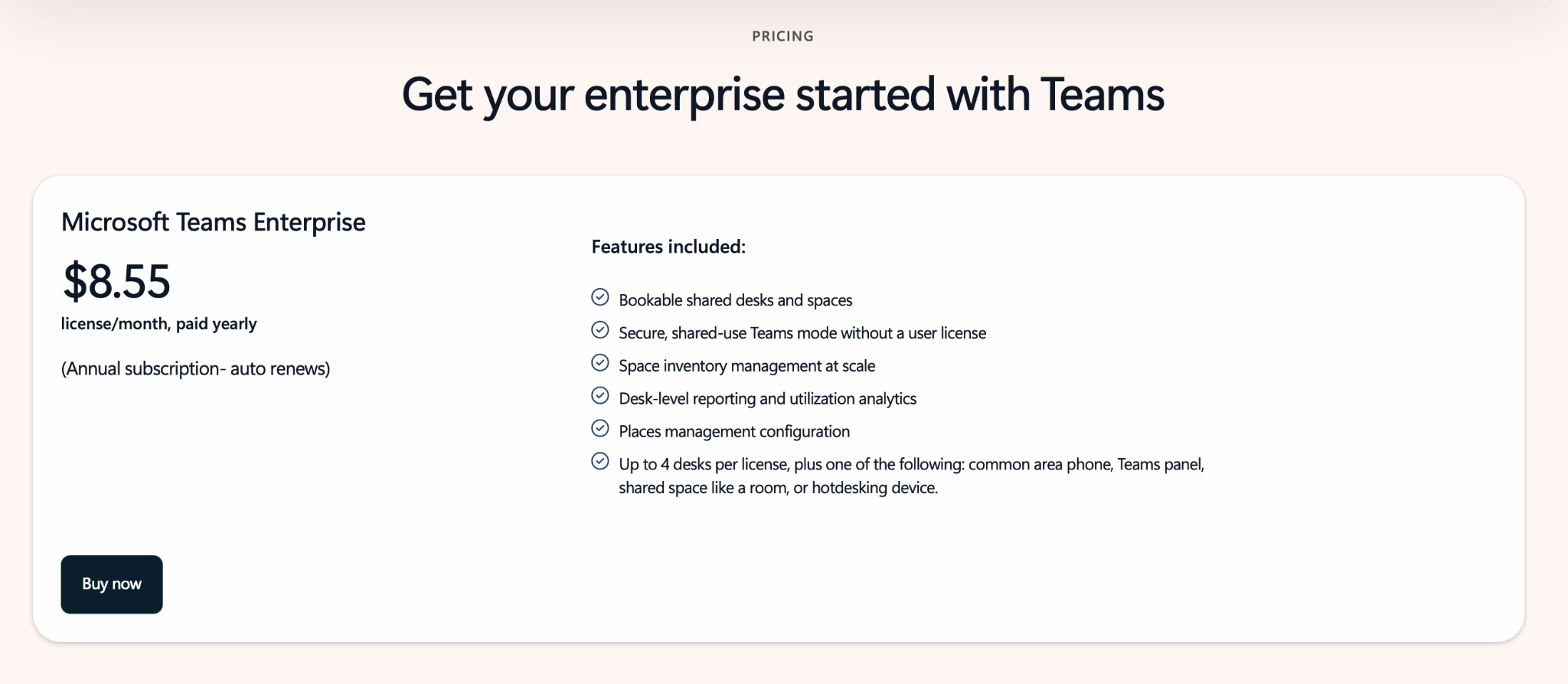
It's $8.55 per license, per month, paid annually. One license covers up to four desks plus one extra space, such as a meeting room, common-area phone, Teams panel, or hotdesking device. So you license the spaces you manage instead of every employee.
Here's how the new license requirements break down:
For most teams this is a win, because most have far more employees than bookable desks. The exception is a company with few premium users but a lot of bookable spaces, which can end up paying more under the new model.
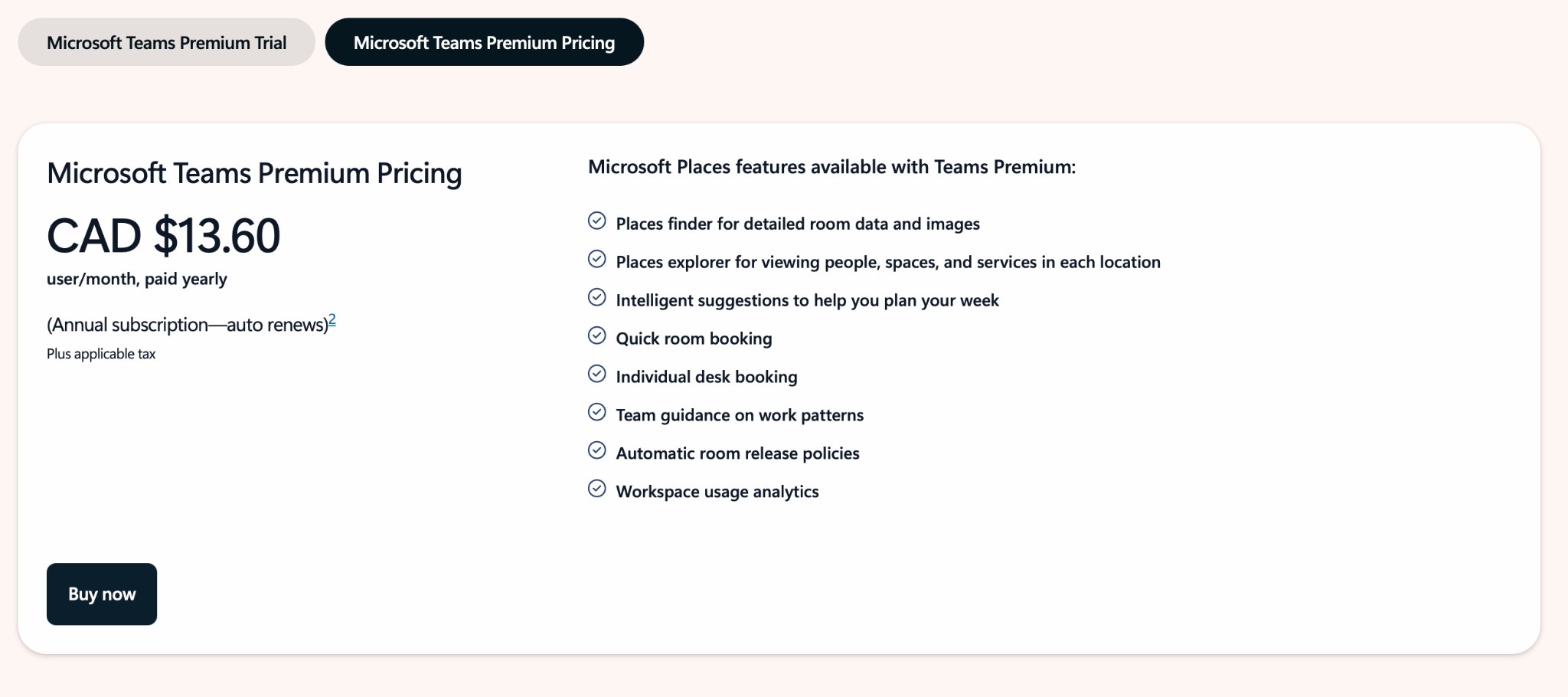
Five things make up most of what people touch: booking, floor maps, work plans, the admin portal, and analytics. Here's how each one holds up day to day, and where the licensing line falls.
Booking works across New Outlook, Microsoft Teams, Outlook on the web, and the Places app. You get interactive floor maps, the ability to see where colleagues are sitting and grab a desk nearby, partial-day and multi-day reservations, delegation (so an assistant can book for someone), and admin-configurable check-in with automatic release of unclaimed desks.
One thing to get right for budgeting: booking rooms and desk pools needs no extra license, while booking a specific named individual desk requires a space license.
Each individual desk is set to one of four modes, which is how admins control how a desk behaves:
There's also automatic pairing for physical desks. Once a desk's peripherals are registered, plugging in a laptop checks the user into that desk and books it for the day, so the reservation reflects who's actually sitting there. As of mid-2026 this works with monitors and audio/video devices, with docking stations and webcams listed as coming soon.
Two things to know before you lean on it for data:
Booking works without maps, but adding floor plans gives the best experience. The catch is the workflow (and it's a real one!).
There's no drag-and-drop map editor. Maps have to come in Indoor Mapping Data Format (IMDF), the format Apple built for mapping the inside of malls, which means every wall and desk needs a real-world coordinate, not just a spot on the page.
In practice you convert CAD drawings into a set of GeoJSON files (one each for the building, footprint, levels, rooms, desks, and so on), match every room and desk to its Exchange resource, and upload the package through PowerShell.
A few specialists on Microsoft's partner list, like Mappedin and Pointr, do this conversion and charge for it (Mappedin's plan, for example, runs about $200 per map, per month, and one map can cover multiple floors), and Microsoft itself recommends using a partner.
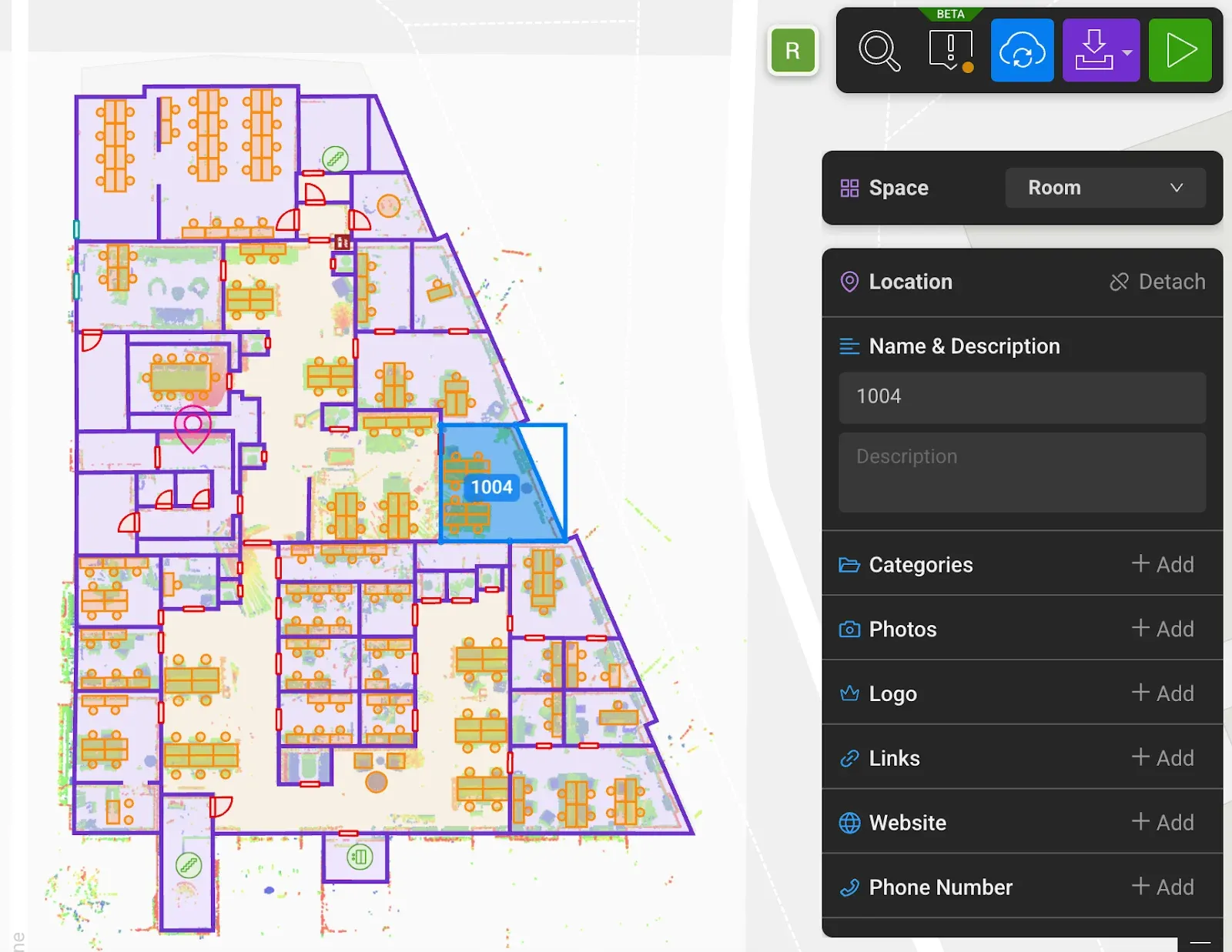
Every time a desk or room moves, you re-upload the whole plan. It works, but it's an engineering job, and it's usually the most painful part of a Places rollout.
Employees set a weekly work plan so colleagues can see who's planning to be in. The Places card shows, right from the calendar, who's coming in on a given day, with a quick way to reserve a desk or a room. Work location can also update automatically when someone connects to corporate Wi-Fi or a supported peripheral.

Places also helps with schedule coordination: for in-person events, you can send an in-person meeting invite, let attendees RSVP as in-person or remote, and get team guidance on the best days to come in.
In August 2025 Microsoft launched the Places Management web portal, a visual interface that replaced most PowerShell scripting for managing buildings, floors, rooms, and desks. It's open to Global admins, Exchange Online admins, and a dedicated Places Admin role. To spread the load without handing out tenant-wide rights, there are two delegated roles for local teams:
Two limits keep this from being fully self-service. The portal isn't on mobile and doesn't support batch upload, so large multi-building rollouts and bulk changes still fall back to PowerShell, and some tasks (like managing the individual desks inside a pool, or tenant-wide settings) live in PowerShell regardless.
And anywhere you scope access to a group, it has to be a mail-enabled security group. Use a standard one and the setting silently won't apply.
Places analytics combines intent (what people said they'd do through work plans and reservations) with actuals (what sensors, badge swipes, and network signals say happened).
The point is the gap between the two. If a floor is booked at 80% but only ever 45% full, that's your case for giving back space or rebalancing teams. With that organizational-level space data, real-estate and facilities teams can make strategic decisions about which spaces to keep. It’s the most useful thing the analytics give you, and it's also the part that needs sensors and the right licenses to work, which I'll come back to.
Places is good at coordinating people and booking spaces inside the Microsoft world. It was built as a coordination layer, and that scope shows up in predictable places once you push past desks and rooms. These are the 8 I'd flag before you commit:
There's no single right answer. It depends on how Microsoft-committed you are and how far your needs go beyond desks and rooms. Three sensible paths:
No added cost · included with most M365 licenses
Work plans, presence, Places Finder and Explorer, interactive maps, and booking of rooms and desk pools. Good when the goal is to see who's in and grab a room or a pool seat. You give up individual named-desk booking, auto-release, and occupancy analytics.
$8.55 per license, per month · up to 4 desks + 1 space
Adds individual desk booking, auto-release, and occupancy analytics on the spaces you license, all still fully Microsoft-native. The right fit for Microsoft-committed companies whose needs stop at desks and meeting rooms.
Closes the eight gaps
Where Places stops: native visitor management, occupancy sensors, smart lockers, self-service admin for workplace teams, richer booking rules, multi-site management, and integrations beyond Microsoft. A platform like elia covers these natively. The choice when the workplace is more than rooms and desks, or when several offices and policies need managing in one place.
If the eight gaps above are dealbreakers, or you're not all-in on Microsoft 365, these are the platforms I'd shortlist (they all work natively inside the Teams interface, too!). Each does more than Places in at least one area where Places is thin.
The April 2026 change makes Microsoft Places more accessible than it's ever been. For coordinating hybrid days and booking rooms inside Microsoft 365, it's solid and easy to roll out.
But measured against the three jobs Microsoft set for it, it’s a mixed bag:
My read, plainly: it's a coordination layer that does desks and rooms well and stops there. If your workplace also needs visitors, sensors, lockers, custom policies, or several sites managed together, plan to pair Places with a dedicated platform, or lead with one, instead of expecting the native tooling to stretch that far.
If that sounds like your office, see what elia does in a quick demo, no PowerShell required.
This guide draws on Microsoft's official Places documentation on Microsoft Learn and Microsoft Support, the January 2026 Teams and Places licensing announcement and its customer FAQ, and the Microsoft 365 Message Center notices covering the April 1, 2026 changes, cross-checked against independent licensing analyses published between January and April 2026.
Pricing reflects publicly listed figures at the time of writing and can vary by agreement and region. Confirm current pricing with your Microsoft licensing contact.
Help teams find the right space, right when they need it.

Answers to Your Common Queries

.png)
.png)