What is Workplace Management? (Definition, Components & Modern Stack)
Tamara Zhostka
Content Marketing Specialist
–
Last updated on Jun 12, 2026
Around 54% of office space actually gets used on any given day. That's from JLL's 2025 Global Occupancy Planning Benchmark, which tracked 99 organizations managing 745 million square feet. Which means nearly half the space your company is paying for… is sitting empty right now.
Workplace management is basically the practice of fixing that. It's how you keep tabs on physical space, who books what, how you handle visitors, what's going on in the building day-to-day, and what the data says about whether your office is even the right size.
TL;DR
The term covers three different software types: office management software, workplace management systems, and integrated workplace management systems. They're not interchangeable.
An effective workplace management system needs to handle five things: space utilization, desk booking, room scheduling, visitor management, and service requests.
The modern tech stack has five layers: communication, collaboration, workplace operations, physical access, and employee experience. The value comes from how well they connect to each other.
A well-managed workplace reduces real estate costs, cuts admin work, and gives you the data to make real decisions about space.
What is workplace management: three software categories
Before you buy anything, you should know that the term “workplace management" covers three pretty distinct types of software:
Office management software is for admin tasks for a single location: front-desk tracking, visitor logs, key assignments. It works fine for a small team in one building. It doesn't track occupancy and isn’t exactly scalable.
Workplace management systems (WMS) are the SaaS tools built for hybrid work models. Interactive floor plans, calendar sync, real-time sensor data. You use them to manage desk hoteling, room bookings, and on-site coordination, whether it's just one location or a whole network of them. Think of them as a centralized platform for your daily operations. This is what most growing companies are buying.
Integrated workplace management systems (IWMS) are big enterprise platforms built around real estate portfolio strategy: lease accounting (IFRS 16, ASC 842), capital expenditure forecasting, multi-currency reporting. The category is fuzzier than you might think. Some platforms (MRI Software, Archibus, Spacewell) do cover full lease accounting. Others marketed as IWMS focus more on space management and maintenance. Implementing these systems takes months and requires custom configuration.
Dimension
Office management software
WMS
IWMS
Primary focus
Single-location admin
Hybrid coordination, space utilization
Portfolio real estate + financial compliance
Deployment
Immediate
Low-to-moderate SaaS setup
Multi-month, custom configuration
Core users
Office managers, admins
HR, IT, facilities, operations leads
CFO, corporate real estate directors
Data model
Manual logs, siloed
Centralized: booking, occupancy, calendar
Two-way sync with ERP, HRIS, BMS
Typical cost
Low, per-user
Flat-rate SaaS, typically low to mid four figures annually
High enterprise licenses + services
What a workplace management solution actually does
A WMS needs to be able to handle five core things. They can live all in one platform or they can be scattered across a few connected tools, but if any of them is missing you either have bad data or people dealing with friction. And let's just say that's not a good situation.
1. Space utilization and space planning
The core question here is: which parts of your office are actually used, and which ones are just taking up space on a floor plan?
CBRE's research on hybrid workplace math shows organizations can cut their real estate costs by 10-50% when transitioning to a hybrid model. But that only works if you have real occupancy data to act on. You can't close a floor you haven't measured.
Your WMS pulls together desk and room bookings, check-in data, and sensor readings and shows you usage patterns over time. You can run all sorts of scenarios: what happens if headcount grows 20%? What if a team goes from 2 to 3 in-office days? The output is an actual number for how much space you need, based on how people are using it.
2. Desk booking and hoteling
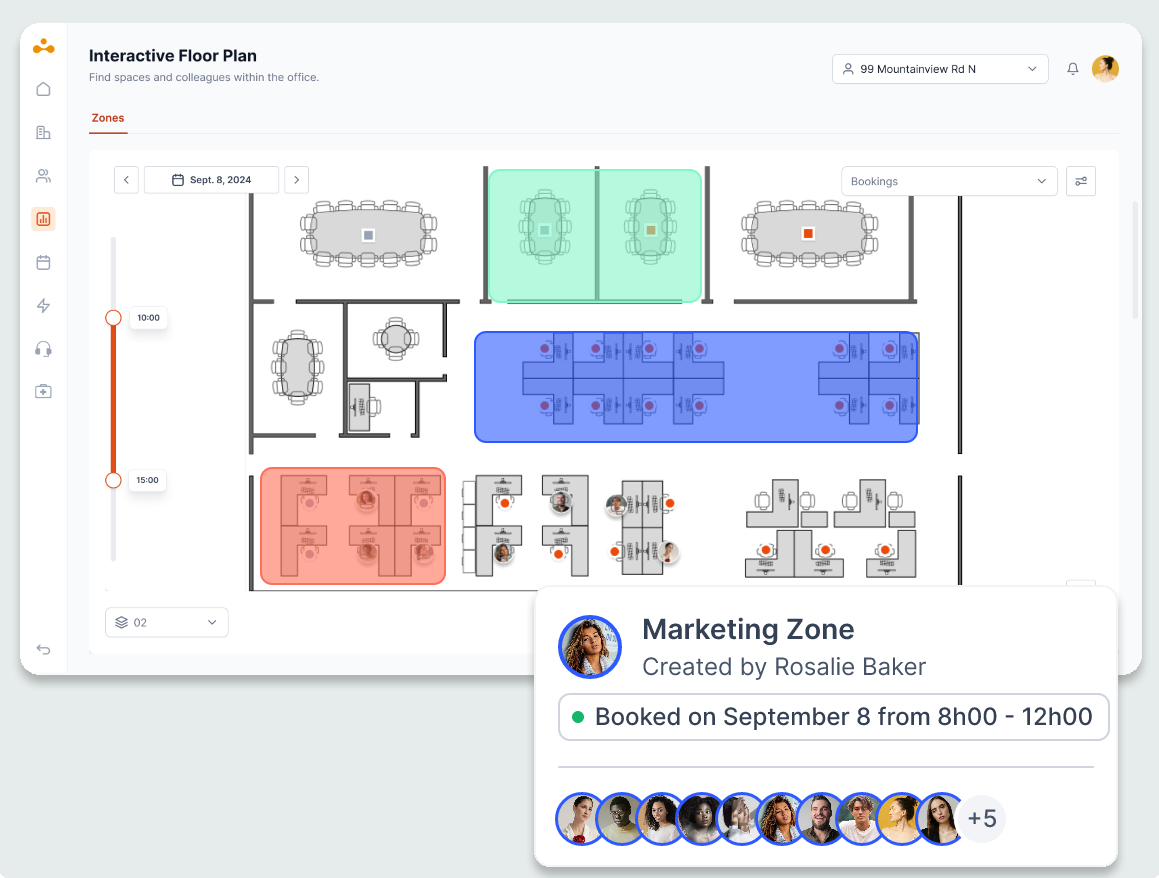
Employees pick a desk from an interactive floor plan, either in advance or on the fly. They can see which desks are free, which zones belong to which teams, and where specific colleagues are sitting.
The thing that makes or breaks desk booking is the automated release window. When someone books a desk and doesn't show up, the system cancels the reservation (usually after 15-30 minutes) and puts the desk back in the rotation. Without this, ghost bookings just pile up. Your office may look full on paper but half the desks are just sitting empty.
Admin controls also come into play: department neighborhoods that keep certain zones locked off for certain teams, booking windows that stop people from holding desks 3 weeks out, and check-in requirements that generate the data you're trying to collect.
3. Room booking and scheduling
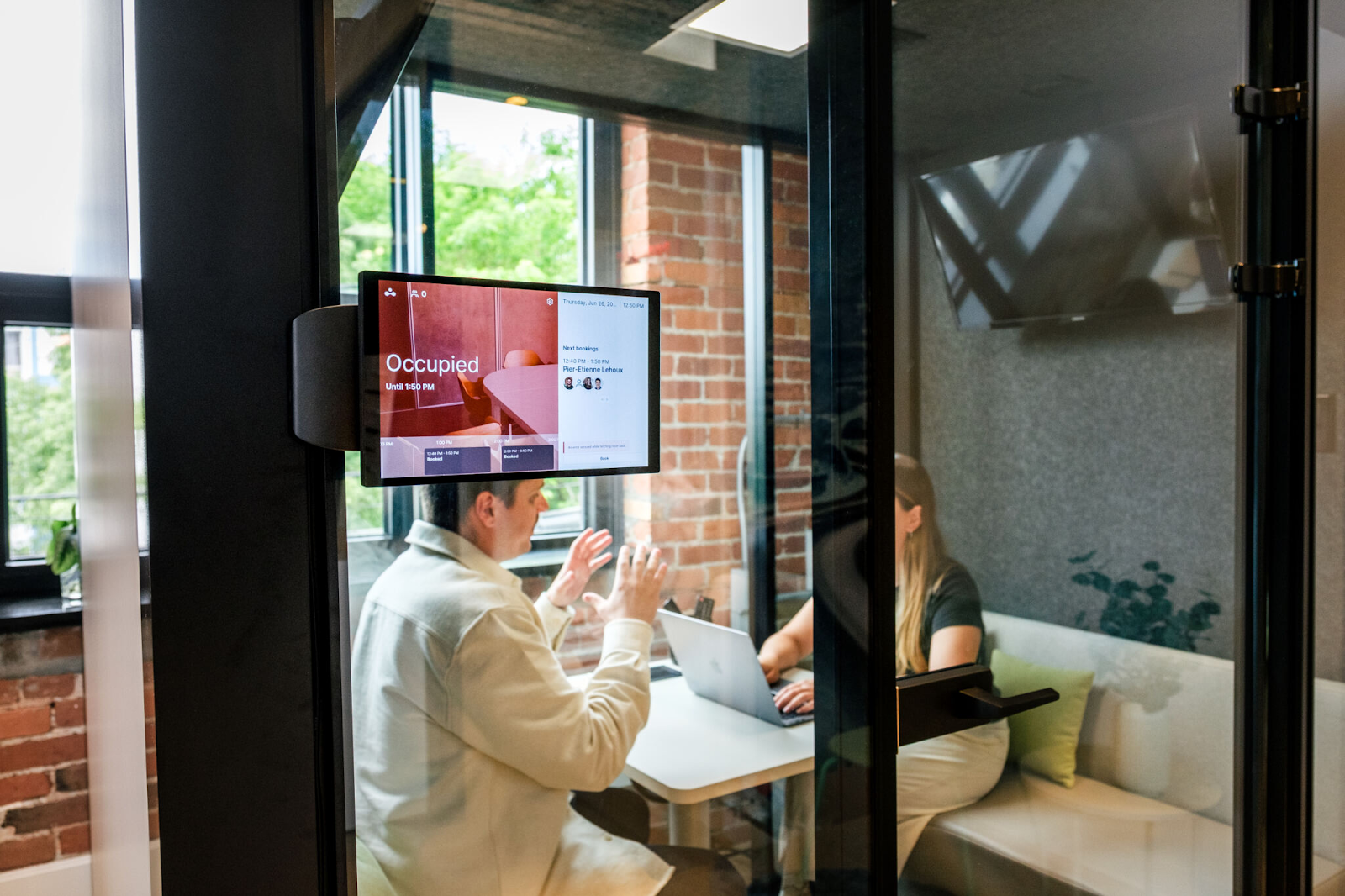
Room booking syncs physical meeting rooms with Microsoft 365 or Google Workspace so bookings show up in the calendar and physical displays outside each room show the current status. When a meeting wraps up early or nobody shows up, the room releases automatically.
What's useful is what you learn over time. A 20-person boardroom that's being booked by 4-person teams 80% of the time is probably better used as something else. Room booking software tells you that directly.
4. Visitor management
Paper sign-in books don’t cut it when it comes to visitor traffic in your occupancy counts, and they don't meet modern security requirements. The digital version runs a proper workflow:
Host sends an invite with a digital NDA or safety waiver
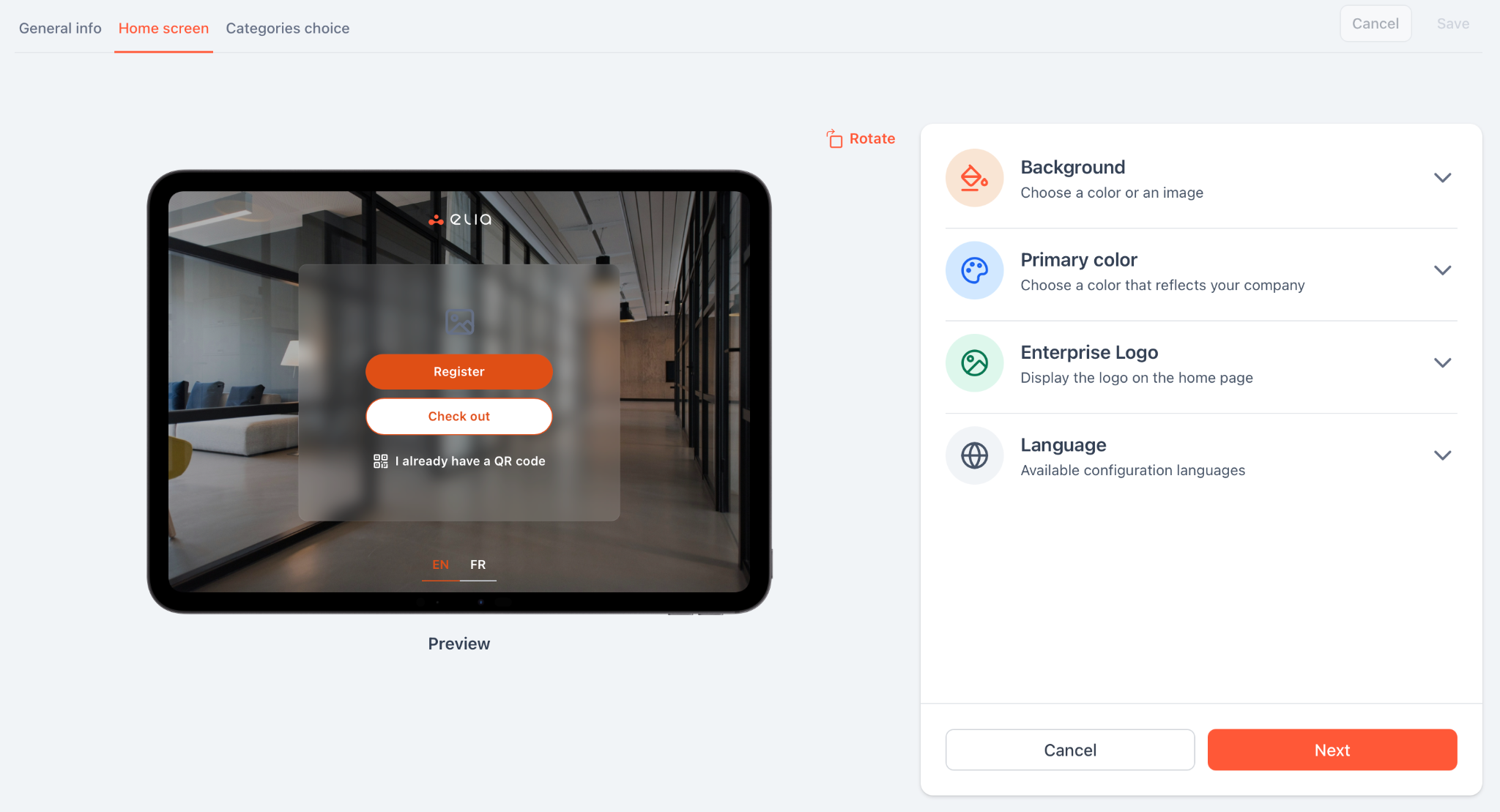
Visitor scans a QR code at the kiosk and signs on a tablet
Host gets an alert via Slack, Teams, or SMS
Temporary badge prints on demand with access only to approved zones
The visitor data gets recorded straight into the security audit trail, and all signed documents are neatly stored and searchable too.
5. Maintenance and service requests
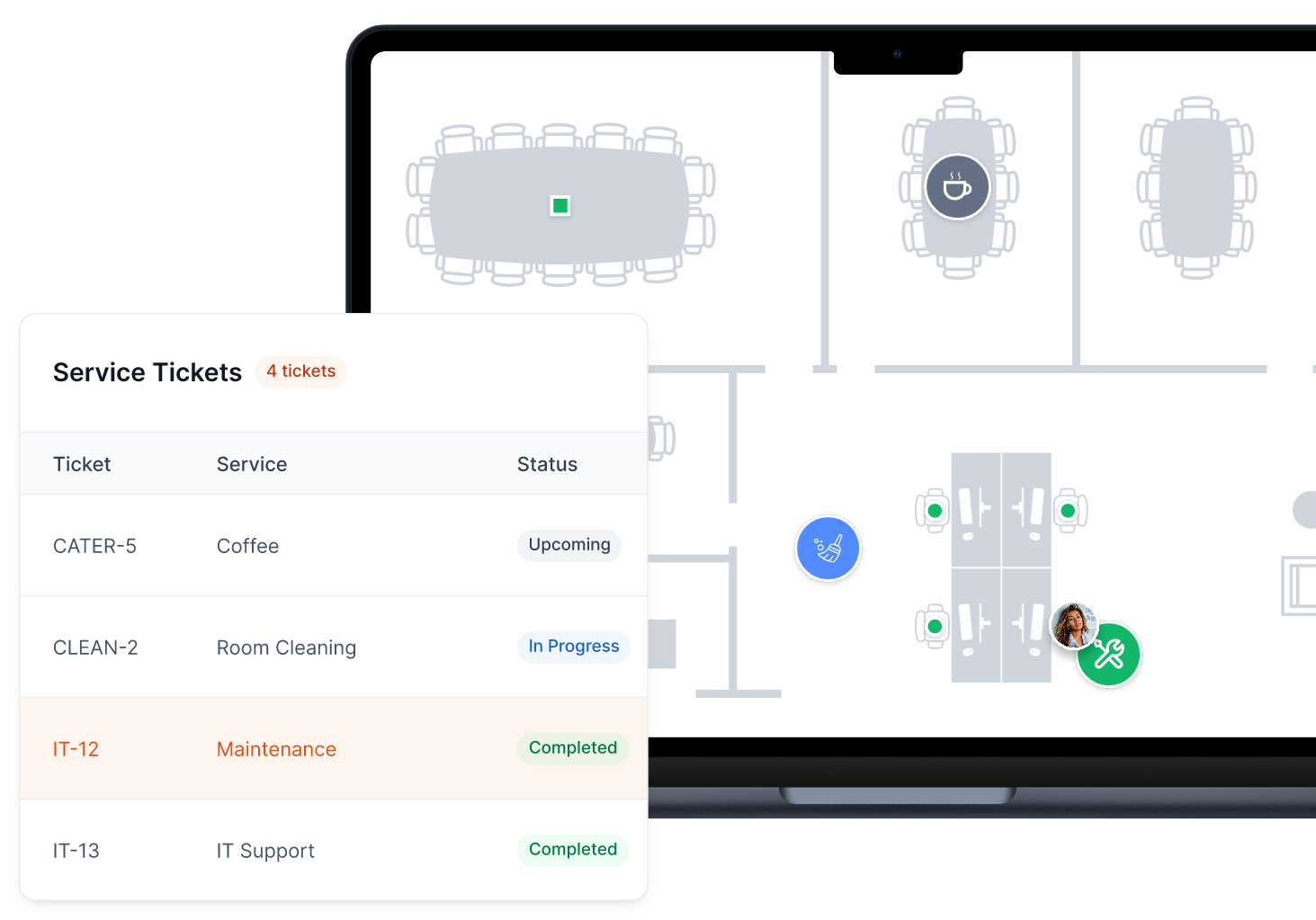
Employees report any problems by tapping the spot on the digital floor plan: equipment not working, temperature, catering, cleaning, whatever needs doing. The ticket goes directly to the right facilities team, with the location already mapped out.
This fixes two things: the facilities teams don't have to wade through vague written descriptions to figure out where the issue is, and they can also keep a record of all maintenance done. That log is super useful for preventative scheduling and for backing up decisions in vendor contracts and lease negotiations.
Three occupancy formulas worth knowing
Those manual, quarterly walk-throughs don't give you the real-time data you can act on. These three formulas, fed by real-time occupancy sensors and booking systems, are the standard way to measure what's happening in a hybrid office:
Overall desk occupancy rate: (Desks in use ÷ Total desks available) × 100 Target range for healthy hybrid offices: 40-60%. Below 40%, you're paying for space you don't need. Above 80% consistently, people start having trouble finding desks on peak days (usually Tuesday through Thursday).
No-show rate: ((Booked desks − Physically occupied desks) ÷ Booked desks) × 100 Shows you the gap between reservations and actual presence. If it's over 20% you need to tighten up your booking policy: a shorter release window, a check-in requirement, or maybe both.
Desk-sharing ratio: Total headcount ÷ Total available desks : 1 Most hybrid orgs land between 1.4:1 and 1.8:1. This figure tells you how many desks you need. Say you have 400 employees at a 1.5:1 ratio, that means you need about 267 desks.
Sensor technology: what tracks who's in
Bookings tell you intent. IoT sensors tell you what's actually happening. Just relying on bookings will overcount occupancy because of no-shows, and booked desks that are empty but still counted as occupied will inflate your utilization numbers.
These are part of a broader category of smart building technologies. The accuracy figures below are what the manufacturers claim, but they can vary depending on things like how high the ceiling is, the room layout and foot traffic patterns. Treat them as a rough guide rather than a guarantee.
Sensor type
Detection method
Accuracy (manufacturer est.)
Privacy
Best for
Passive infrared / thermal signature
Body heat detection (motion-triggered or thermal-only)
~90–99%*
Fully anonymous, GDPR compliant
Under-desk hot-desk tracking
Ultrasonic
Sound wave reflection
~95–97%
No visual data
Quiet spaces, still occupants
Pressure
Weight on surface
~96–98%
Tracks mass only
Chair cushions or desk mats
Dual-technology (PIR + ultrasonic)
Combined input, reduced false reads
~98–99.5%
Anonymous
High-value meeting rooms
Software-based (docking/IP)
Device connection monitoring
~85–90%
Device correlation
Supplementing physical sensors
*Thermal-only variants reach 99% precision in controlled conditions. Motion-triggered PIR sensors typically land in the 90-95% range.
For most offices, it's a combination of under-desk PIR sensors and software-based docking station signals that's enough. If you need to be super precise in high-value areas like meeting rooms, dual-technology sensors are worth the extra spend because they're less prone to false negatives.
The modern workplace management tech stack
Workplace management doesn't live in one tool. It's a stack of five layers, and the layers are only useful when they talk to each other. If a desk booking system doesn't sync with your calendar, or a visitor management platform doesn't feed into access control, you just create more work for yourself. The integrations are where the value is.
Layer5
Employee experience listening
Measures sentiment, friction, retention risk.
QualtricsCulture AmpViva GlintWorkday Peakon
Layer4
Physical identity and access
Controls who enters, when, where, for how long.
KisiOktaSign In SolutionsAcre EVM
Layer3
Workplace operations
Space booking, occupancy data, service requests.
eliaRobinSkeddaEnvoyOfficeSpace
Layer2
Collaboration
Meetings, documents, async work.
ZoomGoogle WorkspaceMiro
Layer1
Communication
Notifications, check-ins, reminders.
SlackMicrosoft TeamsGoogle Chat
Layer 1: Communication
Slack, Microsoft Teams, Google Chat: these are where all the notifications from the rest of the stack land. Visitor check-in alerts, desk reservation reminders, maintenance ticket updates. If your workplace tools send people to a separate app to see what's happening, they won't bother.
Layer 2: Collaboration
Zoom, Google Workspace, Miro. Meetings, documents, whiteboarding. Most orgs have this layer sorted but the key is to get Layer 3 talking to Layer 2 so room bookings write back to Outlook or Google Calendar and people see their reservations where they work.
Layer 3: Workplace operations
This is where the physical office gets digital: desk booking, room scheduling, visitor management, occupancy analytics, service requests. It's the most fragmented layer for most orgs, and the one where the day-to-day impact of your tool choice is most visible.
The main platforms take different approaches:
elia brings a lot of things together under one roof: desk booking, room booking, visitor management, occupancy sensors and service requests. The thing that sets it apart is its own hardware: wireless, battery-powered sensors that stick under desks and report anonymous occupancy data into the same system handling bookings. It also runs natively inside Microsoft Teams.
Robin focuses on making the most of meeting rooms and getting the booking process right. That means strong reporting dashboards and a good fit when conference room management is your main pain point rather than desk hoteling.
Skedda is all about space rules and resource allocation. Admins get granular control over what's available when (time windows, approval gates, access by team or specific roles). Works really well for shared facilities, labs, or large campuses with complex setup.
Envoy started in visitor management and that's still where it goes deepest: watchlist screening against internal blocklists and third-party databases, automated ITAR/EAR compliance workflows, ID verification, and signed document collection before a visitor gets past the front desk. Room and desk booking features are a bit newer.
OfficeSpace targets big organizations that need to plan out their whole workspace: move management, space scenario modeling, AutoCAD/BIM floor plan imports. If you have a large office to redesign, you know who to go to.
Some places run two tools here instead of one: a dedicated visitor management platform connected to a separate desk and room booking system. How you get those two to talk to each other is what determines whether it's all going to work properly.
Layer 4: Physical identity and access
Kisi and Okta make your building doors open and close with the same login that you use for your laptop. Sign In Solutions and Acre EVM sync up visitor databases with the building security system, handing out temporary RFID badges or biometric credentials that expire when the visitor's done.
The connection between this layer and Layer 3 is where most organizations struggle. When someone books a desk, the booking should give them access to the floor automatically. When a visitor shows up, they should get a temporary pass that lets them into the right areas. If you don't get that working right, access control becomes a manual process that nobody likes.
Layer 5: Employee experience
Qualtrics, Culture Amp, Workday Peakon, Microsoft Viva Glint, etc. These products gather feedback on whether the work environment is working for people. HR and IT use that data to check whether changes to the workspace have really made a difference. Was converting floor 3 into open collaboration space worth it? Did that new desk booking policy cause any friction?
If you don't have this layer in place, you're basing your decisions on how much space is being used, but not whether people are happy with it.
How a well-oiled workplace management stack works in practice
Let’s walk through what happens when an employee books a meeting room in a properly integrated stack:
1
Layer 3 · WMS
An employee picks a room in their workplace management system.
2
Layer 2 · Calendar
That booking shows up in Outlook or Google Calendar automatically.
3
Layer 4 · Access control
Badge credentials update for that floor at that time. No separate badge requests, no calling reception.
4
Layer 1 · Communication
A reminder fires in Slack or Teams 15 minutes before the meeting starts.
5
Layer 3 · WMS (again)
If nobody turns up within 10 minutes, the occupancy sensor detects an empty room and cancels the booking, releasing the space back into the pool.
All of this happens automatically, without anyone lifting a finger. And if the meeting gets cancelled, the room releases straight away, rather than blocking it for an hour.
Now contrast that with an unconnected stack:
The room booking doesn't sync with the calendar, so the employee has to add it manually or they forget which room they booked.
Access is a separate thing.
No reminder goes out.
The room shows as occupied all morning even though no one's in it.
The occupancy data for that room is wrong. Someone trying to book a last-minute room sees no availability and ends up booking a room on the wrong floor instead.
Each of those steps can be missing or take up a lot of manual effort. In most workplaces, several of them are.
Benefits of workplace management
When workplace management is set up properly, a few things improve noticeably and pretty quickly:
Admin time. Think about all the manual tasks that are eating up time in daily operations: desk assignments, paper visitor logs, email-based room requests, and maintenance requests that need to be tracked down by phone. All of that just gets automated when you have the right tools in place.
Employee well being. People waste real time hunting for desks, waiting outside rooms that show as booked but are empty, or discovering a visitor has been sitting in reception for 15 minutes because no one sent a notification. These are small issues on their own, but they chip away at employee morale and job satisfaction, and they add up fast in a hybrid office.
Cost savings. As we mentioned earlier based on CBRE's research, organizations moving to hybrid arrangements can cut real estate footprints by 10-50%. That's a pretty big deal, especially if you're paying by the square foot in the city centre. As it stands, most companies making real estate decisions today are flying blind, basing their decisions on headcounts and gut instincts. A WMS gives you the actual data you need to make informed decisions.
Security and compliance. A digital visitor log is searchable, timestamped and tied to signed documents, which is a whole lot more reliable than paper logs. For regulated industries or organizations with strict access requirements, this is a critical issue when it comes to audits.
Sustainability. When you can see that a floor is consistently empty on Mondays and Fridays, you can turn off the lights and cut down on maintenance costs. For organizations with energy management targets, the data makes those decisions straightforward rather than political.
Best workplace management strategies
Getting value out of these tools is one thing, but actually using them is a whole different problem:
Establish a baseline before changing anything. The most common mistake is redesigning office space before collecting real data. Run your occupancy tracking for 6-8 weeks first. You'll likely find that your peak days (Tuesday-Thursday) and your low days (Monday, Friday) are more different than you assumed, and that some zones are consistently over or underused regardless of the day.
Set policies based on data, not assumptions. If your no-show rate is 30%, a 30-minute release window will solve most of it. If your peak occupancy hits 75% on Thursdays, a 1.4:1 sharing ratio is probably too tight. Let the numbers tell you where to set the thresholds.
Use neighborhood zoning to protect team adjacency. One thing that breaks down in hot-desking is that people end up sitting away from their teams. Zoning fixes this: you assign floor sections to specific departments based on your office layout, so even in a fully hoteled office, people land near their team. For example, zones A and B go to engineering, zone C to marketing, zone D to sales, so employees book any desk within their zone, and the adjacency stays intact. Most WMS platforms support this natively.
Automate the things that are currently manual. Visitor check-in, maintenance requests, desk no-show releases, room status updates – if any of these involve someone doing something by hand, that's a task your WMS should be handling. Manual waste time, create data gaps and just generally get skipped when people get too busy.
Measure adoption, not just occupancy. Occupancy data is only good if people are booking through the system. Check adoption rates (bookings vs estimated headcount) in the first 60 days. If adoption is low, the problem is usually that the booking flow has too much friction or doesn't live inside tools people already use.
Close the loop with employee satisfaction feedback. Utilization data tells you what the space is being used for, but it doesn't tell you why. Do people avoid a certain floor because it's too cold? Are they resentful of the desk-booking policy? You need to layer in some employee feedback to get the real story, and the Layer 5 tools or a simple quarterly survey can help you do just that.
Where to start
Most big organizations who want to get their workplace management sorted are stuck with a pretty familiar problem: way too many tools that don't play nice together, occupancy data that's either missing or completely unreliable, and employees who've given up on the booking system because it's just one more headache they don't need.
The fastest way out of that is auditing what you have, removing the overlap, and getting accurate occupancy data as the base layer for every decision that follows.
From there, pick one problem (ghost bookings, visitor security, room utilization), and solve it properly before expanding.
Another factor that determines whether workplace management works is where your tools live. A booking platform that has its own separate login and app is going to get ignored. The ones that get the highest adoption rates are the ones that run through Teams, Slack, Outlook or Google Calendar, because that's where people already are.
If you’re curious how it would work for your space, we can walk through your floor plan and headcount in a quick demo and show you exactly how it would run day to day.
Tamara Zhostka
is a Content Marketing Specialist at elia. With 10+ years in content marketing, she writes about workplace trends and the tools that help teams work smarter. Part strategist, part storyteller, Tamara brings equal amounts of data, creativity, and a little Moon Prism Power to every piece she creates. 🌙✨
Share
Contents
Subscribe to our newsletter
Subscribe to the elia newsletter for exclusive product updates and industry best practices. You can unsubscribe at any time.
Thank you! You're subscribed.
Oops! Something went wrong while submitting the form.
Workplace management FAQ
Answers to Your Common Queries
What's the difference between workplace management and facilities management?
Is workplace management the same as space management?
Do small companies need a WMS?
What's the difference between a WMS and an IWMS?
Can workplace management software integrate with Microsoft Teams or Slack?
How does workplace management support employee retention?
How does workplace management affect employee productivity?



.png)



![Workplace Security Policy Template: Free Download & Implementation Guide [2026]](https://cdn.prod.website-files.com/64f88f68249f7cafe071d150/68f8ea97387c070f0356f265_blog%20images%20-%20elia%20(33)%20(2).png)