Contents
Subscribe to our newsletter
Subscribe to the elia newsletter for exclusive product updates and industry best practices. You can unsubscribe at any time.
Thank you! You're subscribed.
Oops! Something went wrong while submitting the form.



If you're sorting out how to run a hybrid office, Microsoft Places and elia might both land on your list. They overlap on the obvious things: book a desk, book a room, see who's coming in…
They differ in the scope, though, and it comes down to two things: how much of your workplace you need to manage, and who gets to manage it.
Places is a coordination layer built into Microsoft 365. elia is a standalone platform that runs the whole workplace, software and hardware, and works across Microsoft, Google, and Slack instead of living inside one of them.
So here's the short answer first, then the detail to back it up:
PICK MICROSOFT PLACES IF: You’re all-in on Microsoft 365, you mainly need to book rooms and desk pools, you don't need individual desk management or deep occupancy analytics, and you'd rather not add a vendor. One more condition, and it's the big one: your IT team has the time to own every workplace change, since in Places they will. In that narrow case Places rides on licenses you already pay for, and people book right inside Teams and Outlook.
PICK ELIA IF: Your office is more than desks and rooms, your company isn't all Microsoft, or you want the people who run the office to run the tool. elia puts booking, visitors, service requests, smart lockers, occupancy sensors, and health and safety in one system, hands the controls to your workplace team instead of IT, and applies changes the moment you make them. No PowerShell, no waiting on a ticket.
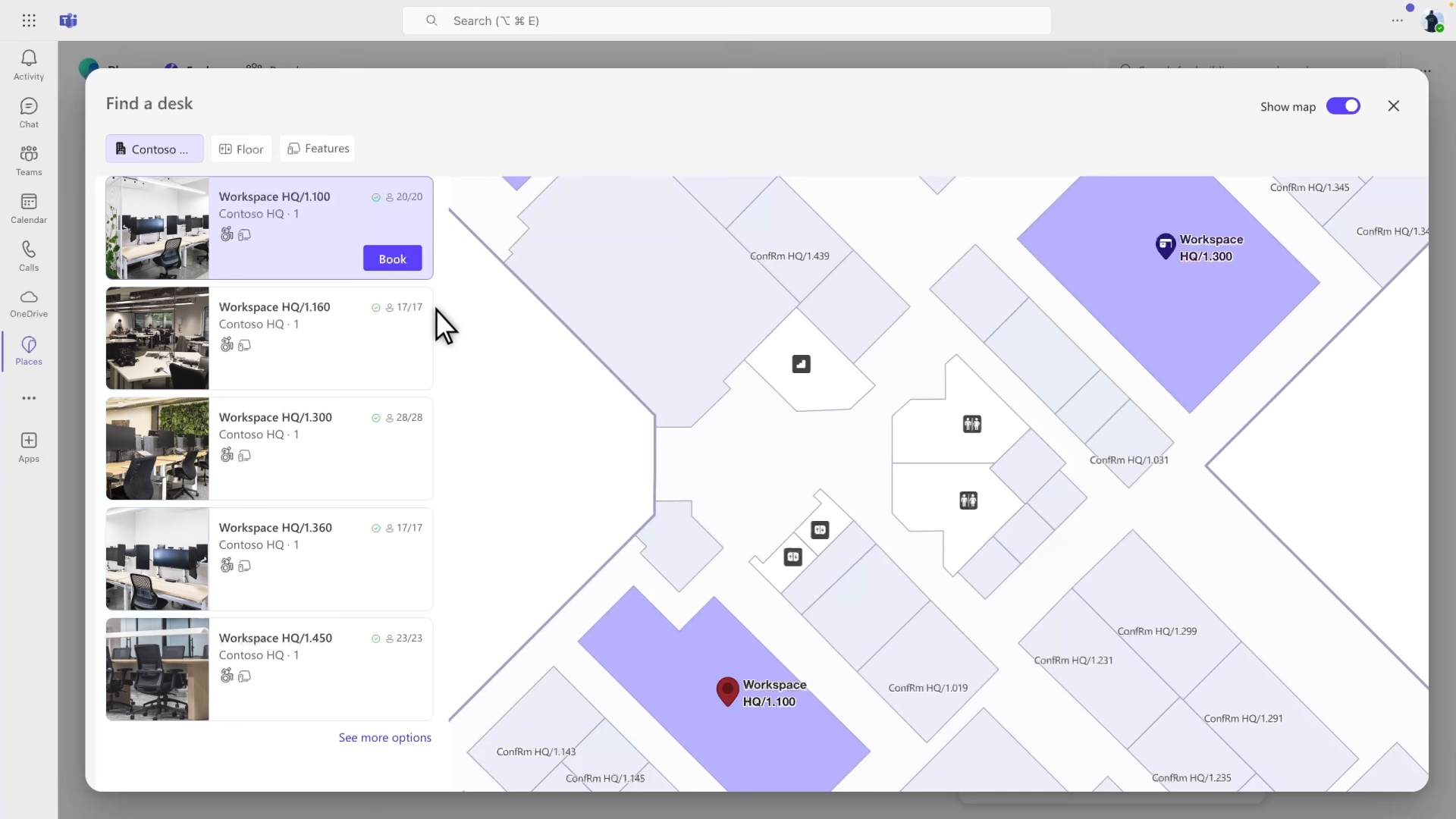
Places is Microsoft's app for coordinating a hybrid office. People book desks and rooms, set a weekly work plan so colleagues can see who's in, and facilities get some occupancy data. Its best trait is that it lives inside Teams and Outlook, so people use it without learning a new app.
Its limit: it only works well if you're committed to Microsoft 365, and it covers desks and rooms but not much past that.
What it includes:
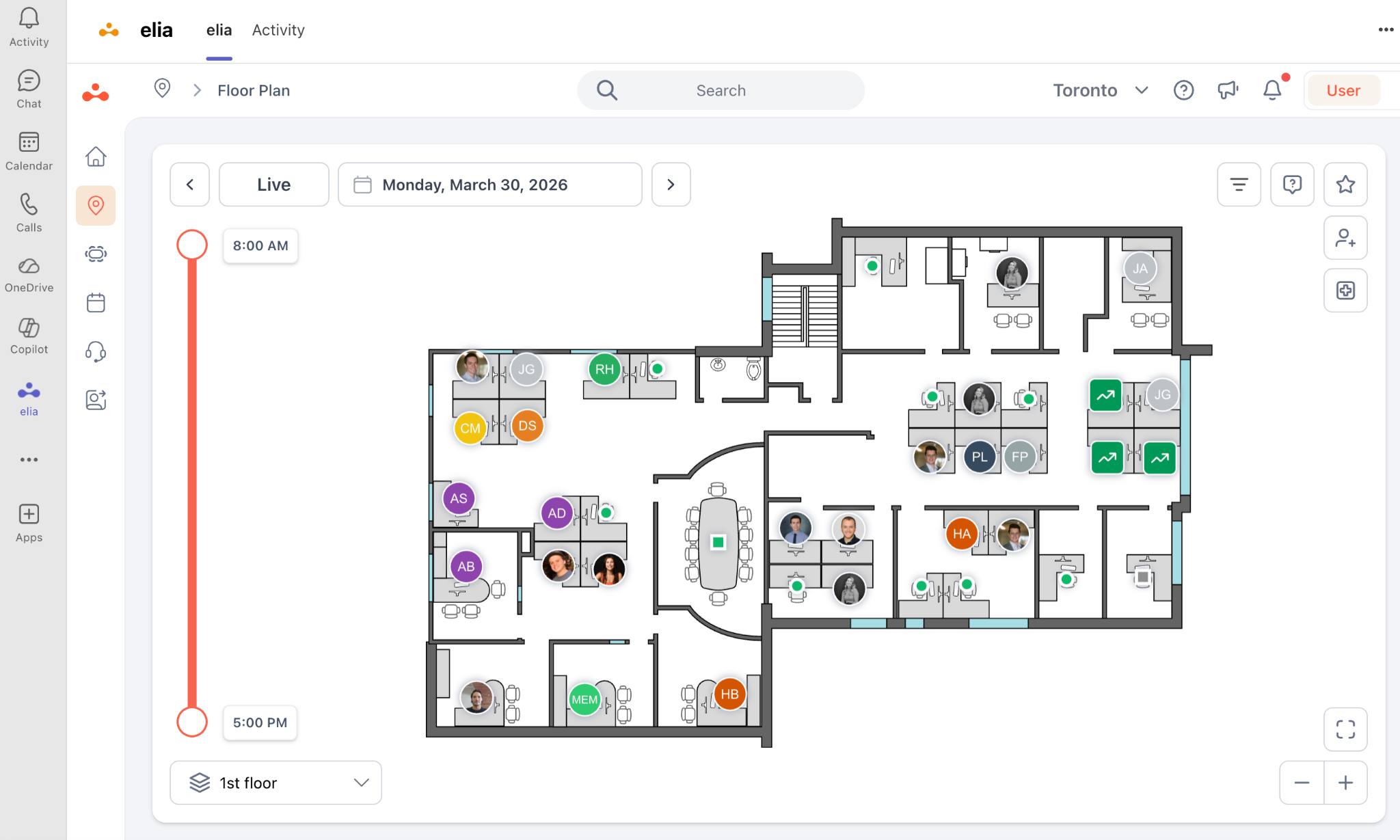
elia is a standalone workplace platform. You buy it on its own, not bundled into a bigger software suite like Microsoft 365. It connects to Microsoft 365, Google Workspace, and Slack, it's ISO 27001 certified, and it’s built and run in Canada. Around 150,000+ people use it, at places like Québecor, Université Laval, and Cascades.
What it includes, on the software side:
As for the hardware: desk and room occupancy sensors, meeting-room display screens, a touchscreen kiosk, an IoT gateway, and a smart lock that turns existing lockers into bookable smart lockers. You can run elia as software only and add hardware later if you want.
The two are close on desks and rooms. elia does everything past that, and it changes who holds the controls. The next sections are the parts that decide it.
Before you compare features in depth, it helps to know how Places is built, because it sets who controls your office day to day.
Microsoft didn't make Places a new platform. They built it on Exchange, the same system behind your Outlook calendar. Every desk and room is a calendar entry, and the floor hierarchy lives in the Microsoft directory.
That one choice has a big consequence: Places is an IT system. Booking policies are set by the Exchange admin, and changes route through the directory, so they take time:
Floor maps are their own project, too. They have to be supplied as IMDF files, the indoor-mapping format Apple built for malls, where every wall and desk needs a real-world coordinate. In practice that means converting CAD drawings, matching each room and desk to its Exchange resource, and uploading through PowerShell, usually with a paid specialist, then re-uploading the whole plan every time a desk moves.
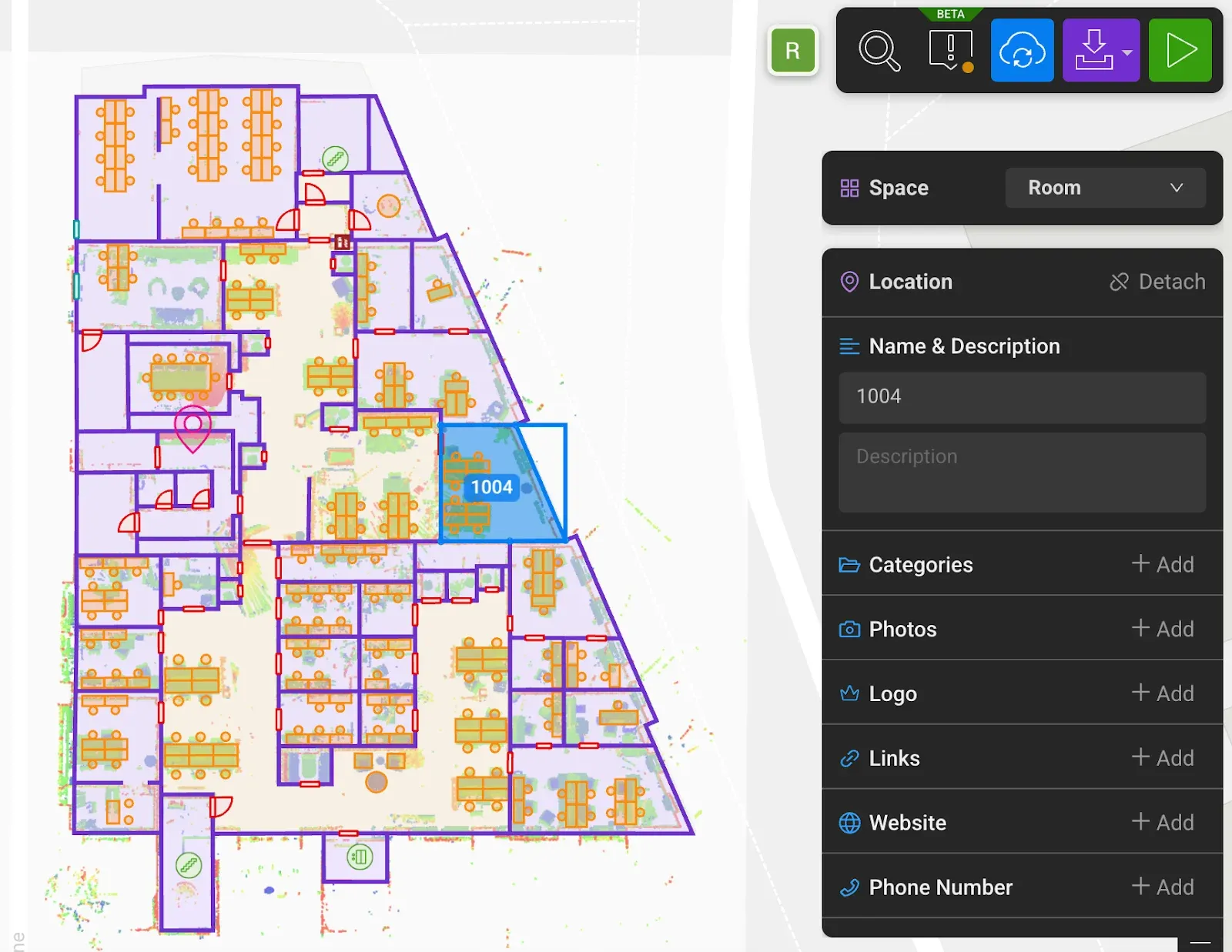
So the team that lives with the office, facilities, can't move a desk or change a rule on their own, and they file a ticket instead. And a workplace never sits still:
Every one of those is an IT job. The real question for an IT lead is whether they want to be the bottleneck for every desk move, forever, and it isn't their core work either.
elia flips that. The workplace team runs it themselves, through a self-service admin, with no scripting. Change a rule, move a desk, open a floor, and it's live right away. That's the difference customers point to first: people book on day one with no training, and facilities stops waiting on IT.
On the core job, the two are close. Both give you floor plans, desk and room booking, work plans, and who's-in. Places does this well. elia's case is the rest of the building:
Places doesn't do those, so you’d add a separate tool for each, which is how a lot of offices end up running five apps that don't talk to each other. elia's one system for all of it. That's a bigger deal for a small facilities team juggling all of that than for a company that just needs to seat people at desks.
Even if booking is all you need today, the desks-and-rooms call isn't automatic. One example: Places leaves any desk pool under 10 desks out of its analytics, so small offices and breakout floors get no usage data there. With elia you can start with desks now and add visitors, lockers, or sensors later, on the same contract, without switching tools.
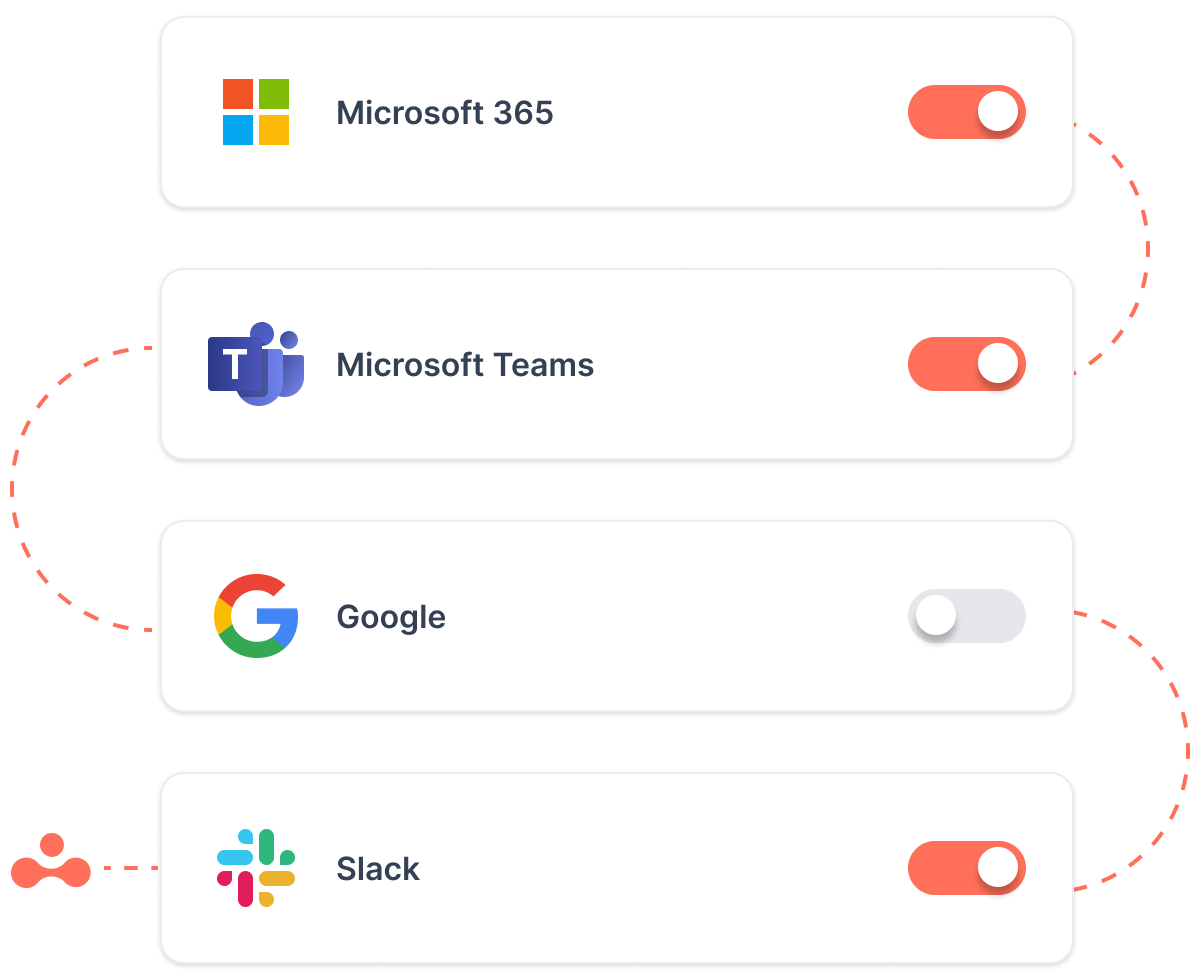
Places is at its best when your whole company is on Microsoft 365, and it gives mixed setups little. Teams on Google Workspace, or anyone coordinating in Slack, get not much from it, and on-premises mailbox users are shut out, which catches a lot of companies mid-migration.
elia works across Microsoft, Google, Slack, and both calendars, so the same booking shows up wherever someone is. If you're all-Microsoft and staying that way, this won't move the needle. If you're not, it's a big deal.

Places has no hardware of its own. It can read signals from third-party occupancy sensors to feed its analytics, but you source, buy, and wire up that hardware yourself, and Places doesn't connect to building systems on its own. For real occupancy data you're assembling a stack.
elia makes the sensors and screens part of the same platform. You can run it as software only and add hardware later. The value is one vendor for both the devices and the data, instead of a separate project to wire them together.
Here's something most "Places is free" pitches skip. The Places features that are free are the easy, pleasant ones: work plans, presence, who's-in, and booking rooms and desk pools. The parts you came for, individual desk booking, auto-release, and occupancy analytics, are the paid ones, through the Teams Shared Space license at $8.55 per license a month (four desks plus one space).
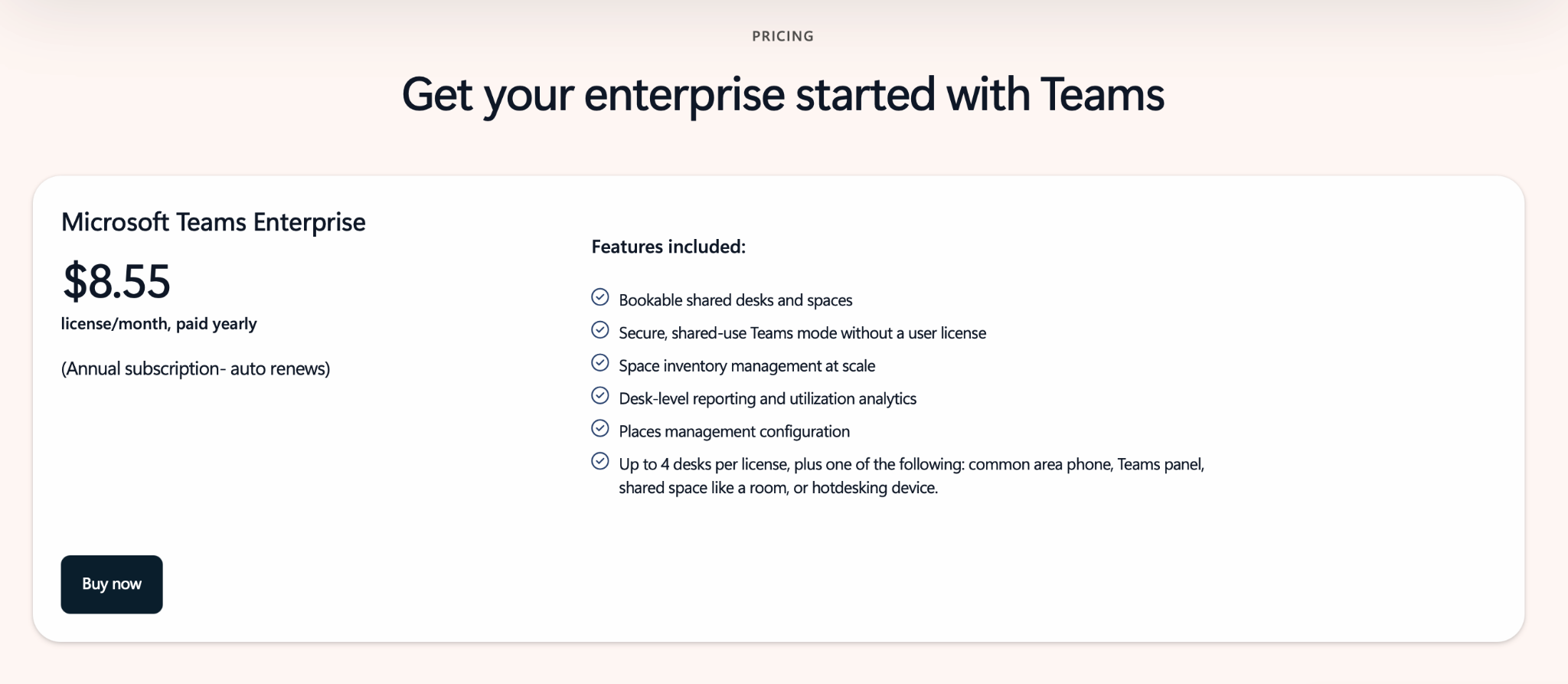
And the desk license isn't the whole bill. You can't draw maps in Places, so most teams pay a specialist like Mappedin, around $200 a month per map (one map can cover several floors), plus the IT hours to run it all. The maps bill is modest. What adds up is desk licenses across a big estate, the IT time, and the separate tools you'd buy for visitors, lockers, requests, and sensors.
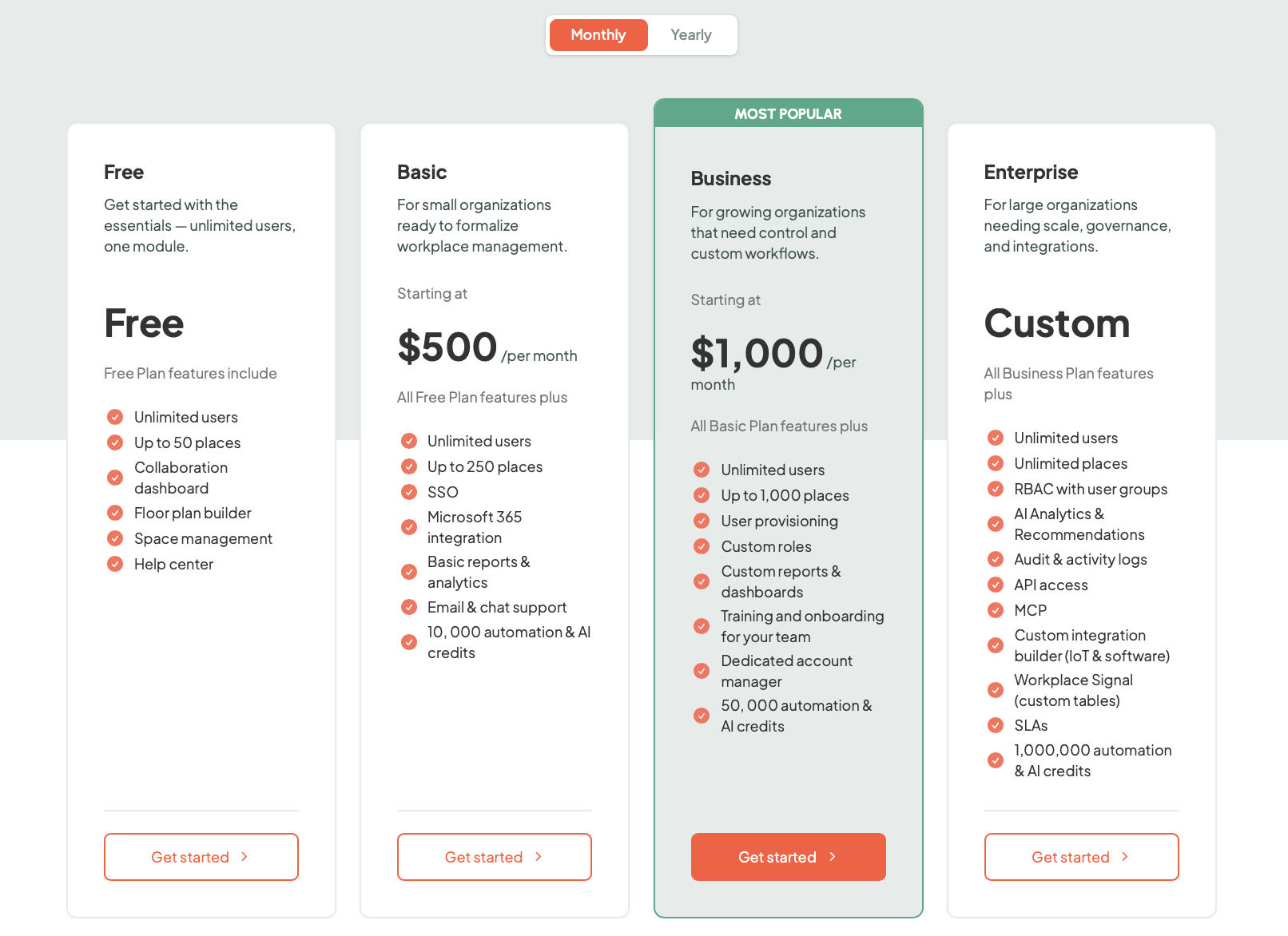
elia is priced by the number of bookable places, not per user, so every employee can use it on any tier. There's a free plan for up to 50 places, then Basic at $500 a month (up to 250 places), Business at $1,000 a month (up to 1,000 places, and the most popular), and Enterprise custom for unlimited places, with hardware as an optional add-on. One subscription for the whole workplace.
Microsoft's Canadian page still lists different numbers, so confirm local pricing.
One nice detail I wanted to mention: the free Places coordination features, like setting your status in Outlook, overlap with elia, and elia syncs with them both ways. So you keep what's free in Microsoft and don't pay twice. You don't have to choose between elia and your Outlook status.
So, conclusion on cost: for pure room and desk-pool booking inside Microsoft, Places is hard to beat. Once you add desk licenses at scale, the maps and IT time, and the modules Places lacks, the all-in number can match or pass a single elia subscription. Run your own figures, ours included.
Microsoft Places is used across Microsoft 365 organizations of every size, which is its main proof point: it's already in millions of tenants, and Microsoft names reference customers like BT, CBRE, and GN Store Nord. Most of its reach comes from shipping with the suite rather than from a standalone customer base.
elia is used by about 150,000 people across organizations including Québecor, Université Laval, Cascades, ROBIC, Eddyfi, and Fasken.
A couple of customer notes give a sense of where it lands:
"elia's booking system is so simple. There's no need for user training, the floor plan appears and all you have to do is select the workstation you want. The few times we needed support during the rollout, the team was always easy to reach and responded very quickly."
-Michelle D'Arcy, Director of Real Estate Operations, Québecor
"Our team members love the elia platform and adopted it immediately upon launch. All functionalities are easy to use, without the need for training. Certain functionalities have also helped increase office attendance and in-person interactions."
-Catherine Chouinard, Human Resources Director, ROBIC
Write down what you need the workplace tool to do over the next two years, and who you want running it:
The deciding question is: how much of your workplace lives outside desks and rooms, and who do you want holding the controls?
The April 2026 change makes Microsoft Places more accessible than ever, and for coordinating hybrid days and booking rooms inside Microsoft 365, it's solid and easy to roll out.
But it's a coordination layer that does desks and rooms well and stops there, and it keeps the controls with IT. If your workplace is bigger than booking, or you want your own team running it day to day, you'll outgrow what the native tooling can stretch to.
Places details are from Microsoft's Places documentation on Microsoft Learn and the Microsoft 365 licensing notices for the April 1, 2026 changes. The rollout observations draw on independent practitioner write-ups, including Essential Computing's troubleshooting notes, Mappedin's Places IMDF documentation, and 2026 comparison reviews from Yoffix and others. elia details and pricing are from elia.io and the elia pricing page, current as of June 2026. Prices for both can vary by region and agreement; confirm current figures with each vendor before you budget.
Answers to Your Common Queries


.png)