Contents
Subscribe to our newsletter
Subscribe to the elia newsletter for exclusive product updates and industry best practices. You can unsubscribe at any time.
Thank you! You're subscribed.
Oops! Something went wrong while submitting the form.


A law firm we talked to once got a request for a podium at 4:55 for an event at 5.
That’s a rare scenario, though. The more common one is when the meeting moves from the 12th floor to the 9th, and the food still arrives on the 12th. Nobody told the kitchen because the room change happened in Outlook, and the catering order was sitting in someone's inbox. Been there, done that?
If you've gone looking for help, you've noticed that most of what you'll read about service request management comes from IT. But workplace requests are different because they're tied to a room and a time, and those change a lot.
Here's what we'll get into here:
A service request is when someone asks your team for something that you already do. Setting up the training room, ordering lunch for a client meeting, a new monitor, an ID badge for a new hire… Access requests count too, like a new employee needing software access on day 1.
ITIL (the framework most IT teams follow) says a service request is for something that's agreed to be a normal part of service delivery. “Agreed" is important here:
And favors get forgotten because they’re nobody’s job.
Let’s say someone sends a Teams message asking for the training room to be set up for 30 on Thursday. If room setups are already on your team's list, someone owns it and it gets done. If they're not, it depends on who saw the message.
Easiest way to tell incident vs service request apart is to ask if something's broken:
ITIL calls an incident an unplanned interruption, and incident management is all about getting things working again fast. Service requests you can plan for.
A work order is the actual job someone does for either one. In workplace ops, one request can turn into a bunch of jobs for different people.
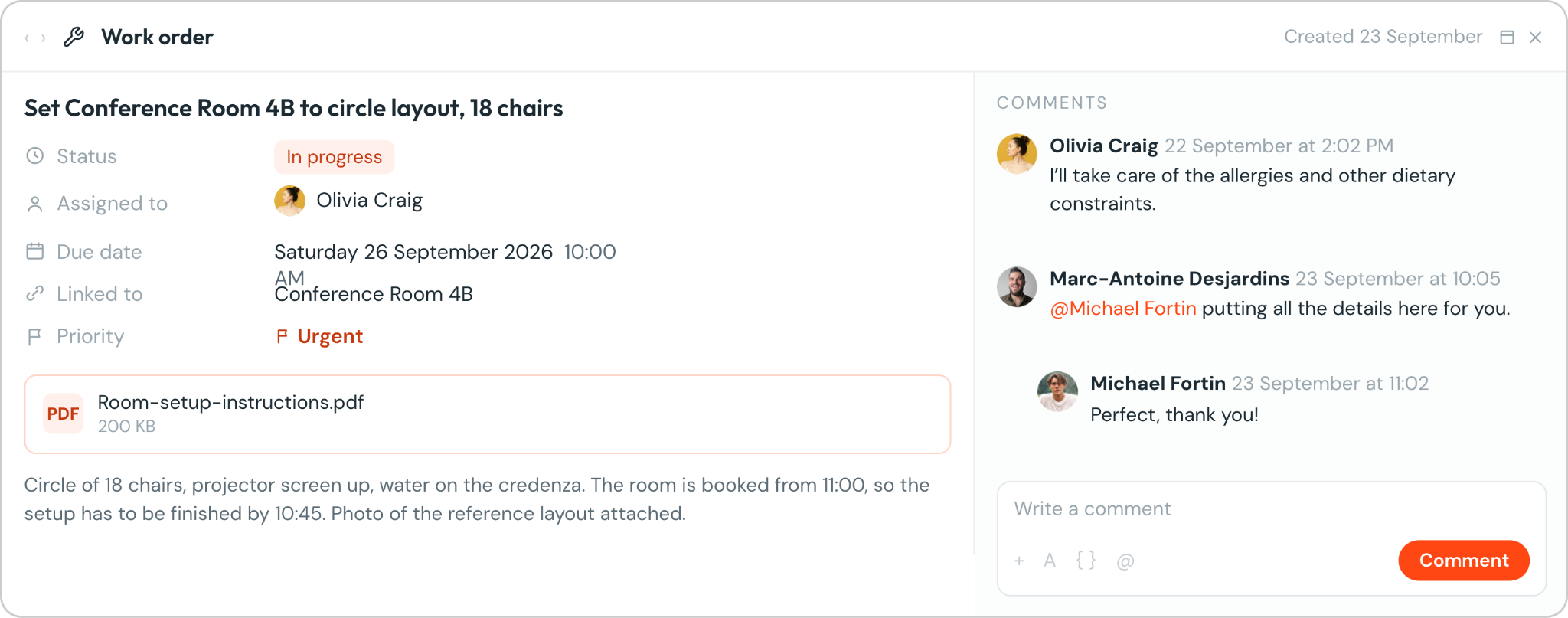
Imagine a partner books a client lunch for 14 in a U-shape:
4 jobs, 1 request.
The request is what the partner asked for. Each work order is who does what and by when.
Keep them in separate buckets if you can. Otherwise one boiler repair makes it look like your team takes a week to set up a room.
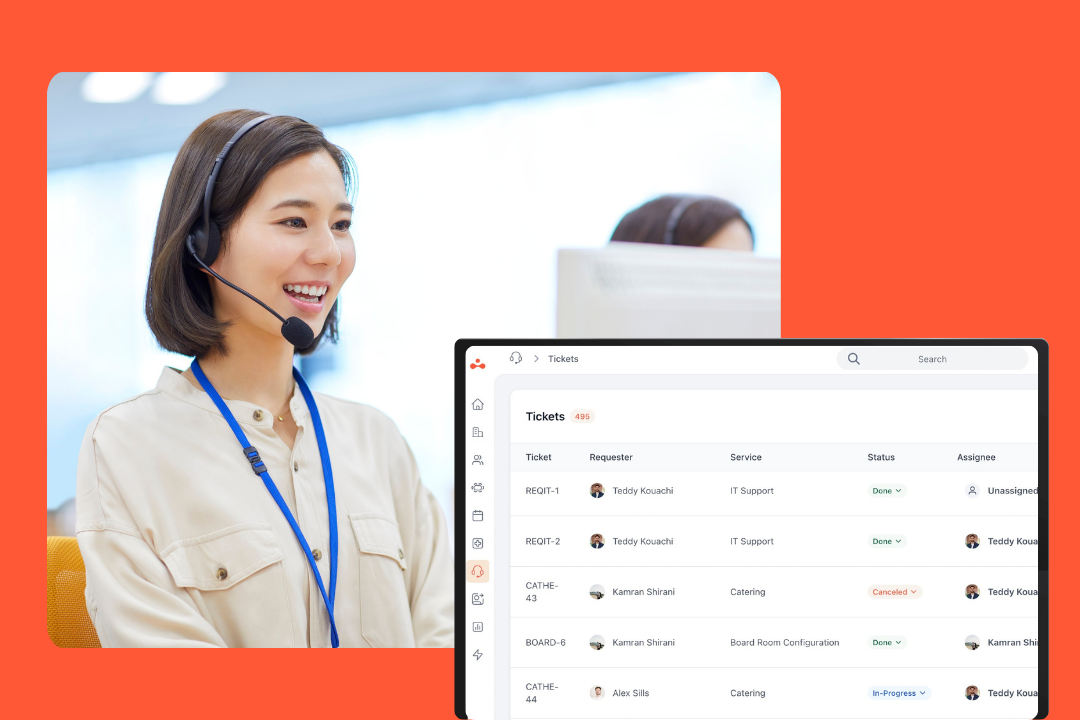
Usually it's split. IT takes care of anything with a plug or a login, and often has its own desk, like ServiceNow. Facilities and reception sort out the rest, from moves and repairs to catering and guests.
But for everyone else, it's kind of a mess. Like, the screen in the meeting room is dead. Do you call IT or facilities? Nobody’s sure. Your employees shouldn't have to figure that out. Just give them one place to ask and let your teams deal with whose it is.
You'll see the same 5 steps: submit (someone asks), triage (someone owns it), assign (the work is split up), resolve (it gets done), close (the room gets put back). ITIL calls the back half request fulfillment.
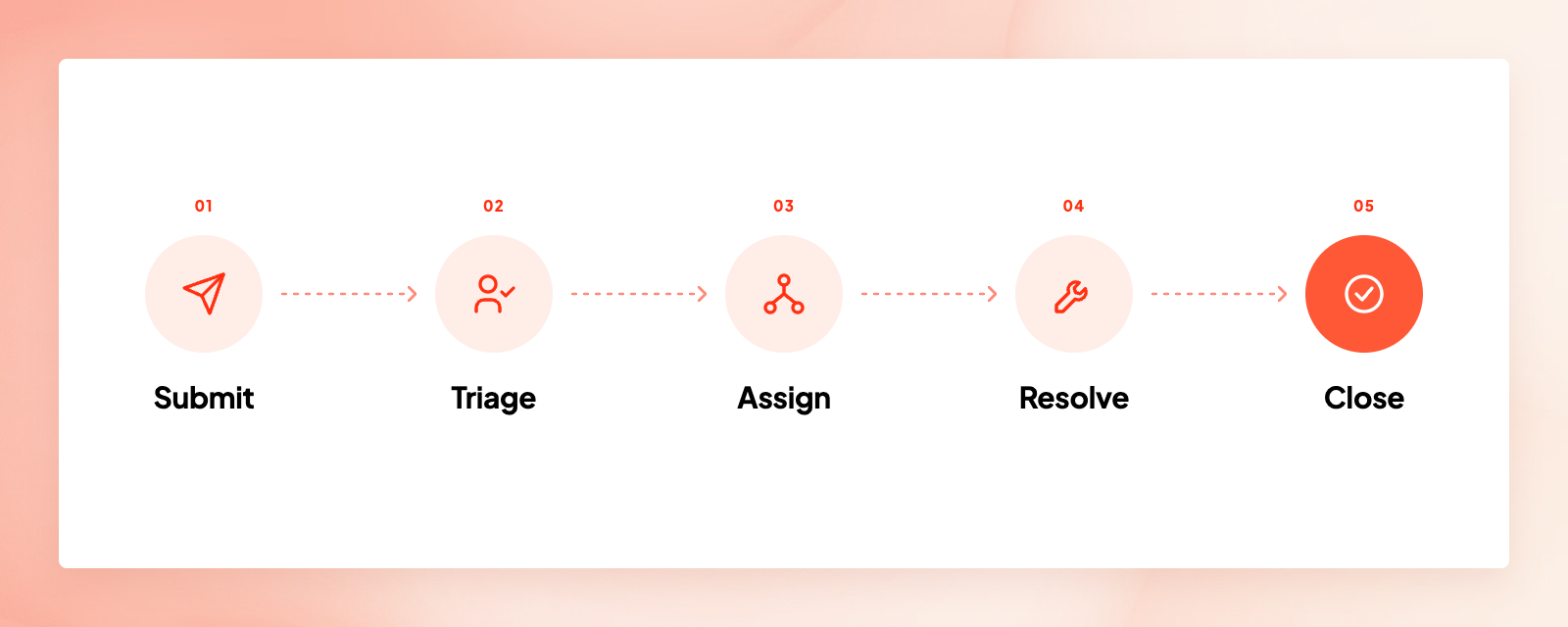
In practice, the steps themselves are fine, but a lot of times things get lost in the handoff between them, especially when a booking’s involved.
For workplace requests, you need to know where and when right off the bat.
Anything sent as a loose Teams message or typed into a meeting invite is basically gone. People use whatever's fastest, and if your form takes longer than pinging Dave in facilities, they'll message Dave. Whether you call it a self-service portal or an employee portal, it has to beat Dave.
Stick a QR code on the meeting room door or add a nice, big "Report an issue" button on the booking, and Dave gets a break.
Someone, or at least a rule, needs to claim it and give it a due time. Automated workflows can do most of that if the request came in with the right category. Then send a quick "Got it." Once people know you've seen their request, the update messages stop.

A firm we talked to also told us they really like that their own IT service desk has auto-escalation rules. If nobody picks up a request in time, it gets bumped up to someone else, and stuck tickets don't get left hanging.
When it comes to anything tied to a booking, the due time is the start of the meeting. Work backward from there:
Pick your own service targets and write them down. If your caterer or cleaning company has service level agreements with you, match yours to theirs.
If the request needs more than one team, break it down into work orders and give each one to someone.
Keep the back-and-forth on the ticket. If the setup crew asks if it’s rounds or a classroom in a side chat, the kitchen never hears the answer. Let people reply straight from Teams where they are and keep those conversations attached to the request.
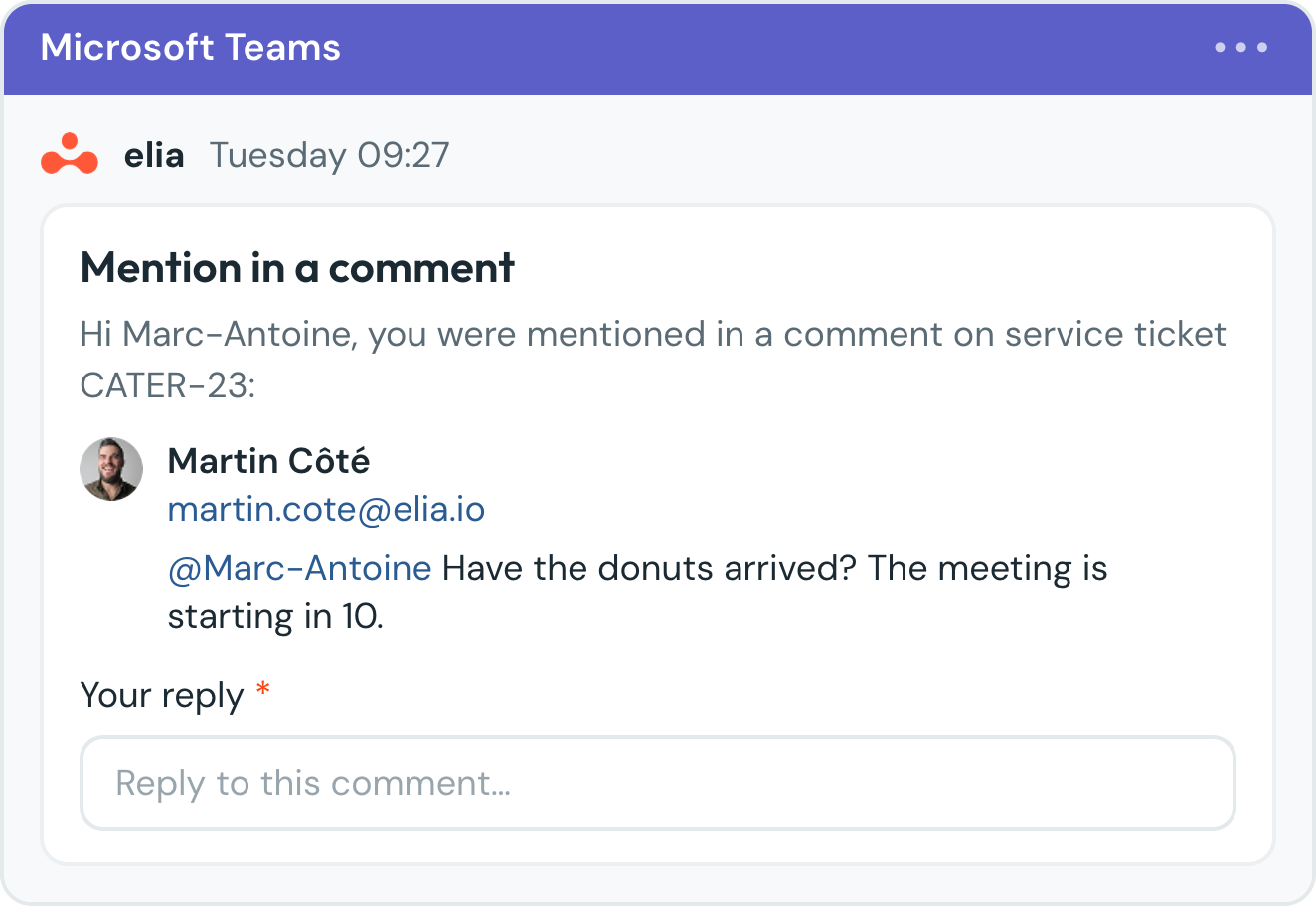
The work happens and the requester hears back. For a password reset, you're finished. For a catering order, you're maybe halfway there.
A catering order is done once the trays are gone and the room’s ready for the next booking. We know a law office where their service team keeps track of every order on a board until someone collects the trays and cleans the room. Delivered is only the first checkpoint for them.
If nobody resets the room, your 2 o’clock meeting walks in on a table full of the last meeting's coffee cups. Resetting rooms is kind of a thankless job, and people only notice when it didn't happen.
For long meetings some teams will drop the food at a pickup spot outside the room. That’s way better than someone wheeling a cart in mid-presentation.
And give people a little bit of time to reopen the ticket before it closes, so they can catch the orders that looked done in the queue but weren't actually done in the room.
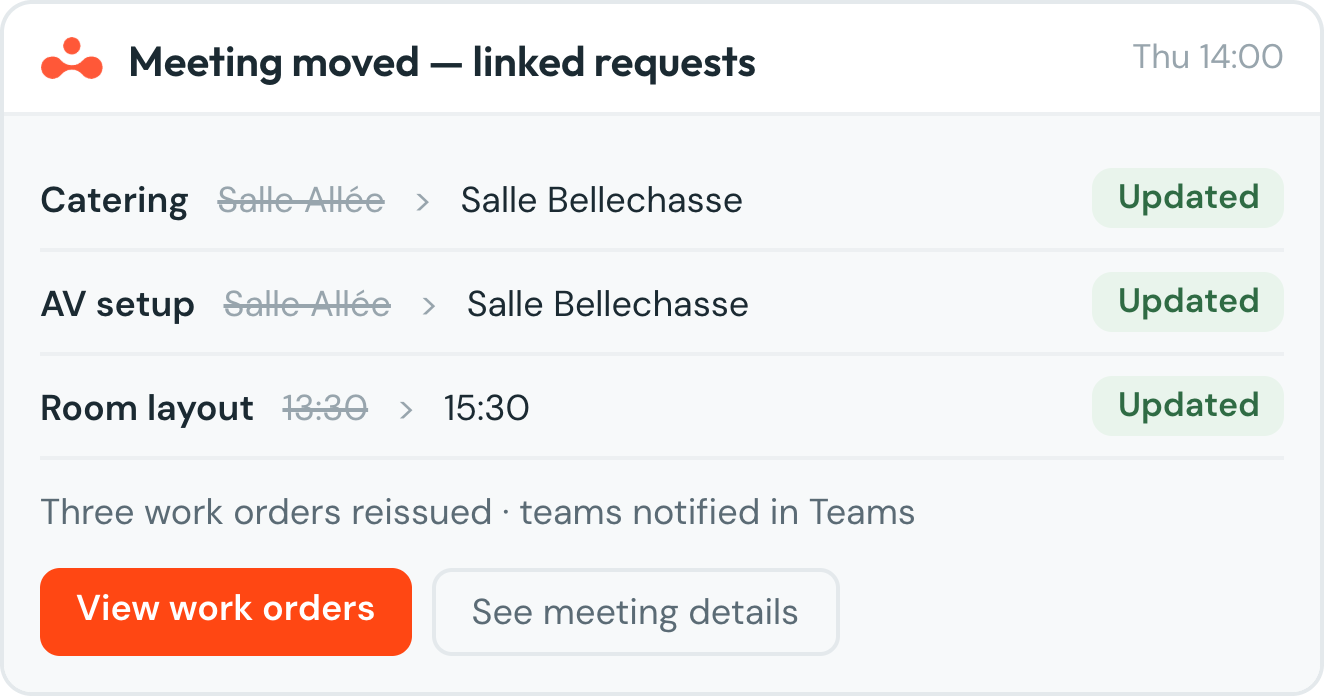
A lot of the requests that go missing start with a booking change. And a lot of the booking apps make things worse. In some of them, if you move the meeting, whatever was ordered for it gets cancelled, and in others the order gets locked once it's submitted and you can't really change it. Then someone ends up emailing the caterer anyway, right?
What works way better is letting the change go through and just letting the person who ordered and the person making it know that something changed. Blocking the change feels safer, but people get annoyed pretty fast and go back to email, and then you've lost track of the request at the worst possible time.
And if the caterer isn't part of the company, make sure they get it too, because a lot of the time they only ever get that one first email and have no idea the meeting got moved.
They’re sneaky too. The Monday leadership meeting with coffee for 12 is really one request that repeats every week. Check that the order carries over to every meeting in the series because some apps only attach it to the first one, and some don't let you add services to recurring bookings at all.
A service catalogue is a list of the available services your team offers, written down so people don't have to second-guess what your team does.
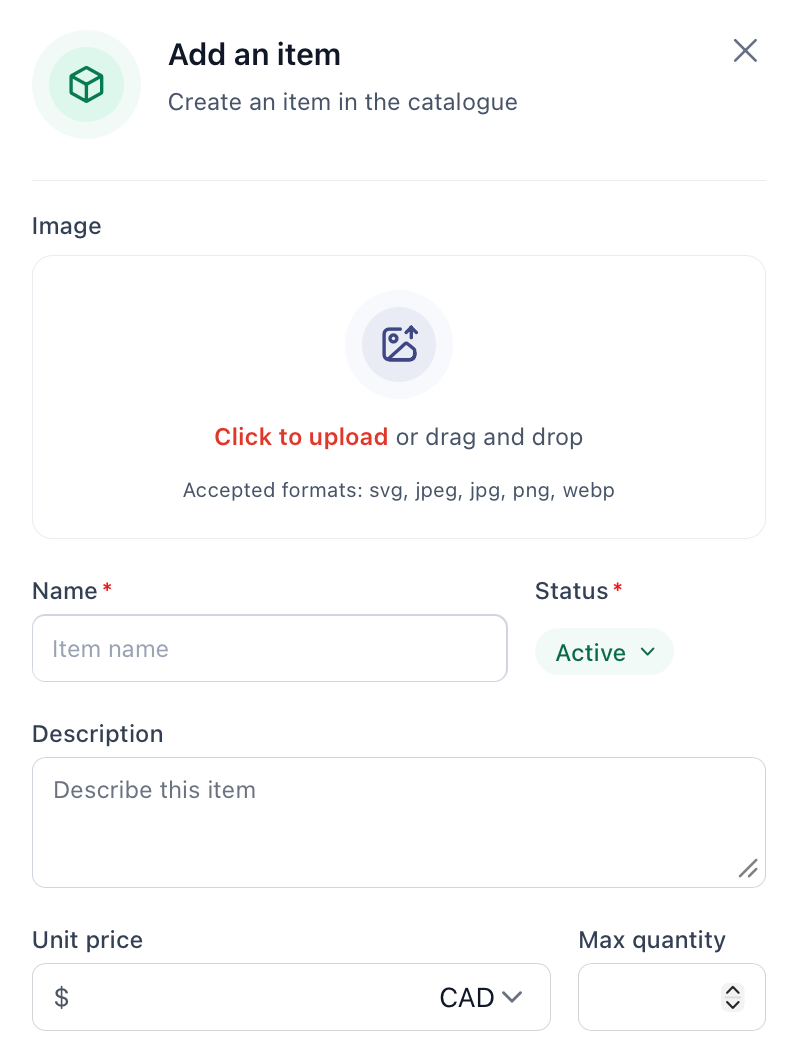
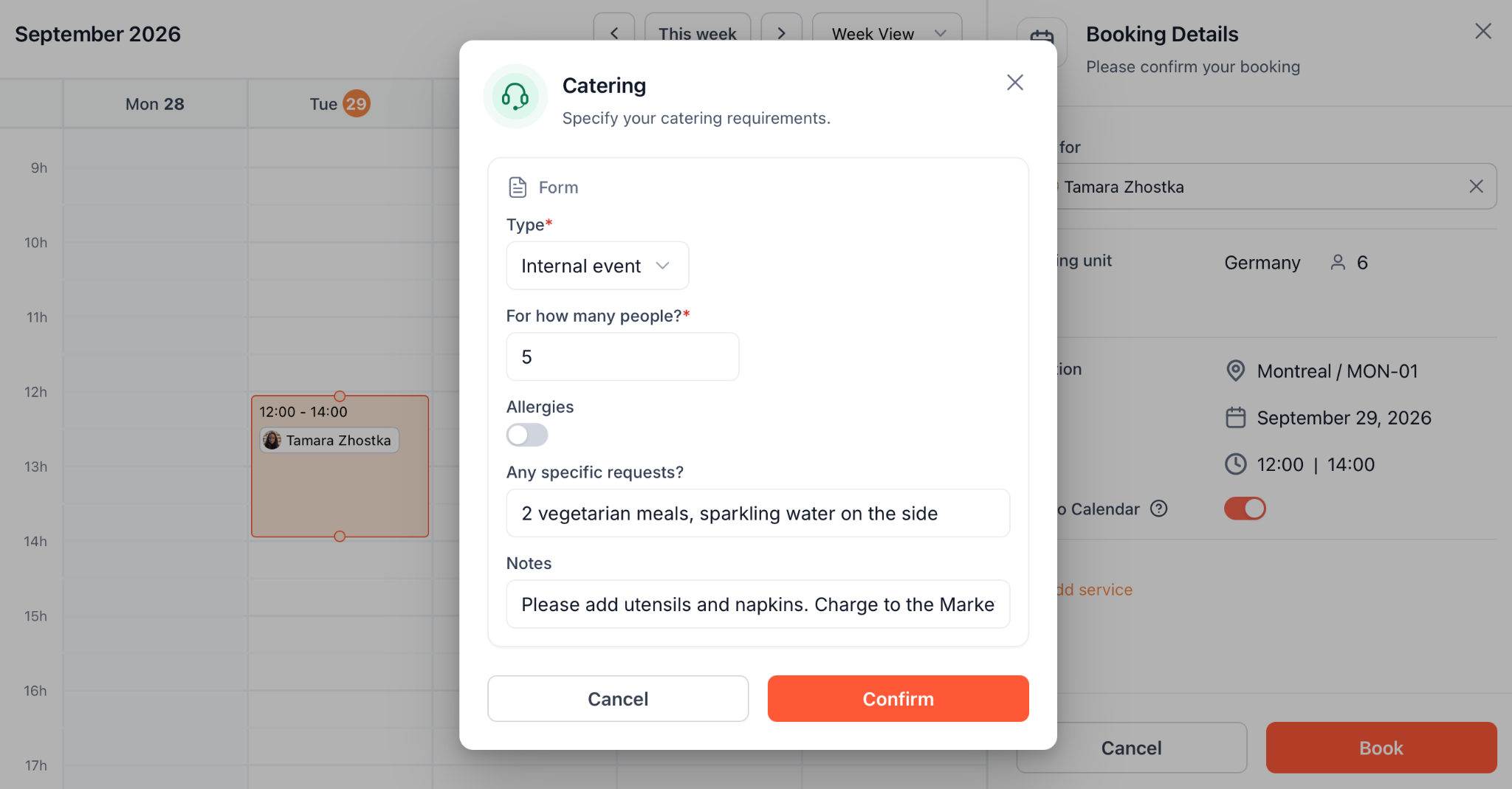
A service catalogue can also cut out a lot of back-and-forth too. When people request services from a list and pick something like a room setup for an event, the whole thing is already sorted, with all the details the crew needs to know. Compare that to an email asking if the big room can be ready for Friday, followed by 3 rounds of questions.
You don't even need a huge catalogue to start out with. Just write down the services your team is already doing. One room setup service and a short list of equipment will get you off the ground quick, and you can always add more as things come up.
If your form only gets one thing right, make it the room. After that you’ll want to know when it's needed, what exactly, who pays, and who wants updates.
You've probably gotten at least one request that just says the light is broken. Which floor? Which light? Then someone has to write back, wait, write back again, and sometimes walk the floor looking for it.
A few things on the form help a lot with that:
Here's a template you can copy and adjust for your office:
From what we’ve seen, requests get stuck in 2 spots: either nobody picks them up, or the booking changes and nobody updates the order. I’d split both by request type, since a new keyboard and a full desk move shouldn't have the same target. It also helps with resource allocation.
Then there are 2 numbers I'd actually check every month:
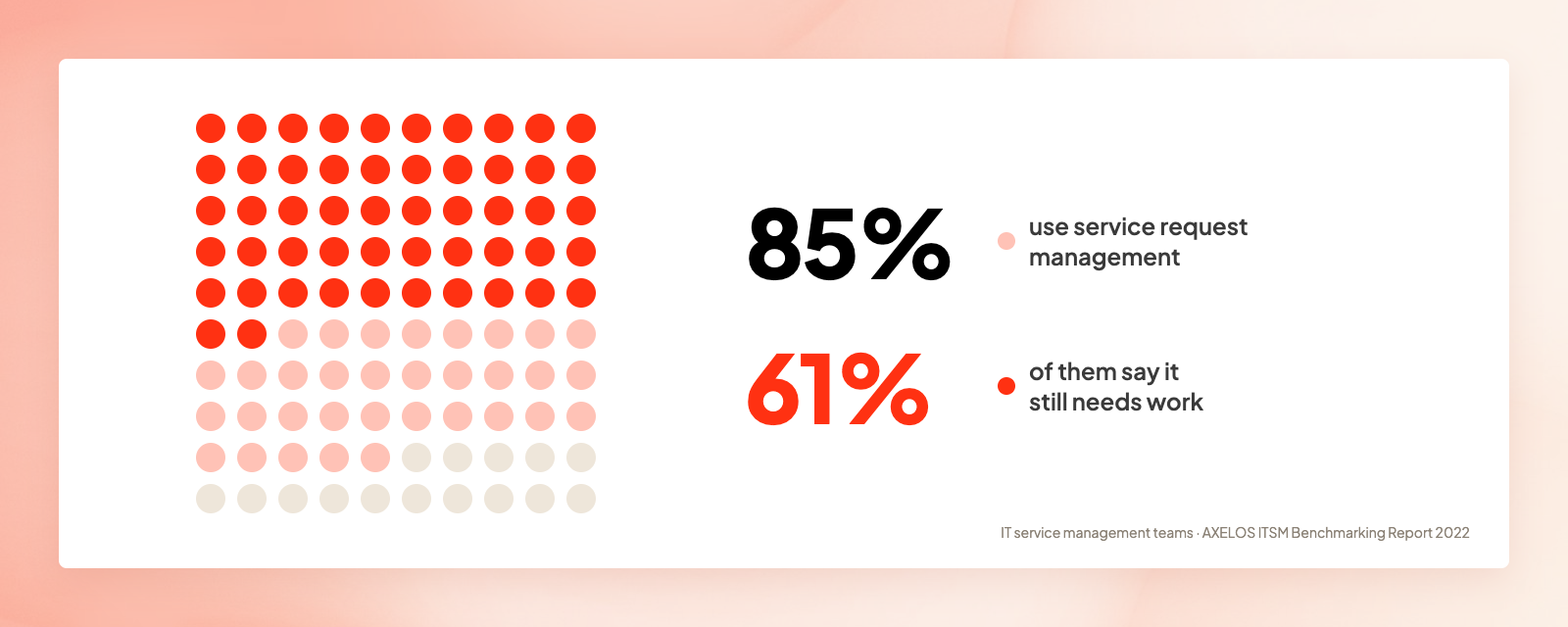
And if your numbers look rough, you're not the only one. In an AXELOS survey of IT service management teams, 85% had adopted service request management, and 61% of them said it still needed work. And those are IT teams, who mostly have a real service desk.
Facilities teams working out of a shared inbox have it worse.
If you want to improve service quality, I'd start with those 2 gaps. A quick thumbs-up after each request is a nice way to track user satisfaction, but keep in mind you'll only hear from people whose requests got logged. For customer satisfaction, employees just want to know if it showed up on time and in the right room.
Pull the last 90 days of requests from wherever they're hiding, including the shared inbox and that spreadsheet at reception. Your 10 most common requests become your first services and your first forms, and it gets a lot easier to set your service request management priorities once you can see them.
Most workplace booking apps have something like this now, but they’re not all the same. Some let people add services when they book a room, and others are more for reporting problems and tracking the fix. A few do both.
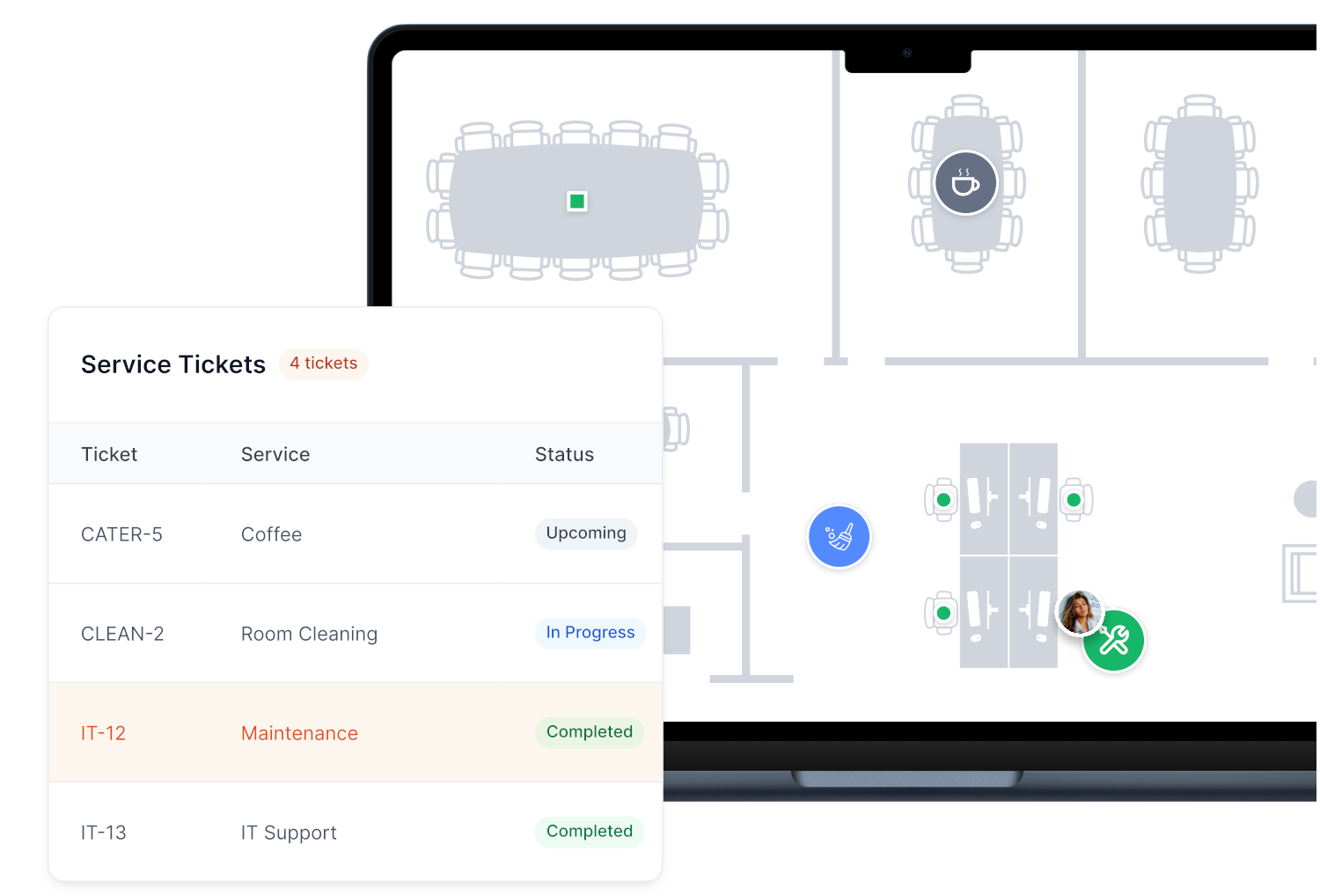
For example, in elia, people can request pretty much anything from the floor plan, whether it's catering with their booking or a broken monitor at their desk, and every request is tied to the exact spot. The requests move with bookings, too. You can also set up automations for approvals and assignments, and people can reply to comments right from Teams.
Here are a few more tools that do service request management.
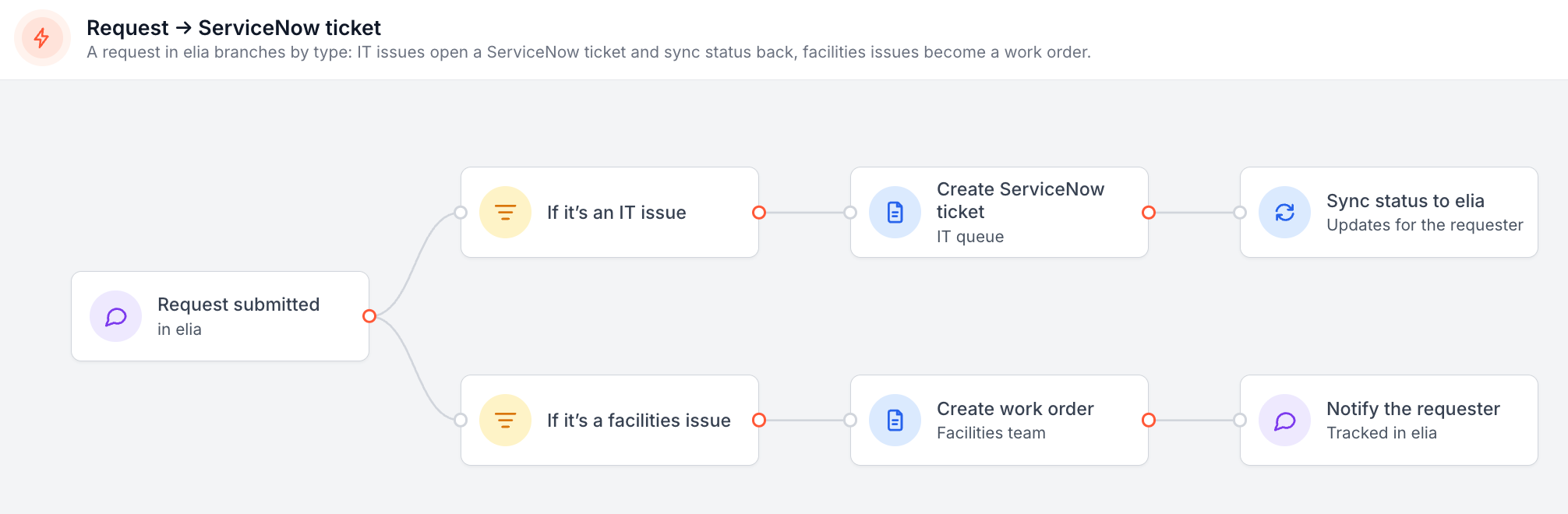
If your IT team uses ServiceNow or Jira Service Management, a lot of these apps can pass tickets over, and elia brings the status back too. People still get one place to ask, and IT keeps working where they already are. ServiceNow also has its own workplace services catalogue, and some bigger companies use it for catering and maintenance.
Whatever you pick, employees shouldn't need to know your org chart to get a light bulb changed.
Features change a lot, and I'd test a few things before you pick one:
If you want to run those tests on elia, take a look at the request management software or book a quick demo with our team.
Answers to Your Common Queries